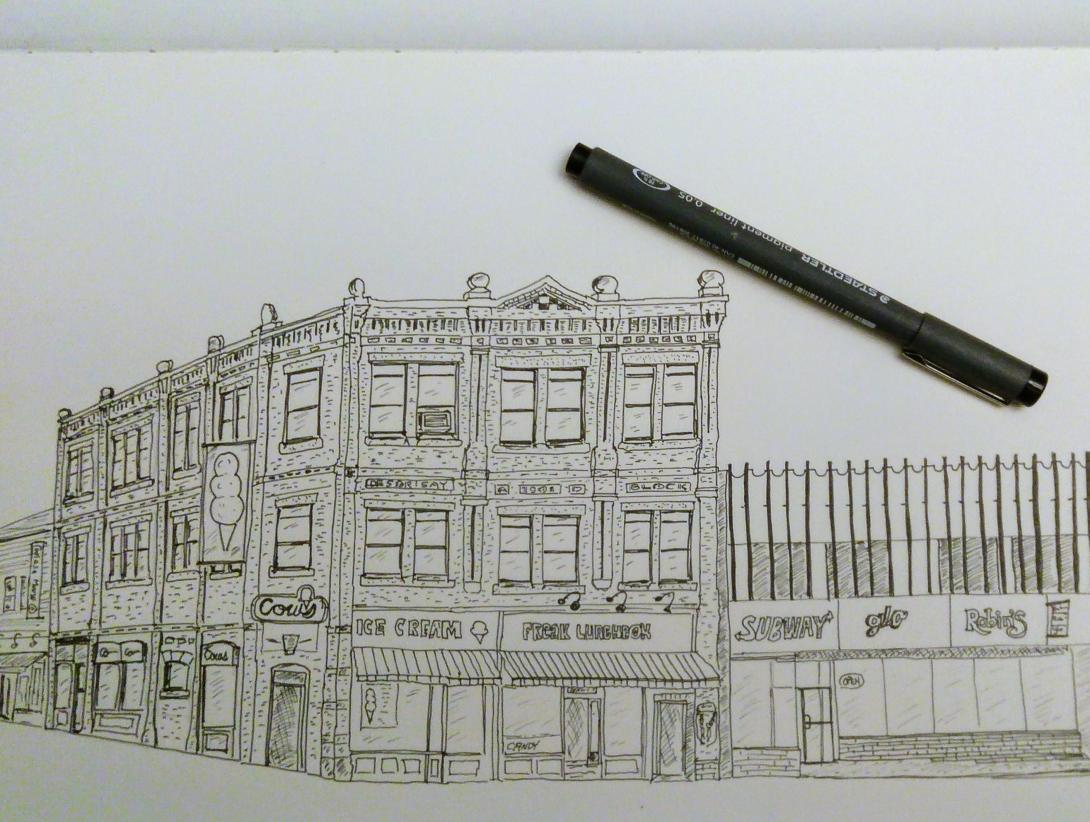
Swapping art is the greatest.

And my Map of Charlottetown has enabled it, twice.

First, with Jeff Macklin from Jackson Creek Press in Peterborough, who swapped a map of there with the map of here, but slipped some extra things in the envelope, pictured below.

And, second, with Monica Lacey, of Outmost Fitzroy Street, who swapped me an underwater print for the selfsame map (second from the left) below.

Oh, and the chicken on the right: that’s a Stephen B. MacInnis. Paid cash for that, but I love it nonetheless.

Things I've Swapping, Hanging on the Wall

Something to swap that can slip in an envelope? I’ve got plenty to offer in return. Drop a line.

🗓️
Letterpress  •  Art

There is this thing that is variously called “two-factor authentication” (TFA or 2FA) or “multi-factor authentication” (MFA) or just “one-time passwords.”

If you don’t know about it, it would be a good idea to set aside some time to learn: no matter whether you’re an information systems professional or a regular everyday civilian, while it will (slightly) complicate your digital life, it will also make your digital life more secure.

If you’ve ever logged into a service and have been required to enter your mobile number and then wait for a code to be sent to you by text message then you’ve already used TFA, and you already know most of the important bits: it’s simply a way of websites to ask you to login using more than one identifying piece of information (hence the “two” or “multi”). Like your username, your password and a code that gets texted to you.

There are generally two ways that the “second factor”–the additional code you must enter to continue–is communicated to you: by text message, or by a special “one time password” app that generates expiring 6-digit codes.

Google Authenticator for mobile phones is likely the most common example of the latter, but it’s got some serious limitations, most of all that you need to have your phone with you (and out of your pocket) every time you want to login, but also that if you happen to lose your phone (or need to reset your phone, or get a new phone), you can be left without the ability to login. Anywhere.

The alternative that I’ve settled on is to use the built-in one-time password support for 1Password.

If you’re not using 1Password, please stop reading right here and go and purchase and install it on all your devices.

Really. I’ll wait right here while you do this.

Are you done? Great. (If you resisted, please stop and, really, go and get 1Password: it will not only make your digital life far, far easier to manage and far, far more secure, but it will also save you the task of keeping track of which password is which on chits of paper).

There’s a lot more to 1Password than one-time passwords, and there’s a learning curve that you need to ride up before you’re comfortable, so you may want to bookmark this post and come back once you’re riding higher.

But to give you a taste, here’s what logging into a website with TFA enabled looks like, in this case my login to Amazon Web Services.

I go to the login page and, as you are used to from innumerable other websites, I enter my username and password (my password is a long and complex one, and one I only use for Amazon Web Service: this is easy to manage with 1Password):

AWS Login

At this point, rather than logging me in, Amazon Web Services prompts me for a one-time password (they call it an “authentication code”):

AWS Prompt for one-time password

I pop over to 1Password to get this:

1Password showing one-time password

I copy and paste that one-time password–191169–into the Amazon Web Services “authentication code” field, and, presto, I’m logged in (the one-time passwords expire every 60 seconds, so by the time you read this post that 191169 has long-expired).

The great thing about using 1Password to keep track of both my accounts and their passwords and to generate one-time passwords is that everything automatically gets synced between my laptop, my phone, and my tablet. Meaning that when I’m here in the office I use my laptop to login, but when I’m at home or out in the field I use my phone or tablet. And the loss of any of those, (or, indeed, all of those, as I can get the same information over the web, logging in using the 1Password Emergency Kit that I’ve printed off) doesn’t render me stranded.

Today an update was released for 1Password that makes doing all this even easier:

1Password Updated brings One-Time Password Copying

As it says there, “now when you fill an item into your browser 1Password will automatically copy its one-time password to the clipboard for easy pasting.”

Which is brilliant, and will be a huge remover of friction for me, as I enter one-time passwords from 1Password many, many, many times a day.

I’m happy to answer questions about any of this.

And I wasn’t being facetious about your need to use 1Password: go do it, now.

🗓️

The Province House restoration dishes up an new serving of visually interesting sketch material every day. We are currently in the sunny period leading up to the installation of the exoskeleton (the prospect of which almost makes my brain explode with possibility). And so a trench has been dug almost all the way around, exposing the foundation (and taking away with it many of the minor stairways). And so the trench doesn’t fill with rainwater, a complex network of drainpipe extensions has been installed.

Province House Sketch

🗓️

If circumstances and seasons were different, I’d be all over this Finnish letterpress workshop, hosted on the Åland Islands next month, hosted by Ahvaland Press.

Which led me to learn of the Åland Islands dispute:

The Åland Islands dispute was one of the first issues put up for arbitration by the League of Nations on its formation. The Åland Islands’ population’s demand for self-determination was not met and sovereignty over the islands was retained by Finland, but international guarantees were given to allow the population to pursue its own culture, relieving the threat of forced assimilation by Finnish culture as perceived by the islanders.

I’m all about letterpress and self-determining islands.

🗓️

At this hour I should be settling in for two hours of the Hon. David MacDonald Experience out at UPEI.

But I am not.

I decided earlier this morning that, rather than trying to catch the 7:30 a.m. bus up University Avenue, I’d take things a little easier, linger a little longer over my coffee and granola, and catch the 7:45 a.m. bus instead. I’d still get there in time for the 8:00 a.m. start, but I wouldn’t be frazzled. Such is the beauty of the every-15-minutes-up-the-avenue bus schedule.

Which is why I arrived at the Confederation Centre of the Arts bus stop at 7:40 a.m., ready to start my day.

Shortly thereafter came Bus No. 3, Bus No. 4, and the bus to Summerside.

But no Bus No. 1.

It turns out that there is no Bus No. 1 at 7:45 a.m.

I could have gone back home and taken the car, or just waited for the 8:00 a.m. bus and been a little late. But the summer heat and sense of despair at the irregularity of the universe meant that I didn’t have it in me to climb over those mountains.

And so, ironically, I will miss How can we create a habitable, thriving and just future?, the topic of today’s discussion.

🗓️

Despite my skittishness about revealing all to the Borg, I’m an enthusiastic user of both Google Maps Location History and Google Photos. And yesterday I found a setting that unites the two, populating my location timeline with the photos I took along the way. Which is how, by happenstance, these two photos of Province House, under restoration, ended up next to each other, roughly in the right position.

🗓️

I was in Boston on business in late April, and rented a car from Hertz at Logan Airport.

I’ve been making this trip several times a year for more than 20 years, and I’m used to travel weirdness leaving the airport: I survived the years of the Big Dig after all. New this trip was that I was no longer able to pay the toll for the Ted Williams Tunnel with cash: it’s an all-electronic system now, and my only option was to use the E-ZPass transponder in the rental car.

Hertz, like most other rental companies with cars in E-ZPass states, uses a third-party company called PlatePass to manage its in-car transponders, and the fees associated with this amount to extortion; here’s how the Hertz website explains the charging:

How Much Does It Cost?

If you use PlatePass®, you will be charged a $4.95 service fee for each day of the rental including any days on which PlatePass® is not used, up to a maximum of $24.75 per rental, plus incurred tolls at the Toll Authority’s cash toll rate or highest undiscounted toll rate. PlatePass LLC will automatically charge the credit card used for the rental, typically one-to-three weeks after the rental closes. Processing of charges can at times take up to a month or more.

Now read that again: it actually reads “for each day of the rental including any days on which PlatePass® is not used.”

Which is to say that, for me, who needed the transponder twice, once to leave the airport via the Ted Williams Tunnel and once to return to the airport via the Callaghan Tunnel, rather than being billed $1.75 and $1.50 for the tolls, respectively, I was billed $30.65:

Credit Card Charge from PlatePass

This was because I was also billed $4.95 a day for the 6 days I had the rental car, including the days I was miles from any toll road. And, in addition, I was charged the cash rate for the tolls ($2.95). So what should have been $3.25 in tolls became $30.65 in tolls.

Other than taking a circuitous route out of Logan, there’s no way to avoid tolls, but fortunately there’s a non-extorting way around this: get your own E-ZPass.

You can sign up for one online, and it’s free (although you have to deposit at least $25 US to be able to request one; this will be applied against future tolls). Although you’re asked to specify your car make, model and license when you sign up, you’re allowed to also use the transponder in your rental car, as explained here.

I’ve just signed up, and my E-ZPass should arrive before I’m next scheduled to travel to Boston at the end of August. I figure this will save me about $200 Canadian a year.

🗓️
Hertz  •  Car Rental  •  E-ZPass
Audio file

Six years ago, at the tail end of a trip to Europe, Oliver and I went cycling on the railway in Skåne, Sweden.

As I was bopping through the filesystem on my recently-resuscitated Nokia N95, I found this very short podcast we recorded, notable not so much for our insights as for the sounds of the railways. And for Oliver’s emphatic rail sound effects.

(Also, I’m pretty sure I didn’t pronounce Skåne correctly).

🗓️

My replacement Nextbit Robin arrived today, in “Midnight” blue, as requested, for a change of pace. I’d forgotten that one of the things that drew me to the brand was its sense of humour. Like these labels on the cellophane wrapper for the phone:

Photo of label for Nextbit Robin, part one: "This is a Speaker (obviously)"

Photo of label for Nextbit Robin, part two: "This is a Speaker too (not a home button)"

🗓️

While I sat sketching Province House last night I became aware that a drone was flying close overhead.

Given that Province House is within the 5.5 km radius around Charlottetown Airport where Transport Canada prohibits recreational drones, and given that it was flying over me, this seemed like something that needed reporting.

I don’t like to be a narc, but I also don’t want drones dropping on my head (to say nothing of drones interfering with airplanes), so I went looking for a way to report this.

Turns out that Transport Canada has a handy Report a Drone Incident form online: you give as many details about date and time, location, and the nature of the drone, and send it off.

As the operator of last night’s drone wasn’t obvious, it’s unlikely that anything other than a data point will come from this. But if nothing else that data point will help to identify problematic patterns.

🗓️

About This Blog

Photo of Peter RukavinaI am . I am a writer, letterpress printer, and a curious person.

To learn more about me, read my /now, look at my bio, listen to audio I’ve posted, read presentations and speeches I’ve written, see things I’ve favourited elsewhere, or get in touch (peter@rukavina.net is the quickest way).

I have been writing here since May 1999: you can explore the 25+ years of blog posts in the archive.

You can subscribe to an RSS feed of posts, an RSS feed of comments, an RSS feed of favourites elsewhere, or a podcast RSS feed that just contains audio posts. You can also receive a daily digests of posts by email. I also publish an OPML blogroll.

InstagramYouTubeVimeoORCIDOpenStreetMapInternet ArchivePEI.artDrupalGithub.