Charlottetown’s Deputy Mayor Stu MacFadyen quoted in a City of Charlottetown press release in August 2012 on cruise ship visitors in Charlottetown:

“Beyond that, these passengers contribute to the atmosphere and buzz of activity in our downtown. We wish to thank those who have included Charlottetown in their vacation, but also extend our appreciation to the Harbour Authority for the work they put into hosting these large ships in the City’s port.”

Charlottetown’s Deputy Mayor Stu MacFadyen quoted in a City of Charlottetown press release today on cruise ship visitors in Charlottetown:

“Beyond that, these passengers contribute to the atmosphere and buzz of activity in our downtown. We wish to thank those who have included Charlottetown in their vacation, but also extend our appreciation to the Harbour Authority for the work they put into hosting these large ships in the City’s port.”

At least he’s consistent in his thinking.

(See also “…the atmosphere and buzz of activity in our downtown…”).

🗓️
News  •  Cruise  •  Charlottetown

After our first Open Minecraft Lab last Saturday, I wrote Lessons learned from Open Minecraft Lab; this is just a brief update now that we’ve had 80 more people through the lab over two sessions this week.
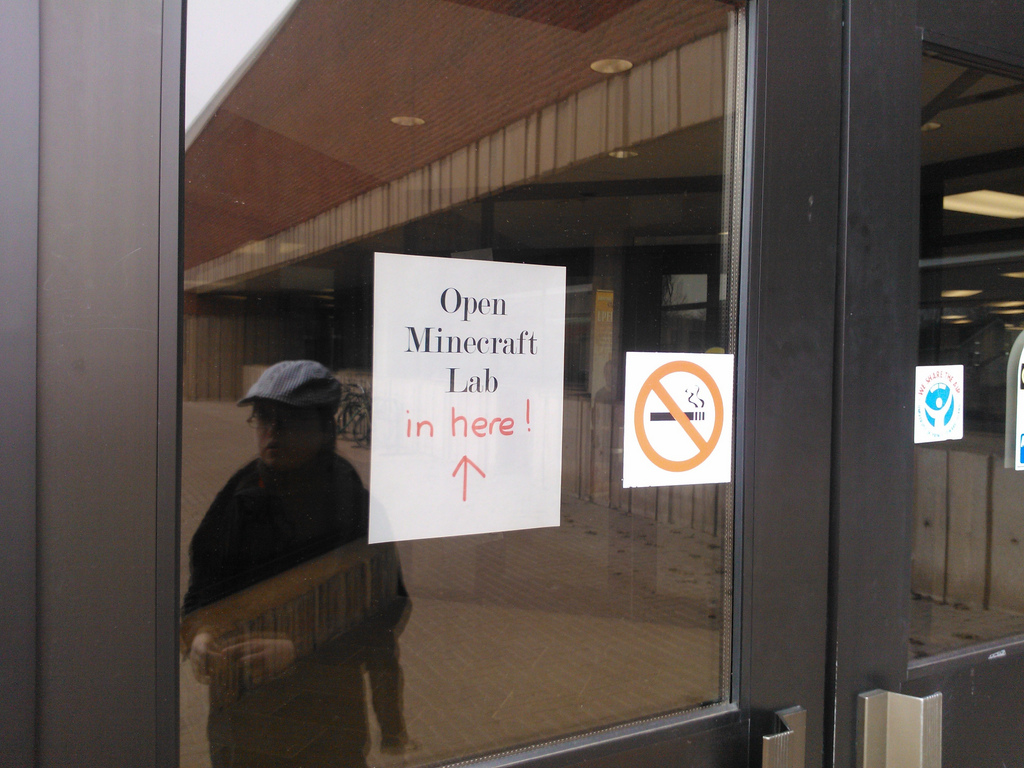
Open Minecraft Lab Sign

Registration

Registration went pretty much as it had for the previous week: it filled up quickly, and was relatively problem-free. As the week drew to a close I received a few emailed cancellations, and these opened up spots for new registrations. When this happened I immediately opened up the new spots, tweeted their availability, and sent an email to anyone who had emailed me asking to be notified if spots opened up; generally these were snapped up within an hour.

Once the morning lab filled up, I arranged to open a second time slot in the afternoon, and this too quickly filled up.  We left 90 minutes between the two labs so volunteers could grab lunch and so we could clean up the lab: the first lab ran from 10:00 a.m. to Noon and the second one from 1:30 p.m. to 3:30 p.m. In both cases, participants started showing up about 30 minutes early, which we’d planned for, and which allowed more time to get everyone up and running with Minecraft, so this turned out to be a good thing.

There were more girls for this week’s sessions: I don’t have an accurate count because the registration form only had space for a single name, but my best guess is that we had about 10% girls and 90% boys who attended.

There were 49 workstations in total between the two labs; in both sessions the Mac lab (with its better screens, better chairs, better mice) filled up completely. In the morning session there were about 6 empty PCs left unused; in the afternoon session every PC was used and we probably could have used a few more; the difference was simply more parents who decided to play in the afternoon.

Parents

We had more parents dive in and play this time, ranging from “okay, I’ll give it a try” parents, who played for 10 minutes, to parents who came with their own Minecraft accounts and played for the entire two hours.

I had planned to set up a MinecraftEdu server in “Tutorial World” mode to let parents completely new to Minecraft get a gentle introduction, and, in retrospect, I wish I had done this, as there were some parents who might have been more engaged if they’d had a basic introduction. It would have also helped to have a volunteer “parent concierge” to greet parents, tell them about the opportunity to play, and so on. I was able to do some of this myself, but when things got busy I got pulled away to solve technical issues and I didn’t get to meet everyone.
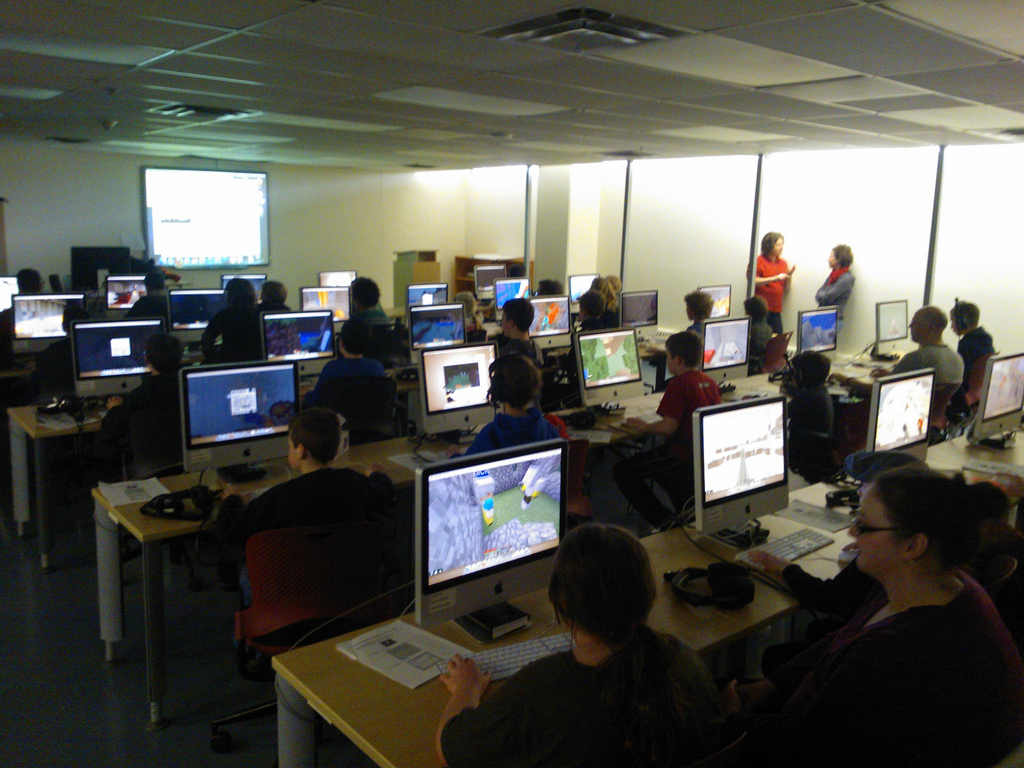
Open Minecraft Lab Mac Room

Creative vs. Survival

Having learned that some people like to play Minecraft in “Survival” mode and others in “Creative” mode, we set up two MinecraftEdu servers from the very beginning this week, and posted their respective IP addresses on the whiteboards in the labs. Interestingly, the morning and afternoon sessions were the opposite: in the morning it was mostly creative mode players, whereas in the afternoon in was mostly survival mode.

Run Your Own Server

About half-way through each session I interrupted the players and offered to show them how to run their own Minecraft servers if they wanted. This was easy to roll out because there’s a single installer package for both client and server: it has the option of installing the server if a checkbox is checked. Generally it took less than 5 minutes to get a player rolled out with their own server, and we had 4 or 5 people doing this, usually hosting a group of half a dozen or fewer friends on their servers. The Macs seemed more than capable of running both server and client at the same time.

The 3D Printer Interlude

Earlier in the week I’d figured out how to use the amazing Printcraft.org Minecraft server which is set up to allow objects designed in Minecraft to be exported as 3D printer-friendly STL files. Don Moses at Robertson Library has been experimenting with a Ditto 3D printer in the library and printed me off a spoon that I designed in Minecraft (to go with the fork that he fabricated for me earlier in the week).
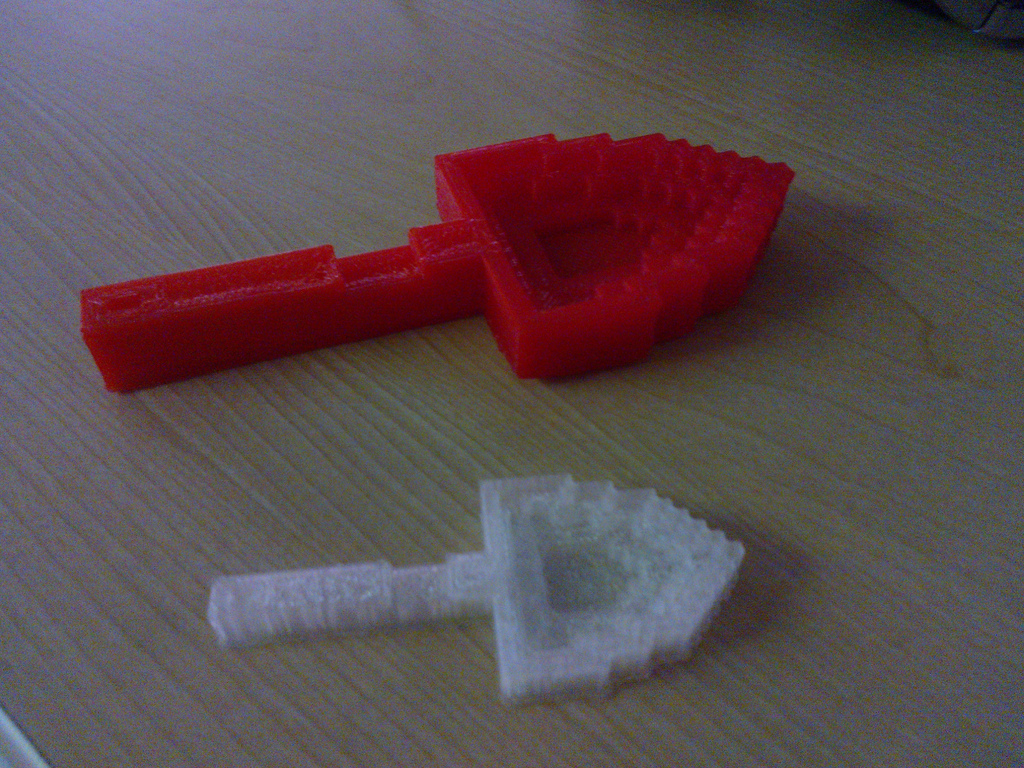
Printcrafted Spoons: Designed in Minecraft, Printed on 3D Printer

Don was around the library for the morning lab, and offered to show the 3D printer off to anyone who wanted to see it. A huge crowd descended on Don’s office – perhaps 20 of the participants and more than a few parents – and there was a lot of interest in both Printcraft and 3D printing.
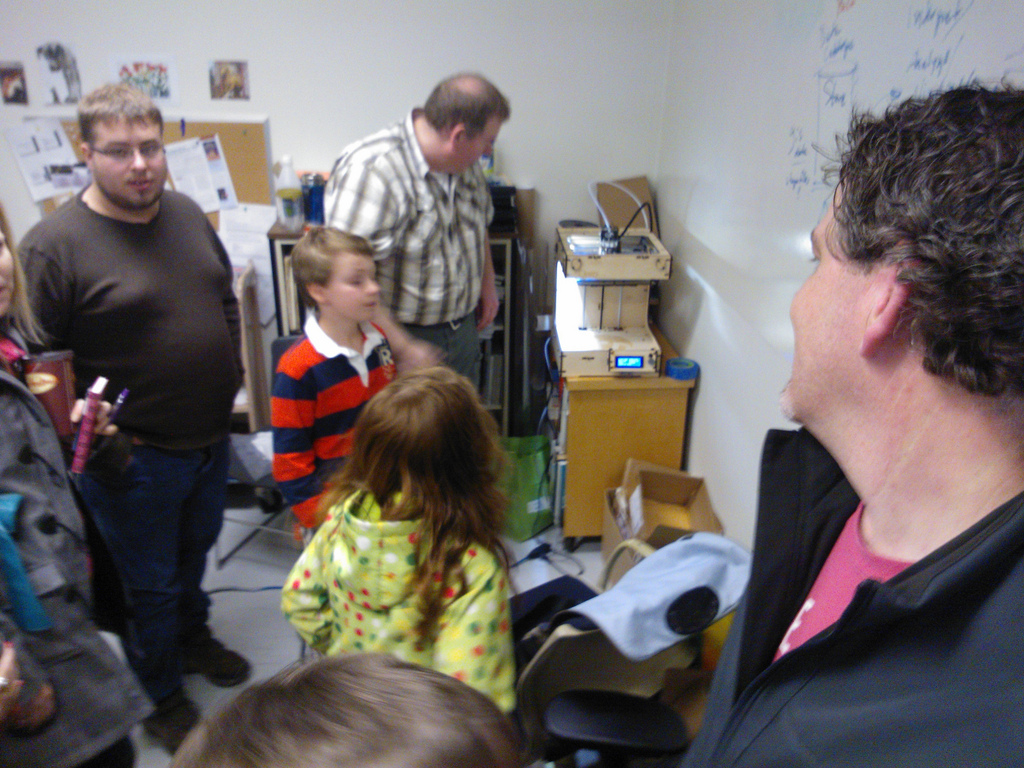
Don Moses showing off the Robertson Library 3D Printer

The Lights

This week we offered to turn the lights off in the labs, leaving the screens to provide light; everyone said yes, and so we ran with the lights off in both rooms.

Hardware and Software

We had more players, so more technical issues, this weekend than last.

On the software side it tended to be players who lost their ability to create or destroy. Sometimes this could be traced back to an accidental re-assignment of the Minecraft controls; in other cases no cause could be found and the only solution was to restart their game.

Hardware-wise the only issue was headsets. In the PC lab there were no headsets, and therefore no call for them; in the Mac lab their are heavy headsets designed for the language lab, and in two or three cases these were missing or broken. For those that requested I was able to quickly solve this by checking out analog headsets from the circulation desk in the library which has a fleet of about a dozen for patrons to use in the library.

Griefers

Unlike the first week, we had no complaints about “griefers” at all; I think this was due to two reasons. First, we purposefully disabled TNT and fire from both servers, and so provided no opportunity for the “let’s blow everything up” fest that happened the week before. Second, by giving players the chance to run their own servers, we created a “release valve” for any situations that might have arisen otherwise. And, of course, we may have simply ended up with a more genteel crowd this week than last.

Helpers

We had a huge boost this week from Nicholas MacDonald, a graduating UPEI Computer Science student in the Video Gaming Specialization who volunteered for both the morning and afternoon sessions. Not only did Nick take over the operation of the servers, making sure they were tuned properly and not too loaded, but he was also a fantastic helper for those who ran into problems, both hardware and software. This left me free to step back and observe a little more, and even to play some Minecraft myself.

What’s Next?

We had 120 players through Open Minecraft Lab over two weekends, and I know anecdotally that there are more who wanted to attend and couldn’t. So the interest is there.

Other than the time to run the labs itself, it takes an hour or two of time during the registration period the week before to handle emails related to registration, deal with cancellations and so on, so it’s not a huge time commitment to run the lab. Promotion was through Twitter, Google+, Facebook and, mostly, through the school and friend grapevine of the players themselves.

Robertson Library seems happy to have the lab used, and the hardware setup and the support there is fantastic, so if we want to repeat the lab, or make it a regular thing, there’s certainly the venue to do it at. The library, however, is closed on Saturdays until the fall, so Saturday mornings will no longer be available.

I’m going to think about “where to from here,” and ask those who attended the first round via email, to gauge whether this is something we should end here or keep going.

🗓️

The Guild got a new sign on the front yesterday. While I am generally against flashy electronic signs, watching the toils of The Guild staff in wrangling the letters onto the old manual sign in the cold and the rain makes the advantages of the new sign clear. And, of course, the new sign offers opportunities for hacking that the old sign did not.

The Guild Sign Animated GIF showing old sign and new sign.

🗓️
Signage  •  The Guild

The Modern Language Lab in Robertson Library has a fleet of 30 iMac computers that can be managed by the (dreamy) Apple Remote Desktop management application. From the instructor machine at the head of the room you can install software, observe, control and even issue command line commands on any or all of the machines in the lab.

When it came time to install Minecraft on all of these machines for our Open Minecraft Lab last Saturday we ran into the problem of the MinecraftEdu installer not being a bona fide Apple install package, so the software-installing magic of Remote Desktop couldn’t be used. Instead I needed to copy the JAR file onto each desktop and then have particpants double-click on it to start the install process.

This was fine, except for the fact that you can’t use Remote Desktop to copy files to iMacs that aren’t already logged in, so I needed to wait for each participant to login (the username and password are both langlabXXX where XXX is the number assigned to each machine, and both are pasted on a label on the front of the machine). What I really wanted, to make things go more smooth, was a way to log in all of the machines before we started, copy the file, and be ready to go out of the gate. Turns out that I could use the command line-sending magic of Remote Desktop to achieve this:

MYIP=`ifconfig en0 | grep inet | grep -v inet6 | awk '{print $2}' | cut -f4 -d.`
echo $MYIP

osascript <tell application "System Events"
keystroke "langlab$MYIP"
keystroke return
delay 0.5
keystroke "langlab$MYIP"
delay 0.5
keystroke return
keystroke return
end tell
EOF

The first part of the code gets the last segment of the IP address for the machine where the script is running – so if the IP address is 137.149.131.136 the returns 136 – as that’s the number assigned to each machine and is the XXX part of the username and password.

The second section of the code uses the osascript command to send Applescript to the machine, essentially “typing in” the username and password and pressing return after each.

This works well, and can be run on all machines at once simply by selecting the machines in question from the Remote Desktop dashboard.

The only weak point comes if any given machine doesn’t have focus on the username field, which is where the Applescript assumes there is focus; I haven’t found a workaround for this yet.

🗓️

I had so much fun eating my salad with my 3D-printer-printed-fork today that I decided to see if I could have soup next time and use a 3D-printer-printed-spoon.

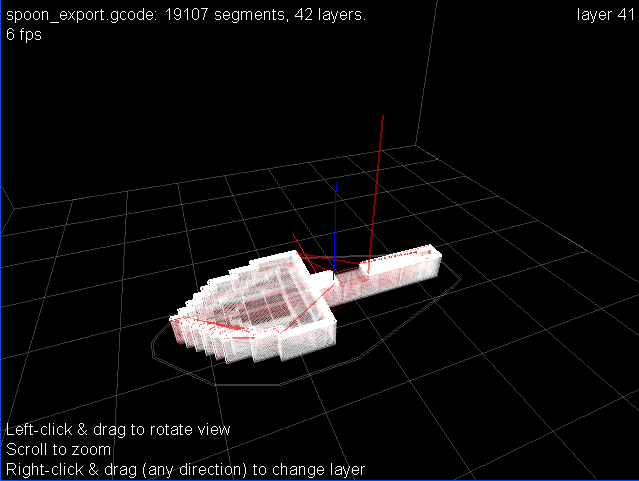
To this end, I found my way to Printcraft.org which runs a special Minecraft server wherein you can use Minecraft’s building tools to create objects and then (literally) push an in-world “Print” button to generate a 3D-printer-friendly .STL file.

So I fired up my Minecraft client, designed myself a spoon, generated and downloaded the .STL file (you can grab it here if you want to print it yourself), and emailed it off to Don, the friendly 3D-printed-managing librarian. A few minutes later Don sent back a rendering of the spoon ready to be printed:

3D Spoon

Don will print the spoon tomorrow and, assuming it holds water, I will eat soup for lunch.

🗓️

Thanks to the tenacity and drive of librarian Don Moses, Robertson Library now has a 3D printer, a Ditto. Don spent the past weekend assembling the kit from scratch, and so when I heard on Monday that it was all stitched together, I sent him an email:

Coming up to campus on Wednesday for lunch. Will I be able to print a fork?

To which Don quickly replied:

I plugged the printer in … lights came on, fans whirled, did not go to home position so I’ve got some calibration to do. If I can print a fork I will :)

To which I replied:

Perhaps the motivation of knowing I will have to eat with my hands will inspire you to great feats of technical wizardry!

This morning I received a short email from Don:

Your fork awaits…

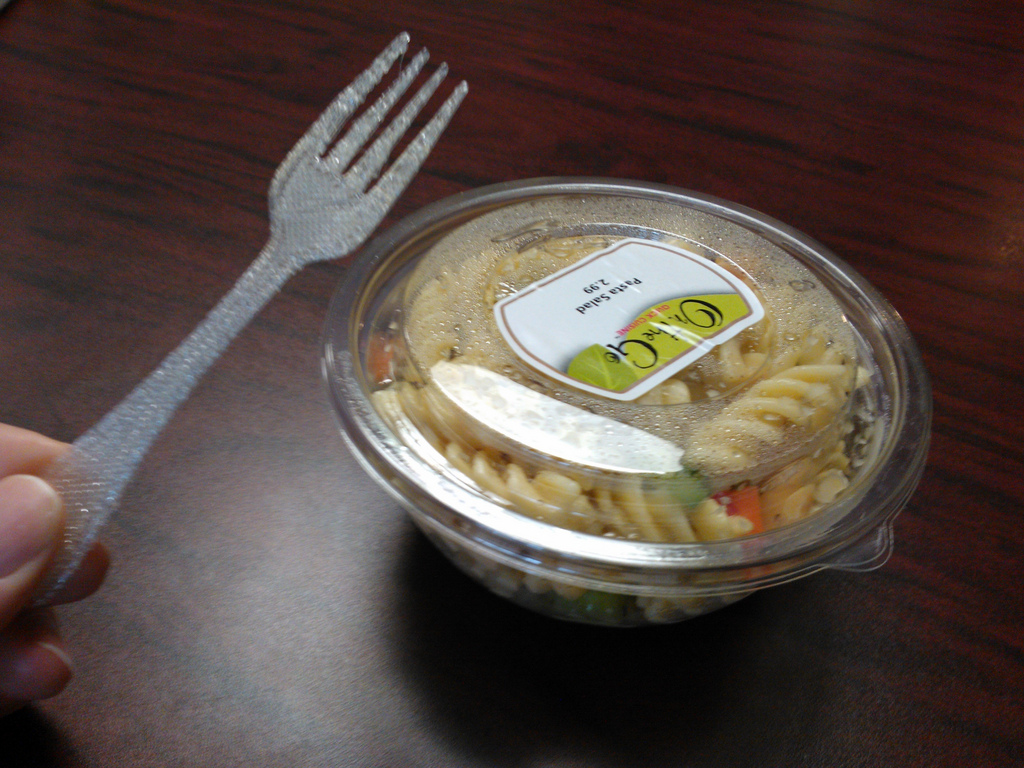
And, sure enough, when I arrived at Robertson Library this afternoon for my fortnightly lunch with Mark and Don, I was handed this:

NOKIA Lumia 800_002813

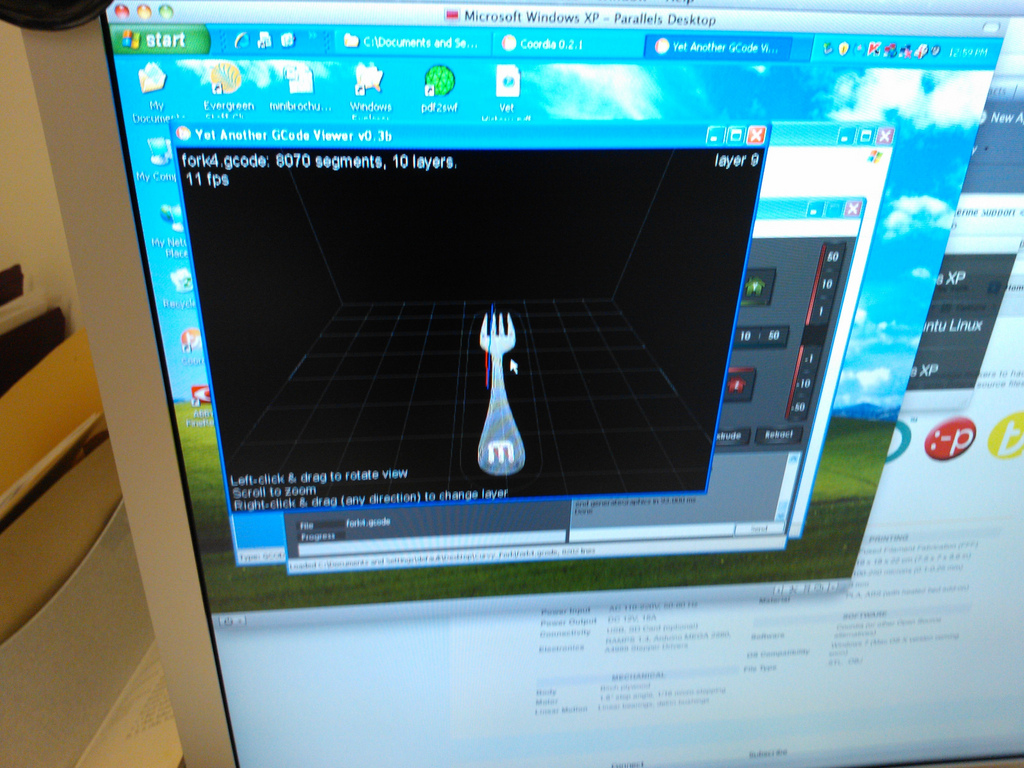
Later, in his office, Don showed me the 3D digital object that was the source for the print:

NOKIA Lumia 800_002815

It’s a little tinier that I needed, so there are some refinements for version 2.0 (Don just printed the object verbatim, without adjusting for scale or design).

But it’s a fork.

Made in the library.

Perhaps the first fork ever made in a library. Or at least in Robertson Library.

I look forward to seeing what emerges from the manufactory in Don’s office in the days and weeks to come.

🗓️

I’m a big fan of Panic’s iPad app Status Board: it’s beautiful, and it’s easy to get your own data into. To that end, I took the PEI electricity data that I’m already scraping and created a CSV-formatted feed for Status Board. The result looks like this:

Status Board showing PEI Electricity Data

From left to right that’s the current electricity load, the current wind generation, the current fossil fuel generation (all of which are displayed in megawatts) and the percentage of the Island’s electricity load that’s being met by wind generation.

🗓️
Status Board  •  Energy  •  Electricity  •  Prince Edward Island

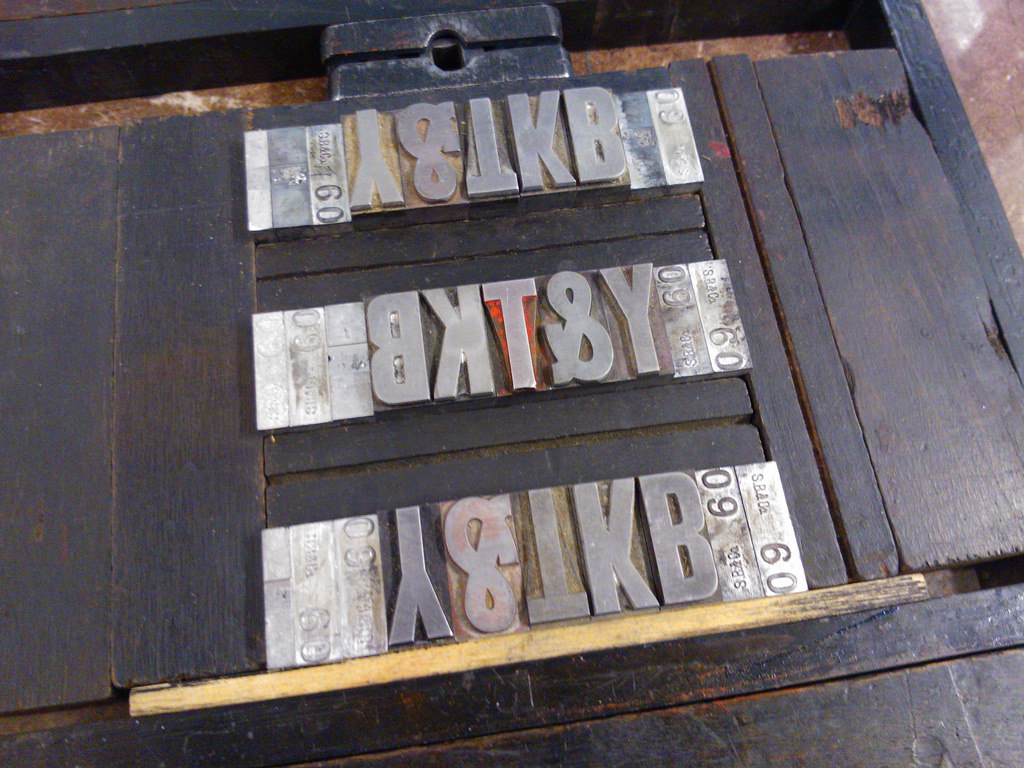
Today was the day to print the red layer on the Youngfolk & The Kettle Black coffee bags. It started off looking like this:

Youngfolk and The Kettle Black Bags, two colour, aborted designs

I struggled with various ways of squeezing “Young Folk Kettle Black” into the restricted space and position the coffee bag offered me (there are two vertical creases that need to be avoided). But no matter the orientation, I wasn’t happy with the result. I stared at each option. Walked away. Came back. Stared some more. And nothing made me happy.

So I took the chase off the press, took it upstairs, sorted the type back into its drawer, and started again, ending up with this:

Youngfolk andThe Kettle Black Bags, Red Layer

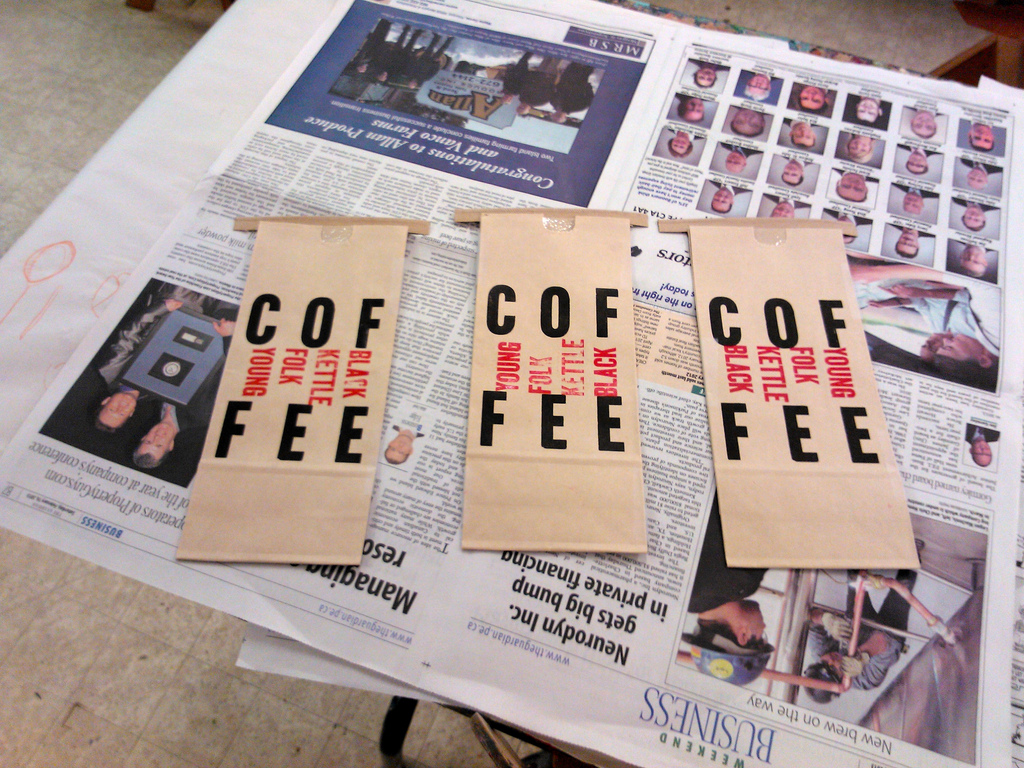
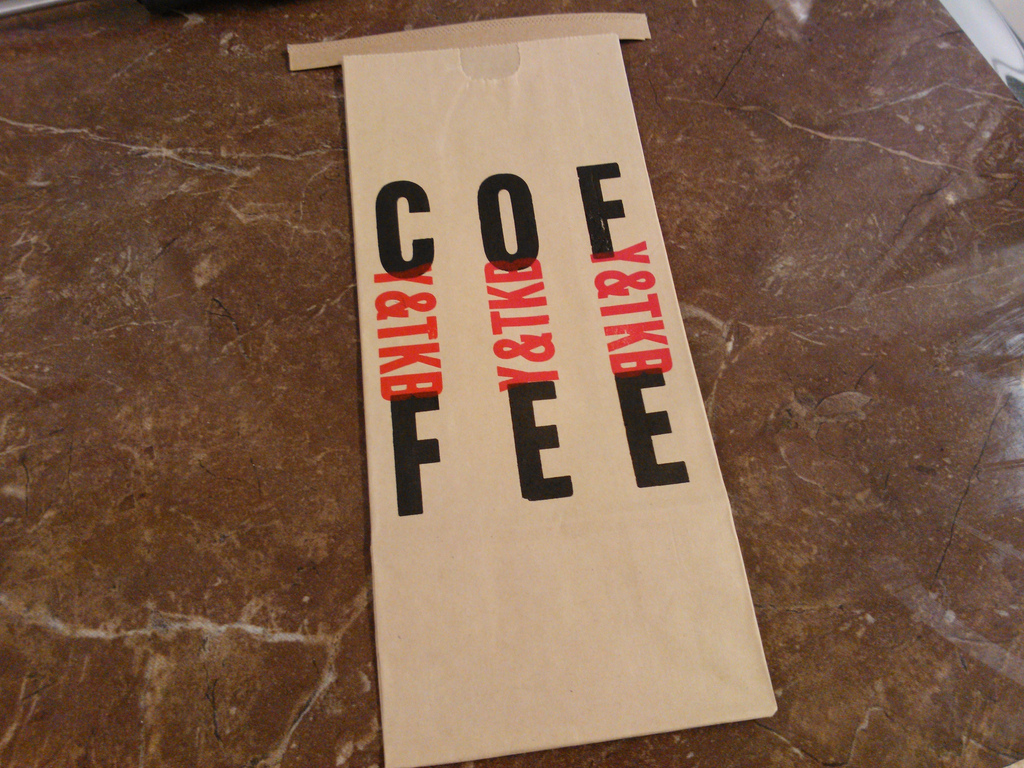
Which, when printed, looked like this:

Youngfolk and The Kettle Black Bags, two colour

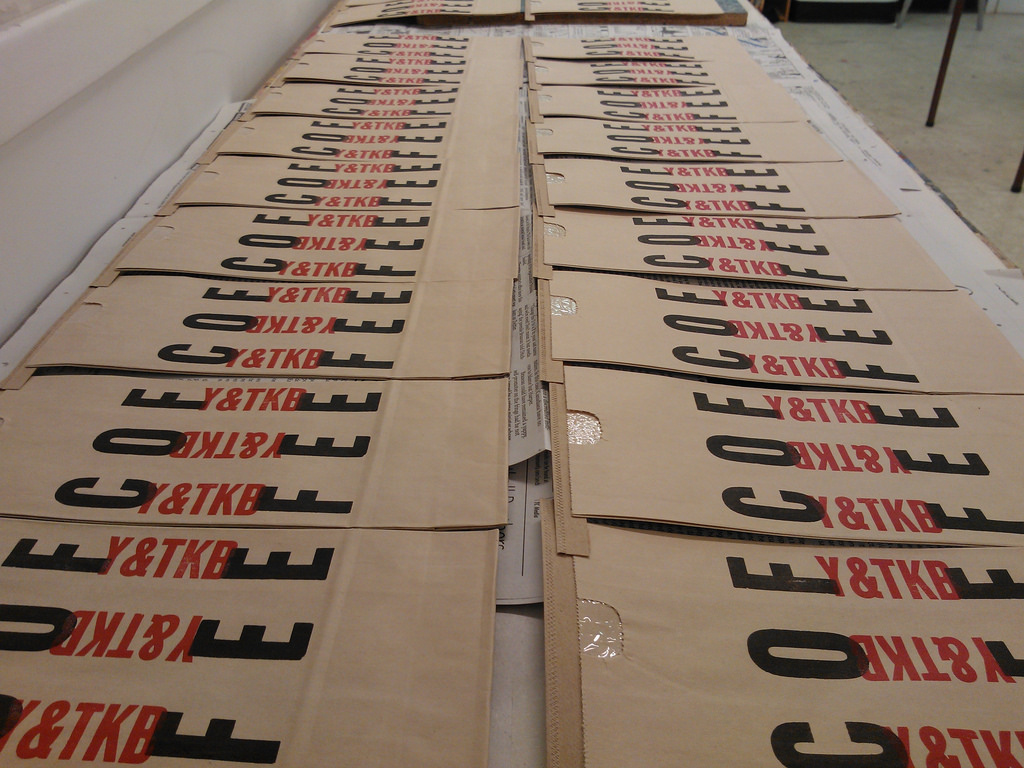
Which did make me happy. So I printed 160 bags:

Youngfolk and The Kettle Black Bags, two colour, drying

I’m quite pleased with the result, given the contstraints. The final test will be seeing the bags filled with coffee and on the shelves of the Youngfolk roasting operation up the street on Victoria Row.

Sometimes the only solution to a design problem is to break up with your original visions and come up with something entirely new.

🗓️

Comics and crosswords are some of the most interesting parts of the daily newspaper, especially when you’re reading archival issues. Here’s the “Daily Crossword” from the Charlottetown Guardian, February 3, 1949, from a beta version of IslandNewspapers.ca. I’ve prepared a PDF version for those of you who want to print it out and party like it’s 1949. (I’m particularly partial to 4 down).

The Guardian Daily Crossword, February 3, 1949

🗓️
The Guardian  •  History  •  Crosswords

Our morning session on April 27 filled up quickly, so we’ve arranged for this second session, from 1:30 p.m. to 3:30 p.m.

Please note that this afternoon session is a nut free event to accommodate the needs of some participants.

About the Lab

An informal opportunity to come and play Minecraft, the popular world-building game, with other people.

The emphasis will be on sharing what we know, on learning new tips and techniques: so please come with questions and answers, and your curiousity.

Who can attend?

You can be an absolute beginner, or a longtime player: we want to create an space for players of all skill levels to teach each other.

There is no age limit; people under 18 are asked to obtain permission from parent or guardian to attend, and parents are welcome to attend too, either to play or just to learn and help.

The lab is limited to 40 attendees, and you must register a spot in advance if you want to attend (parents or guardians accompanying player do not need to register).

If you registered for the April 20 lab, please let others register for this workshop as that lab filled up quickly and we know there are others who would like a chance.

Where is it?

The lab will be held in the Modern Language Lab at Robertson Library, University of PEI.

There is free parking on the UPEI campus, and the Charlottetown Farmer’s Market is just across the street and is a good place to stop for breakfast before or lunch after.

The lab is equipped with thirty 20” iMacs and 20 PCs. We’ll be running our own Minecraft servers in the lab so that players can play together; we’ll have both a “survival” and “creative” mode server running.

How much does it cost?

The workshop is free.

You do NOT need to have a Minecraft account (but you can use your Minecraft account if you have one).

What do I need to bring?

You don’t need to bring a computer: we have enough Macs and PCs so that everyone can use their own.

Question from Parents?

Minecraft is being used by educators to teach everything from technology to engineering to math to architecture. The MinecraftEdu website is a good clearinghouse for information about the use of Minecraft in schools.

This lab is being organized by Peter Rukavina, Hacker in Residence, University of PEI. You can phone me at (902) 892-2556 or email prukavina@upei.ca is you have any questions or concerns.

🗓️

About This Blog

Photo of Peter RukavinaI am . I am a writer, letterpress printer, and a curious person.

To learn more about me, read my /now, look at my bio, listen to audio I’ve posted, read presentations and speeches I’ve written, see things I’ve favourited elsewhere, or get in touch (peter@rukavina.net is the quickest way).

I have been writing here since May 1999: you can explore the 25+ years of blog posts in the archive.

You can subscribe to an RSS feed of posts, an RSS feed of comments, an RSS feed of favourites elsewhere, or a podcast RSS feed that just contains audio posts. You can also receive a daily digests of posts by email. I also publish an OPML blogroll.

Instagram • YouTube • Vimeo • ORCID • OpenStreetMap • Internet Archive • PEI.art • Drupal • Github.