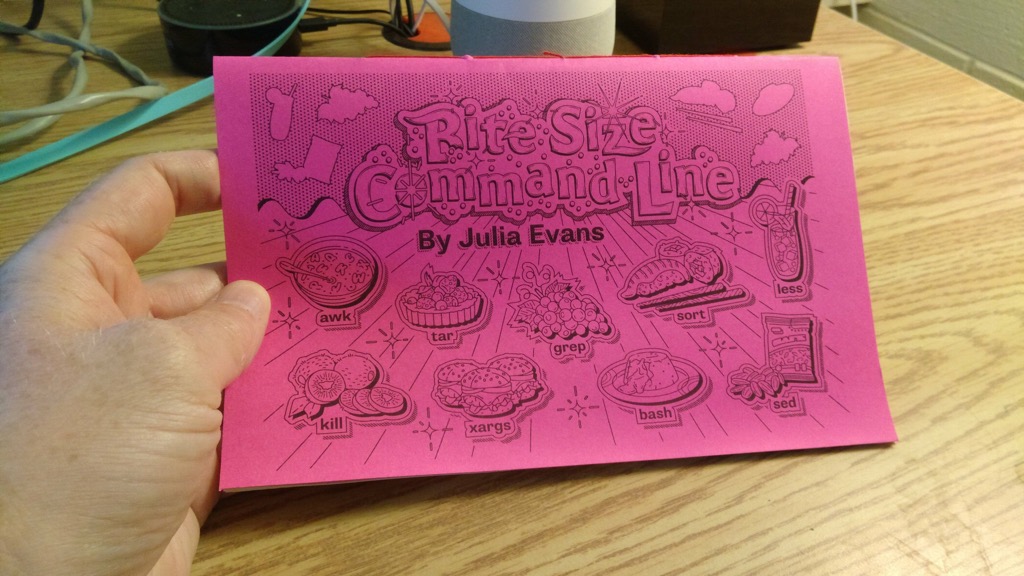
I’ve been using the Unix command line for 34 years, but there are still a lot of things I don’t know. Fortunately, there is Julia Evans, comic zine maker of all topics technology, newly out with Bite Size Command Line.
I purchased, printed and bound a copy for myself this afternoon.
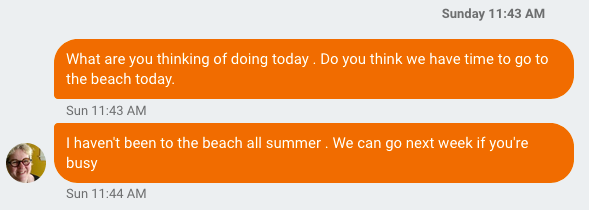
The text came in just before 12 noon yesterday: “do you think we have time to go to the beach today?”, asked Catherine.
It was a rainy Sunday, not beach weather. But when the call comes, small details like that are irrelevant. Our crew was in the Jetta and out the door, heading east, within 15 minutes.
Our first stop was the Morell Farmers’ Market (not the beach, but one needs sustenance). We arrived too late, just before closing, but some beef jerky and some apple juice were secured, some old acquaintances renewed. And we were off again.
With promise of a 2:00 p.m. Farmers’ Market up the road in St. Peters Bay, we continued to head east, only to find ourselves dropped into the midst of the final day of the St. Peters Blueberry Festival. Our arrival coincided with the start time for The Great Blueberry Roll in the Catholic church parking lot, wherein 500 blueberry-coloured ping-pong balls were to be rolled down the hill, with the first one through the gate winning its owner a $1000 cash prize.
As it happened, the wind at 1:30 p.m. was blowing strongly from the west, with a force almost exactly opposite to that of the gravitational force exerted on a flock of ping-pong balls. So, rather than rolling down the hill, they vacillated between staying stuck in place and rolling up the hill. Emergency organizing committee meetings were held and a Plan B developed: they gathered up the balls again and restarted the race from halfway down the hill, where the wind was a little gentler, and the rise of the hill a little steeper. It just barely worked, the result being more a molasses roll than a blueberry roll.
We continued east.
With the Morell Plan for eating lunch having been dashed, we drove up toward Greenwich and stopped at Lin’s Takeout, where all manner of fried foods were consumed, all very well-prepared, and in a location that cannot be beat.
To this point the rain had held off, but just as we were putting our lunch waste in to the recycling and the compost it started up, and by the time we were out the driveway it was in full force.
At which point I rediscovered that the windshield wipers in our 18 year old VW Jetta get seized up from lack of use, and while they worked, they worked in a way that was very much in the spirit of the blueberry roll, and not with the force required to wipe water from the windshield effectively.
We continued east.
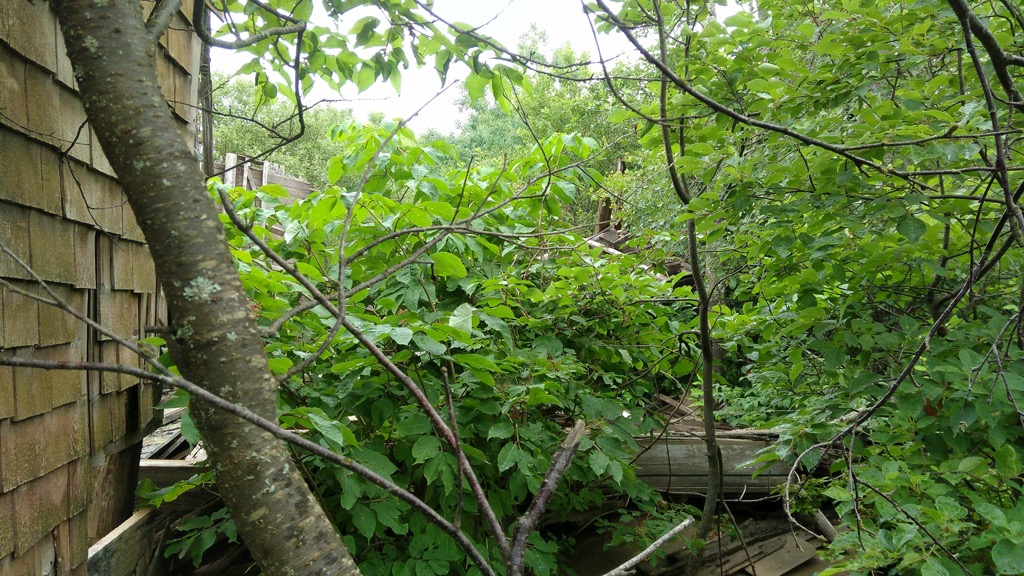
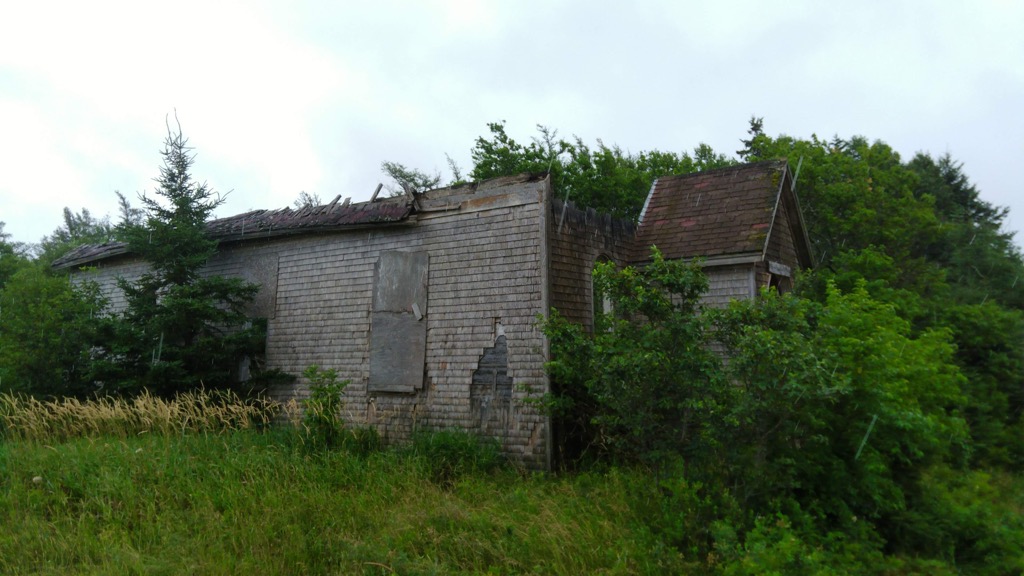
When we came to the sign, pointing up a clay road, for Cable Head West, we followed, as promises of Cable Head East being somewhere thereafter were too great to resist. Just after we made the turn, I noticed an interesting looking building off to the right and looped back around to take a closer look. It appeared to be a schoolhouse, and it was beautiful.
We continued along to Cable Head West, and then reached the Turret Bell Road, which led to the beach.
The beach having been our goal all along, we set the rain aside (Oliver was unwilling, so stayed in the car with Ethan) and Catherine, cane in hand, navigated through the sand and the rocks and the slippery muck and made it down to an empty (and stunning) expanse of the shore (therein violating multiple palliative care regulations save the “continue to live life to the fullest” one).
We recoiled back to the car and continued east.
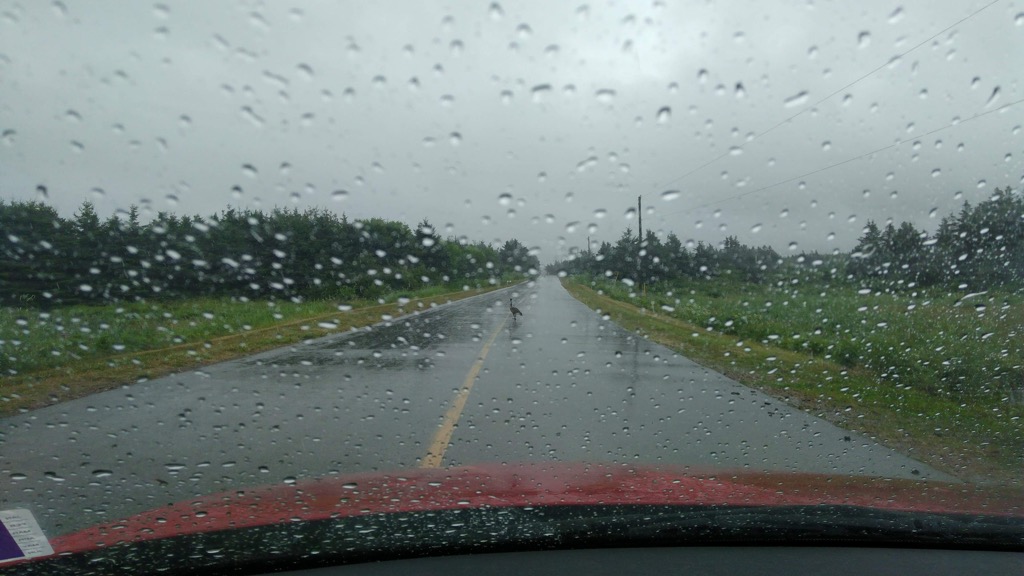
We passed through Cable Head West and then, just before Goose River, we came to a handmade sign on the road that said “Goose Crossing” and, sure enough, there was a goose in the middle of the road. Crossing.
As my family has a history of shaky relations with the goose kingdom, I proceeded gingerly. This ginger passing gave me pause to reflect that I had a can of spray lubricant in the trunk, so I stopped (once well-clear of the goose) and spritzed the windshield wiper motors; they immediately sprang to life with youthful exuberance.
We eventually came to Naufrage. As mere minutes earlier Catherine had said “you know what would make this day perfect… ice cream!”, a brand new ice cream stand, Red Rock Adventures, sprang up before us, on the shore side just past the Shipwreck Point Café. Where we secured two ice creams, plus a coffee, for less than the cost of a chichi city ice cream.
We also learned about the Turret Bell, and why there is a road called the Turret Bell Road, from a helpful plaque just inside the front door; further research elaborated:
The ship “Turret Bell” was launched from Newcastle-on-Tyne, England in 1894. On 2 November 1906 the ship was blown off course and onto rocks off Cable Head, Prince Edward Island. The ship was a local viewing attraction for three years, until it was salvaged on 31 July 1909. The ship was towed to Charlottetown, then to Quebec for repairs, after which she returned to her work in coastal shipping and trading.
The Turret Bell Road was built to accommodate the needs of the interested viewing public, and has been there ever since.
From Naufrage we continued even farther east, eventually turning toward Souris when we got to the Hermanville/Clear Spring windmill site. The drive to Souris, along the Souris Line Road, was the rainiest of the day, with rain coming down harder than we’d seen all year. Fortunately our windshield wipers were, by this time, in peak operating condition.
As we pulled into Souris, it occurred to Catherine that someone had told her to watch out for something should she find herself in Souris, but she couldn’t remember what it was. So we stopped to see the newly-renovated boardwalk along the causeway, tucked in to Chef Michael’s Smith’s Flavour Shack, let Ethan out for a walk, and gathered our horses. At which point Catherine recalled that it was the selfsame boardwalk that had been recommended to her.
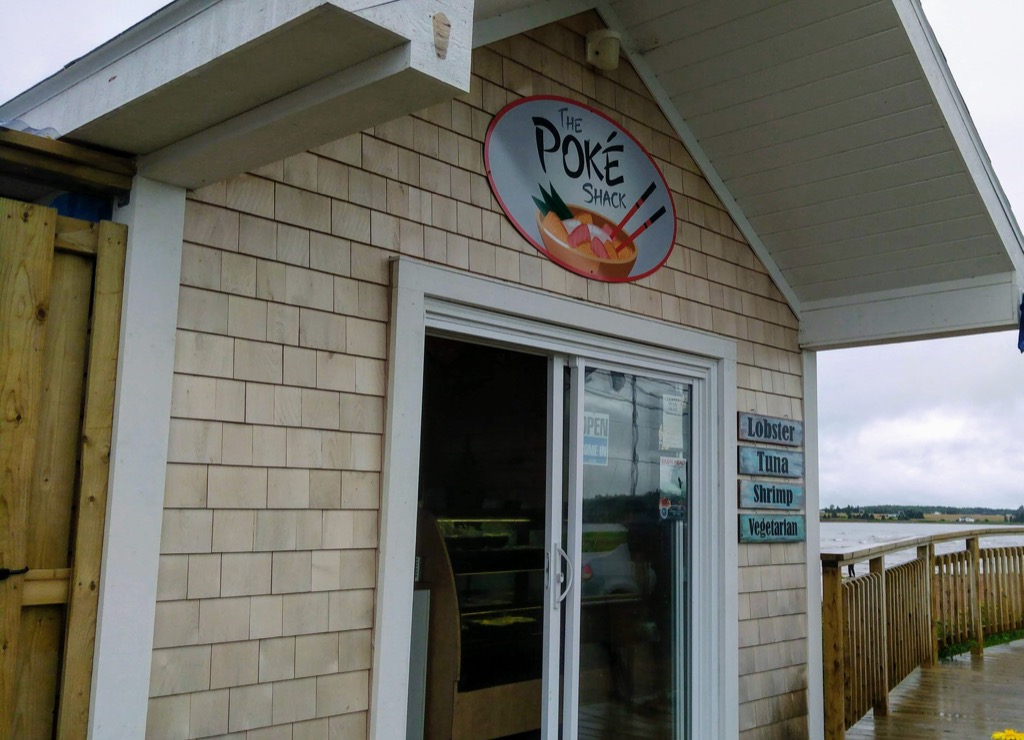
We then got back in the car, and as I was signalling to re-enter the highway Catherine saw a sign for fresh oysters, and expressed some interest, which she then quickly backed away from; “you guys don’t want to sit around watching me eat oysters,” she said. Of course we did. So I wheeled the car around, and found a new place to park. Directly in front of The Poké Shack.
Finding Hawaiian poké bowls on the beach in Souris defied all my assumptions about Souris, and there was absolutely no way we weren’t going to sample some.
So Catherine headed off for oysters, and Oliver and I headed off for poké bowls.
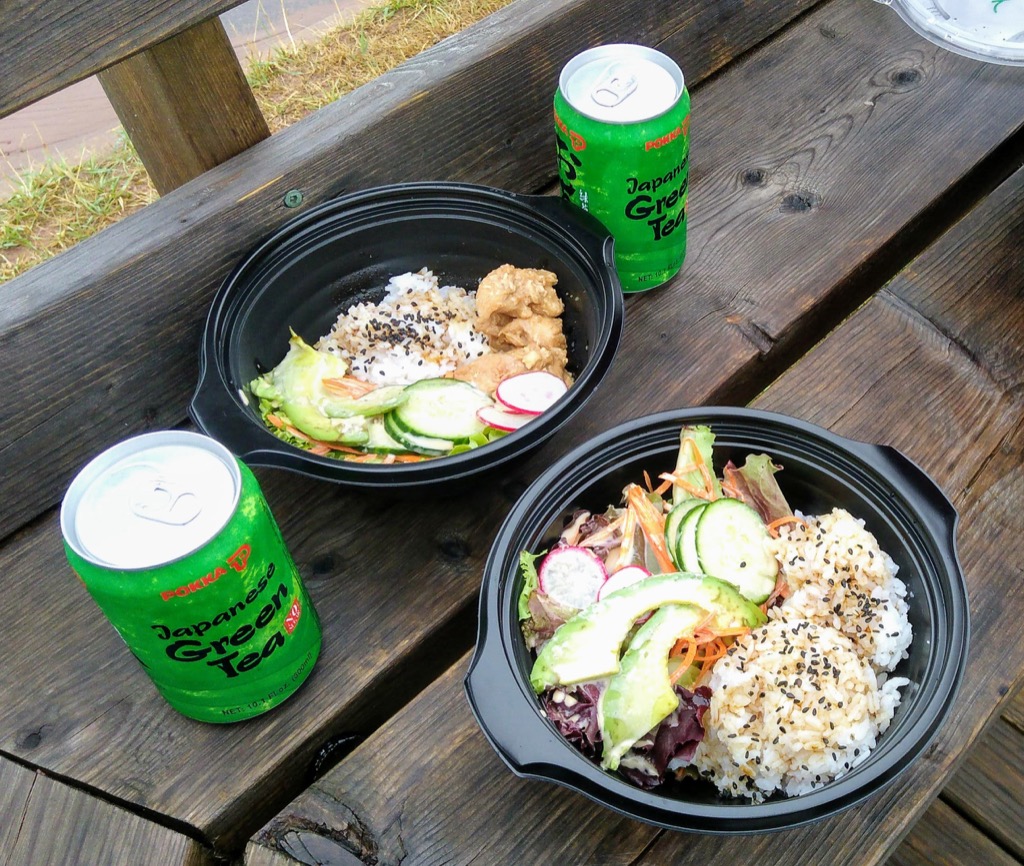
Oliver had the “farmer” poké (chicken) and I had the vegetarian (double rice); both were tasty and well-prepared, and we’ll be back, all the more for their unexpectedness. We finished them off with some tinned unsweetened Japanese green tea.
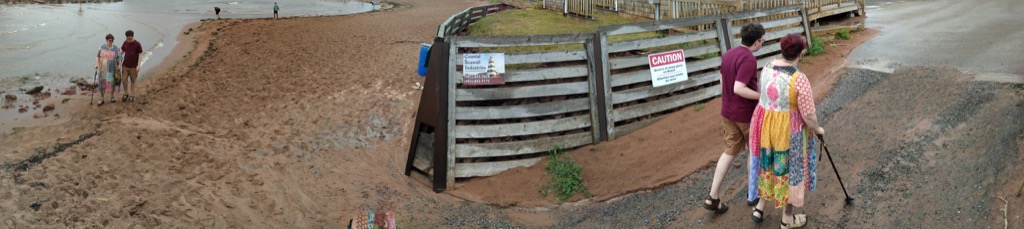
Catherine returned, sated, from her feed of oysters and, before we left again, she and Oliver went for a walk on the beach while I took photos. Google later concocted this panoramic impossibility of their walk:
The rain had dried up almost completely by this point. We got back in the car to pick up where we left off; with the windows rolled down all the way (miraculously, given the week’s heat, to the point where it was even a little chilly), we barreled back to town, pulling into our driveway just before 7:30 p.m.
Being a longtime member of the congregation of Stewart Brand, I have been following the Long Now Foundation and its tentacles in recent years; one of these is The Interval at Long Now, the coffee shop cum bar cum thinkers lounge cum library in San Francisco (where I’m pretty certain I could set up a cot and never leave).
Long Now has a speaker series called The Conversations at The Interval that has included as interesting a collection of great minds as you’ll find anywhere; back in 2015, or 02015 as the Long Nowistas style their years, Neal Stephenson spoke about his then-recently-released book Seveneves (which, oddly but somehow appropriately, you can read here in its entirety). I’d known of Stephenson for a long time, but had never read anything he’d written. His talk was so compelling, however, that I put Seveneves on reserve at the public library.
In an uncharacteristic marathon of reading–more analog pages than I’ve read in years–I finished the last page this morning, over breakfast at Receiver Coffee.
I loved it.
Maybe you will too?
Here’s how it starts:
The Moon blew up without warning and for no apparent reason. It was waxing, only one day short of full. The time was 05:03:12 UTC. Later it would be designated A+0.0.0, or simply Zero.
An amateur astronomer in Utah was the first person on Earth to realize that something unusual was happening. Moments earlier, he had noticed a blur flourishing in the vicinity of the Reiner Gamma formation, near the moon’s equator. He assumed it was a dust cloud thrown up by a meteor strike. He pulled out his phone and blogged the event, moving his stiff thumbs (for he was high on a mountain and the air was as cold as it was clear) as fast as he could to secure the claim to himself. Other astronomers would soon be pointing their telescopes at the same dust cloud—might be doing it already! But—supposing he could move his thumbs fast enough—he would be the first to point it out. The fame would be his; if the meteorite left behind a visible crater, perhaps it would even bear his name.
His name was forgotten. By the time he had gotten his phone out of his pocket, his crater no longer existed. Nor did the moon.
When he pocketed his phone and put his eye back to the eyepiece of his telescope, he let out a curse, since all he saw was a tawny blur. He must have knocked the telescope out of focus. He began to twiddle the focus knob. This didn’t help.
Finally he pulled back from the telescope and looked with his naked eyes at the place where the moon was supposed to be. In that moment he ceased to be a scientist, with privileged information, and became no different from millions of other people around the Americas, gaping in awe and astonishment at the most extraordinary thing that humans had ever seen in the sky.
In movies, when a planet blows up, it turns into a fireball and ceases to exist. This is not what happened to the moon. The Agent (as people came to call the mysterious force that did it) released a very large amount of energy, to be sure, but not nearly enough to turn all the moon’s substance into fire.
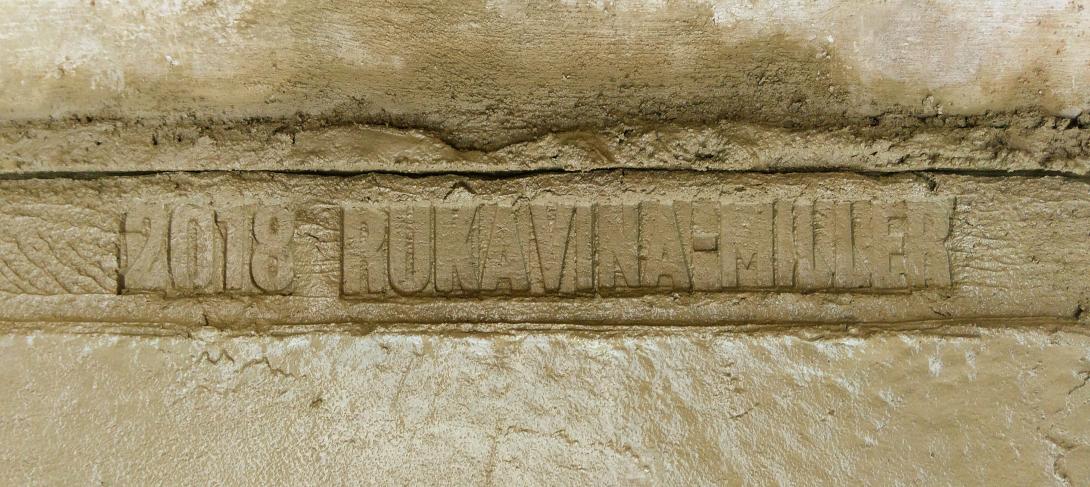
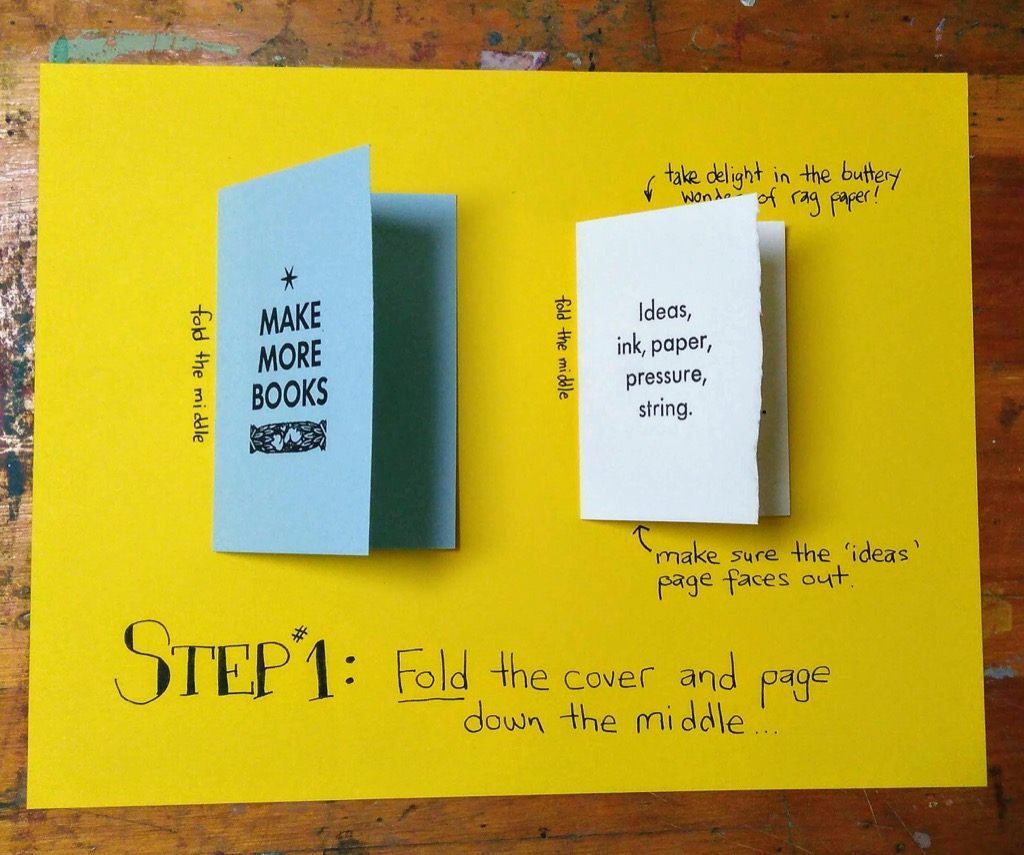
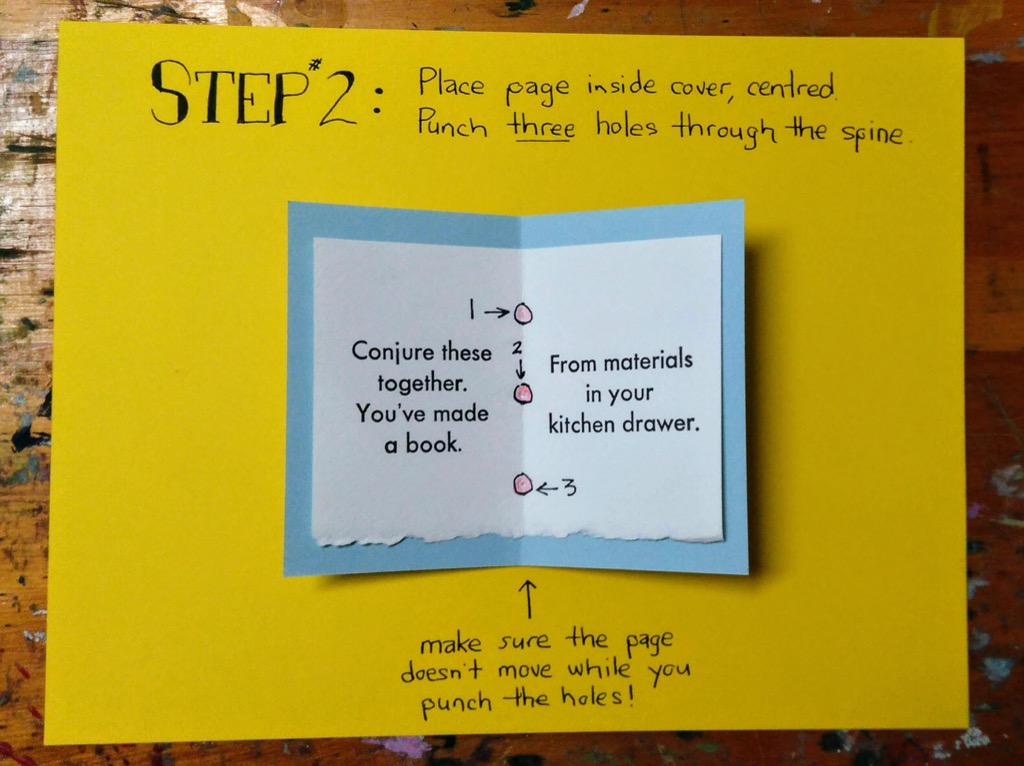
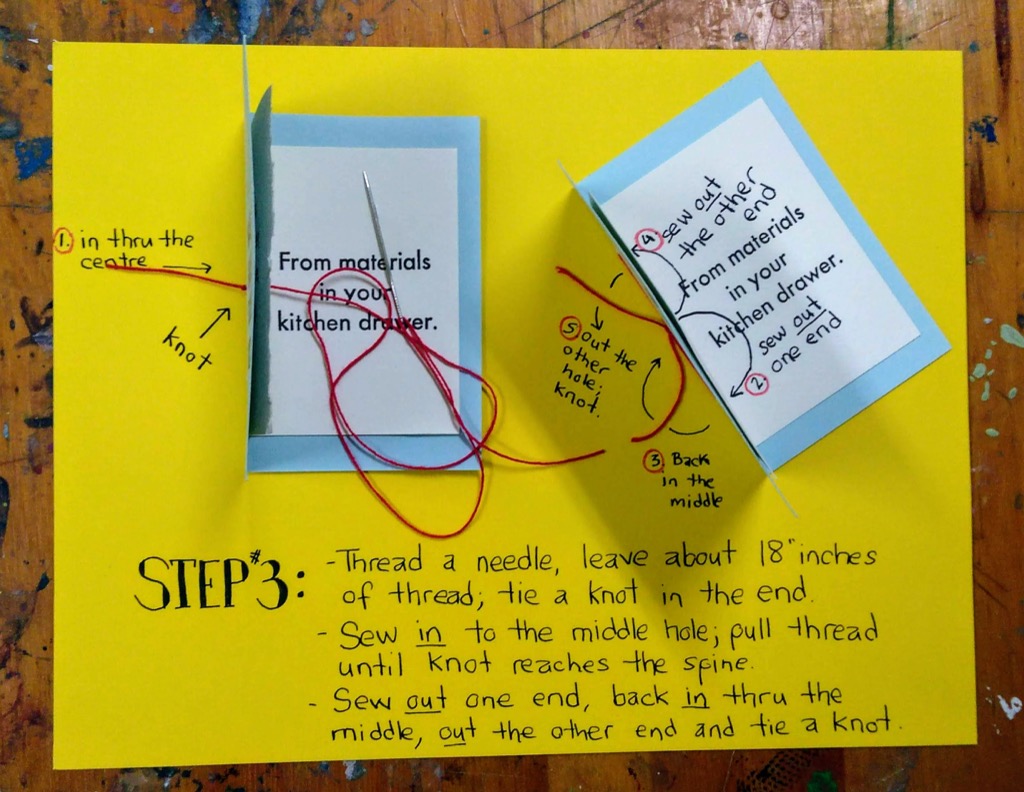
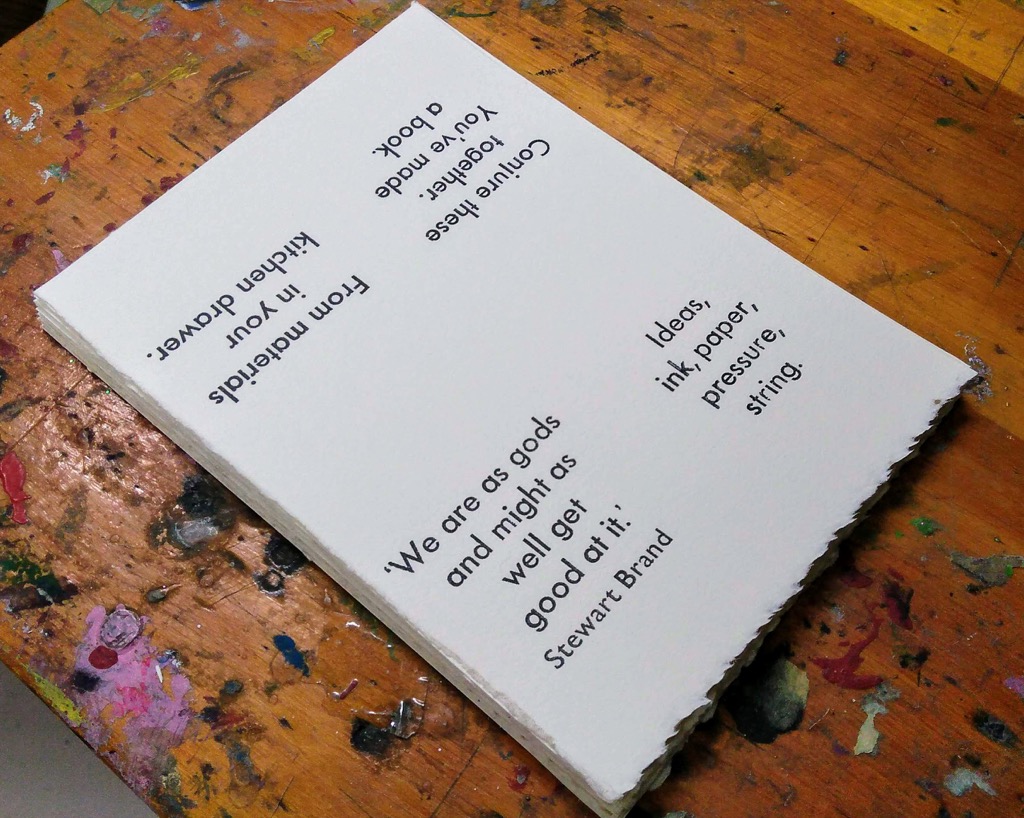
My artist trading card is actually an artist trading book. That traders assemble themselves. Which requires them to have instructions. My friend Jennifer loaned me a book about bookbinding a few weeks ago that had helpful, lovely hand-drawn illustrations, which were so much better than photos. I couldn’t reach that level of helpfulness, but I decided that step-by-step instructions would be more useful than just words. And so, witness steps one, two, and three.
Although the “trader” deadline has long since passed (there are 33 of us in total, as of this morning’s count), the event is open to the public (of all ages), and there will be music from Todd MacLean, snacks, and a cash bar.
I wasn’t content to make a simple “card” this year, so I made a single-signature book plus cover, printed on my letterpress; it is an “interactive card,” where traders will assemble the book themselves, either during the trading round or, more likely given the lightning-fast timing thereof, during the mingling time afterwards.
Thus the assembling of the book allows the themes of the book to spring to life; and in doing so also provides cover for traders not skilled in the mingling arts to have a distracting activity in which to engage while everyone else is networking, canoodling, kibbitzing, etc.
Ten years ago I was an active and enthusiastic Nokia fan: I’d purchased a Nokia N95 in April (at the time, the cat’s pajamas of a mobile device), Plazes, which I was doing some contract work for, had just been purchased by Nokia, and Nokia was doing interesting things with maps and other web services. If you were interested in mobile devices and the web, Nokia was it.
Nokia subsequently shut down its Ovi services after its acquisition by Microsoft, and as a result of this, the photos I embedded in 52 blog posts here are missing.
My reason for moving to Share on Ovi prompted me to think about the resiliency of my photo storage routine; as I wrote on July 11, 2008 in the post Decentralized Social Photo Management?:
Recently, though, I got skittish: when faced with the notion that, if Microsoft were to acquire Yahoo!, my photos would be part of an evil empire, I started to think about alternatives. My experimenting with Share on Ovi, Nokia’s social photo alternative to Flickr, only reinforced my misgivings (I like Ovi, especially the one-click upload from my phone, but it suffers from the same “walled garden” qualities that Flickr does).
Which got me thinking: is it necessary to store and manage the actual bits of my photos in the same place as my photos exist as social objects? While it’s obviously in corporate best interests to have the two wedded — there’s nothing like photo-lock-in to build “customer loyality” — it’s not necessarily in my best interests, no matter how enlightened the outsourcer or rich their community.
Ironically, given what I wrote then, Flickr’s still here, and Share on Ovi is long gone.
It’s been a while since I embedded photos where from third-party services. This is partly because of privacy concerns–Flickr started including a bit of tracking JavaScript with its embed code a few years ago–but mostly to address the resiliency issues I’d been thinking about for more than a decade.
Unfortunately it looks like there’s no easy way back from the dark ages that resulted from Share on Ovi’s demise: the site wasn’t archived by the Internet Archive. I likely have the photos themselves stored locally, though, and by going through each of the 52 blog posts in question and figuring out which photo should go where, I should be able to recreate the posts.
In the meantime, though, it’s all a helpful cautionary tale about the dangers of relying on “free” services to provide essential roles of a personal publishing regime.
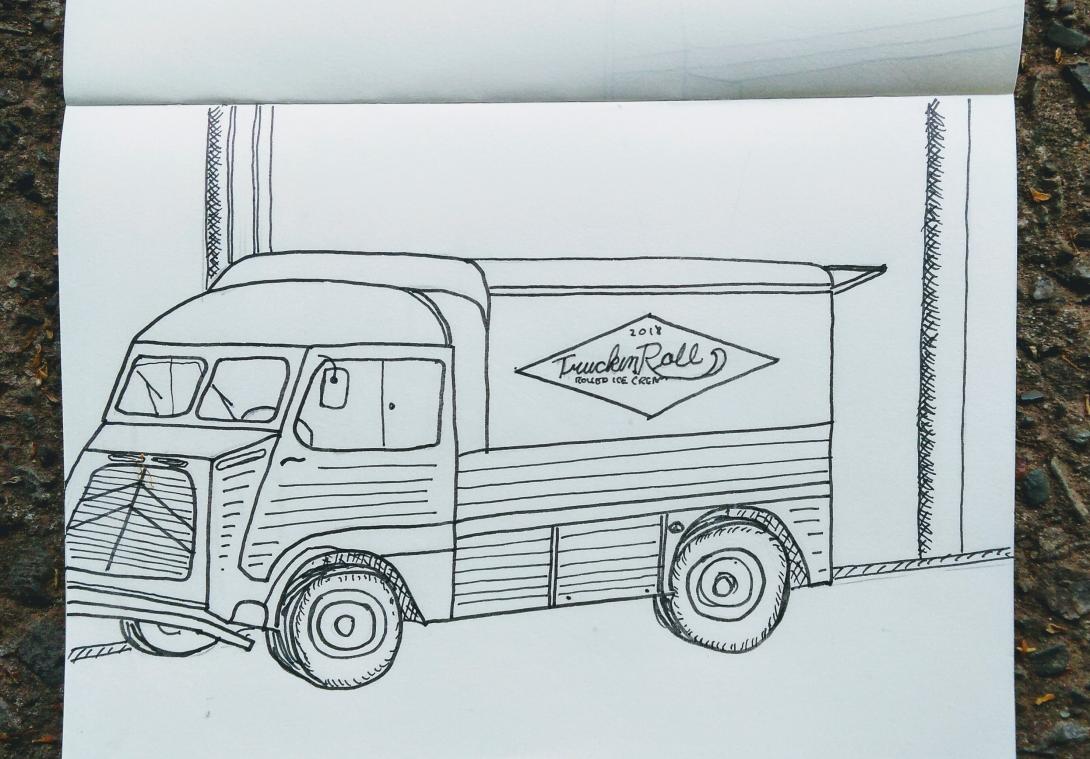
The ice cream truck is housed in a 1950s postal truck that’s a remarkable piece of vehicular architecture, irresistible for someone with a sketchbook. I managed to drive it off the side of the page, despite my best intentions.
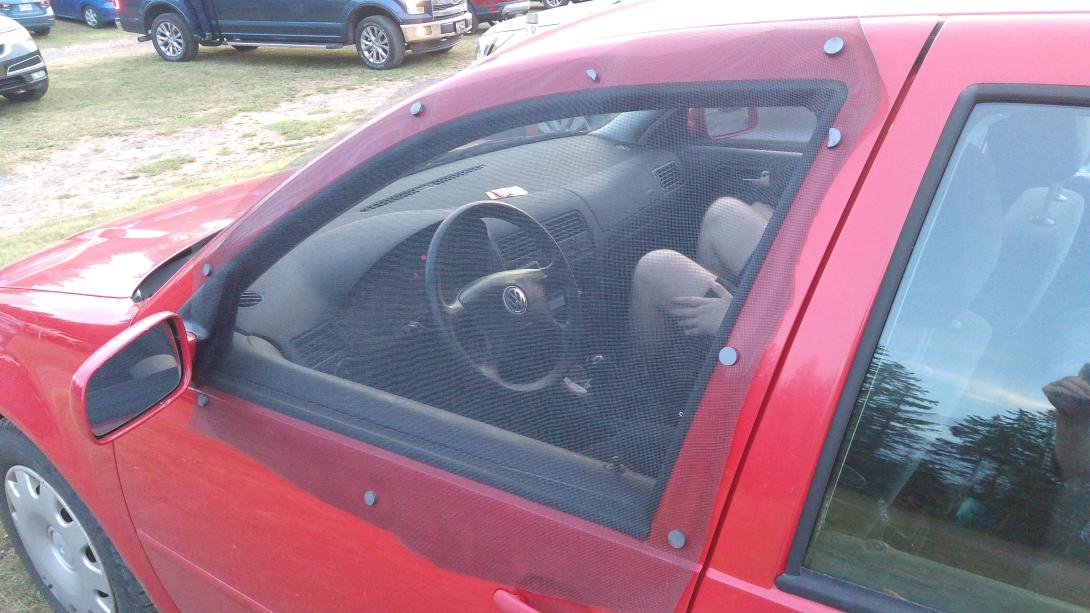
The magnets are in aisle 10 at Canadian Tire in Charlottetown, where the nuts and bolts are displayed; personally I would have put them with the Velcro or the glue, but I can see their logic just as well.
Postscript: it worked like a charm. Not only were we cool (and cooler as the night wore on), but we didn’t have to run the fan from time to time to defog the windshield. It felt weird being at the drive-in with the windows “open,” as we’ve always had to keep them closed to keep the bugs out. The cart next to us was a VW Beetle convertible that kept its top down throughout the film, and dealt with the bugs via bug spray; this mean we also had to be quiet(er).


 I am
I am  You can subscribe to an