
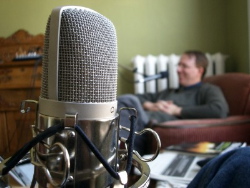
 We recorded Live From the Formosa Tea House: Episode 3 this afternoon. And because the Formosa Tea House is closed until February 24th, we switched locations and recorded here in the lounge at 84 Fitzroy St. in Charlottetown.
This episode features the best audio yet, with three microphones running into a mixing board running into my iBook. We missed the delivery of the iced tea and dumplings, though.
In this episode you’ll hear:
- Talk about travel. My trip to Croatia last fall, Dan’s trip to Peru coming up this spring, and Steven’s trips to San Francisco and upcoming honeymoon trip to Europe. We also talk a lot about travel in general, using the Internet to make reservations, and the differences between being a tourist and being a visitor.
- News of the new Queen Street Commons project that silverorange and others are working on at 224 Queen St. in Charlottetown.
- Random musings about the nature of web design work vs. “creating real things.” Special bonus “I always thought I’d be an architect” musings from me.
- An update on the Firefox web browser from Steven, including his description of the night Firefox 1.0 was released.
- A Google Alerts success story involving a sunken schooner.
The Live From the Formosa Tea House RSS Feed has been updated; it’s got the MP3 of this episode included as an enclosure for all you podcatchers. Traditionalists can still grab the audio from the web like normal. Enjoy.
Update: Dan has posted photos of our “recording studio.”
Update in March, 2017: thanks to the generosity of Scribie, we now have a complete transcript of this episode of Live from the Formosa Tea House.
Transcript
0:00:01 Speaker 1: Today on Live From the Formosa Tea House, talking about travel.
0:00:06 Dan James: The mannerisms and the behaviors of the people down there were just so much more friendly.
0:00:09 S1: The Queens Street Commons.
0:00:10 Steven Garrity: And so what we’ve been trying to do is take some of the money that we’ve been generating with our web development company and turn it into real world things.
0:00:18 S1: How and why we work.
0:00:20 Peter Rukavina: And I realized that deep in my heart of hearts I had always maintained the illusion that I was someday gonna be an architect.
0:00:27 S1: A Firefox update.
0:00:28 DJ: It ended up that it was like 4:00 in the morning for me and I had prepared the changes to the front page of the mozilla.org website.
0:00:36 S1: And a Harold Stephens schooner update.
0:00:38 PR: And it was about Third Sea and Third Sea sinking in the harbor off Olympia, Washington.
0:00:44 S1: From the lounge at 84 Fitzroy Street, here’s Live From the Formosa Tea House for January 31, 2005.
0:00:52 S?: Go.
0:00:54 PR: I’m Peter Rukavina.
0:00:55 DJ: I’m Dan James.
0:00:57 SG: And I’m Steven Garrity.
0:00:57 PR: And we’re here at 84 Fitzroy Street which is our co-corporate home. I am a tenant and they are the lords of the manor [chuckle] and the Formosa Tea House, we should explain, is closed for an entire month which has rocked our world but not prevented us from podcasting. So we’re back after a long absence because they’re closed.
0:01:18 DJ: Are we really podcasting? Steven you’re against the term…
0:01:22 SG: I would like to make a note that I’m humiliated by the term podcasting. It’s just so goofy that I can’t bear to say it with a straight face.
0:01:29 PR: I find no goofiness in it as all. I’m very proud of it.
0:01:31 SG: I always struggle with the word ‘blog’ too. I always try to say weblog when I could, although I kind of gave up because it became…
0:01:38 PR: Of course this is from the guy who has a radio show on the internet.
0:01:41 SG: Yeah. Well I guess there really is no radio involved, is there?
0:01:45 PR: No.
0:01:45 DJ: So tell us about your fans of your radio show.
0:01:48 SG: I don’t think we should get into that. [chuckle]
0:01:50 DJ: Not on our [0:01:50] agenda?
0:01:51 PR: We’re very organized today. Steven has typed up an outline of the show today.
0:01:57 SG: I copied and pasted it.
0:01:58 PR: Yeah, so we’re gonna start talking about travel because one way or another we’ve all been or will be traveling. Where do we wanna start?
0:02:07 SG: Maybe you could start by telling us about your trip to Europe.
0:02:13 PR: Well my father and I went to… In October, went on a sort of father-son bonding pilgrimage trip to Croatia, and he…
0:02:21 DJ: Why Croatia?
0:02:22 PR: Well, that’s where my grandfather’s from, and 30 years before in the early ’70s he had gone with his father so I was going with my father now, so there was sort of some nice symmetry to that. We were looking for our family roots and getting to know one another as adults and it was lots of fun. We flew to London and then we flew easyJet to Ljubljana and we were there for a night and then we were in Croatia for about five days and then took the ferry across the Adriatic to Italy and then flew back on Ryanair from Italy to London. If nothing else we got to know one another a little more and I gained 13 great-aunts and uncles that I never knew I had.
0:03:02 DJ: Wow. How did you go about finding people?
0:03:05 PR: It was weird. It was all improvisational. My father speaks a little Croatian so we could sort of make due that way and we had a little bit to go on. Our only surviving blood relative in Canada, unfortunately, had a stroke, more unfortunately for him, but had a stroke two years ago and can’t speak. So all our ability to find out from him… He would be the guy who had… Most recently there. All our ability to find out from him was lost, so we talked to his ex-wife and she gave us a little bit to go on. But ultimately the most successful part of the trip in terms of finding relatives is we went to the Catholic parish in PerušIć in Croatia and talked to the priest there who pulled out these dusty records and found my grandfather and his father and his brothers and his sisters. And it was all just a series of related happenstance-y events.
0:04:00 DJ: Sounds like a good movie.
0:04:01 PR: Yeah it would be a good movie.
0:04:02 SG: It would be a buddy movie.
0:04:03 PR: Yeah, yeah. Father son genealogical comedy.
0:04:07 SG: With Tom Hanks and Macaulay Culkin.
[laughter]
0:04:12 PR: Thank you for comparing me to Macaulay Culkin, or do I get to play Tom Hanks?
0:04:15 SG: No, sorry.
[chuckle]
0:04:17 PR: Anyway, the other thing I thought it would be useful to mention here in a webby sort of way is that, we flew from London to Slovenia on easyJet and then we flew back from Italy to London on Ryanair, both of which are the sort of discount carriers. If you’re in the US they’re sort of Southwest-like, if you’re in Canada they’re Jetsgo-like. They really have rocked travel in Europe. It used to be if you were a budget traveller in Europe you would take the train or you would hitch-hike maybe if you were even more a budget traveller and now neither of those make sense. It’s literally more expensive to hitch-hike than it is to fly.
0:04:51 SG: Now, my understanding, just I read a Wired article about Ryanair a while back, was that they’ve managed to circumvent a lot of the costs of the larger airlines by flying to lower traffic airports and cities, is that right?
0:05:05 PR: Yeah, if they were flying to PEI they’d fly to Summerside not Charlottetown.
0:05:08 SG: And avoid the costly Charlottetown airport.
0:05:11 PR: Yeah.
0:05:11 DJ: Busy metropolis.
0:05:13 PR: Well what they do is they convince… They’d go to Summerside and they say, “Do you want us to fly tourists into Summerside? Okay, then we’ll pay no taxes,” and they basically strike deals with smaller towns who want to drive tourists there. It works, we flew from Ancona, Italy which I think it cost us $60 each or something to go to London which was like a good hour and a half or two flight.
0:05:35 SG: Now, I was discussing this with our friend Nick, who’s living in Paris right now and he gave me a bit of a heads up that you have to watch out that though the flights can be cheap, getting to and from the airports without transportation can be a little bit difficult, whereas the train usually goes straight into the center of the city. But you didn’t really run into that, you said?
0:05:54 PR: Well the thing is where you run into that, is in London because you traditionally if you’re flying on Air Canada, from Canada you land at Heathrow and the budget airlines go from Gatwick or Stansted, which are two airports located, it’s basically on the other sides of London, so you have to get there somehow, which either means taking a bus which takes an hour and a half to Stansted or you have to go into London or out of London on rail. So you probably spend, because you have to convert from pounds and everything you might spend $50 or $60 getting around London. But in Italy, it cost us $1.35 to get to the airport on the airport bus.
0:06:26 SG: So it really just depends on the city.
0:06:28 PR: Yeah. Yeah. And you’re gonna face that with airlines. So if you’re comparing airlines to airlines it’s certainly cheaper. And what you get on both easyJet and Ryanair is basically no service. No service for free I should say, because you can actually buy a better selection of snacks arguably than you can on Air Canada. And they really do, especially on Ryanair there was a whole big shopping… You could buy watches and remote control cars.
0:06:55 SG: Does anybody do that? Those are weird.
0:06:57 PR: Well, I think they were looking for change and stuff, so I’m sure there’s a big market in the guilty parents or grandparents going on a vacation.
0:07:06 SG: That’s what it is.
0:07:07 DJ: I forgot to buy my significant other…
0:07:09 SG: I was away on my anniversary so…
0:07:11 PR: But I’ve read articles to suggest that on Ryanair especially… And Ryanair often will fly you for a pound, plus the airport taxes. And they do that because they make it all up on the residuals. They sell you snacks bars, and coffee and they’re gonna start selling you presumably movies, and voice over IP calls, or Wi-Fi, or whatever in the future. But it really does mean you can… Like we’re thinking of going to Europe in the spring and all we’re gonna do is get to London in advance, and then we’ll just decide which countries we want to after that and we’ll just go…
0:07:44 SG: And getting to London isn’t that difficult anymore either.
0:07:46 PR: No. No. There’s a couple airlines that do that there too.
0:07:50 DJ: Do we wanna move on to your next topic about Europe or do we…
0:07:54 PR: Well, I guess that part of it and we can segue from that and talk about your travels too. Because I think the thing about Europe in my life, and you can tell me whether this is true for you, but I can remember one or two times in my life where I received as a kid, a long-distance call, or my parents received a long-distance call from Europe. And it was like the biggest thing that would happen that year. And you would have to talk really fast, ‘cause you were probably paying like $8 a minute or something. And I think that, plus the fact that it took so long to mail to Europe, plus the fact that nobody ever went to Europe in the middle class really, it just meant that it was so far away that you would never go there. And now, especially when you live in, PEI you’re basically you’re closer to Europe than you are to Vancouver and Winnipeg and all those sorts of places.
0:08:42 SG: Both in terms of time and in cost of travel.
0:08:43 PR: Yeah, yeah. We could get in a car right now, fly to Halifax, get on an airplane tonight that leaves at 9:00 and we would be in London tomorrow morning. And that would basically be at 3 o’clock our time. People will go to Halifax for the weekend, for sometimes $300 or $400 more per person they could go to London for a week. It’s not something you would do every week, but it really does put European travel for me in a category which is less of a once-in-a-lifetime type experience and into something that you might do every year if you [0:09:16] .
0:09:16 DJ: Yeah. So instead of going and backpacking around Europe for two months you’d go for a week to one country, come back the next year, another country.
0:09:24 PR: Yeah.
0:09:25 SG: That’s something we’ve talked about before. I think people… It’s kind of a Canadian thing to go backpacking in Europe, or maybe it’s a North American thing.
0:09:34 DJ: With your Tim Hortons mug.
0:09:35 SG: Yeah. [chuckle] But that takes a significant amount of time to dedicate, and for me I’ve always pushed off going to Europe because I wasn’t ready to spend three months hiking around, but now that it’s so inexpensive it does make sense to just go for a week.
0:09:54 PR: Well it means you can go to Europe and not have to have a good time because you can go back. [chuckle] But it’s not your one time in your life that you’re gonna go there.
0:10:01 SG: That’s a good way to put it actually, yeah.
0:10:02 PR: Okay well, talk about where you’re travelling.
0:10:08 DJ: Last year on my honeymoon, my wife Becky and I went to Costa Rica and we thoroughly enjoyed ourselves. We found that the mannerisms and the behaviors of people down there were just so much more friendly and outgoing than they are here. We just loved the area. So this year we decided we’re gonna go down to Peru for two weeks and we’re gonna cover a lot of the country, mainly the middle of the country and the southern half of the country and just really go and do the tourist thing. But doing the tourist thing in Peru is a lot different than doing the tourist thing in Washington, DC or London or something like that. So there’s two of us going and four friends are going as well, and we’re going to Colca Canyon which is the second deepest canyon in the world, it’s twice as deep as the Grand Canyon.
0:10:57 PR: Wow. Are you gonna be in it?
0:11:01 DJ: No. Well, I think actually we do stay in the valley of the canyon one night, and there’s hot springs and things like that, and then the second day of the tour of that area, it’s called, ‘Cruz del Condor’, pardon my horrible Spanish. And you go up to the top of the canyon, I think it’s 15,000 feet you’re at, and you watch Condors circle up from the valley floor and there’s apparently 60, 70 Condors at a time going up so it’s pretty cool.
0:11:29 SG: Condors are big birds?
0:11:30 DJ: They’re the largest birds in the world actually up to 11-foot wing spans I think.
0:11:34 SG: Holy crap!
0:11:35 DJ: They’re massive ugly vultures.
0:11:37 PR: You’re making all the arrangements for this trip online?
0:11:40 DJ: Yeah. We haven’t talked to a human being at all.
0:11:44 PR: Is there a language problem there, in a…
0:11:48 DJ: There is poor broken English on a lot of the sites. Peru is, unlike Costa Rica or the Central American Spanish countries there’s no English in Peru or very little English in Peru. Most things are Spanish only. The airline in Peru does have an English version of its website, and a lot of the tourist destinations do have broken English versions of their website. But it’s gonna be pretty much Spanish. So there will definitely be a language barrier. For booking online, we’ve used travel guides like Lonely Planet, Frommer’s, and all of those things, so we’ve been able to identify places that we can communicate with via e-mail…
0:12:24 PR: So just as an example, like Thursday night when you’re gonna be there, have you booked a place to stay?
0:12:30 DJ: We’ve booked all of our accommodations.
0:12:33 PR: And traditionally, do you go and fill out a form or do you send them e-mail, or how does that work?
0:12:39 DJ: It depends on the hotel. There’s one hotel, it’s actually more of a hostel/hotel, in there they don’t really have a lot of, in our price range, a lot of hotels going, like a Holiday Inn. It’s mainly run by small families. Some of them have forms but I think they’re just e-mail forms.
0:12:56 PR: I’m just trying to think of what a small family is. [chuckle]
0:13:00 DJ: Sorry, yeah, whatever. You fill out a form, but I’m pretty sure that form just e-mails them anyway, because you usually get an e-mail back.
0:13:05 PR: So you do have some communication with them?
0:13:07 DJ: Some communication, yeah.
0:13:08 PR: Oh, that’s great.
0:13:09 DJ: And then, of course booking flights and things, that’s always done through websites.
0:13:13 PR: Yeah. So why Peru?
0:13:18 DJ: We wanted to go to a country in South America, and there was a really good deal at a bookstore we were at with the Frommer’s to Peru. [chuckle] And so, it was the first one we picked up, and we kinda liked it. I like mountains, most people know that, and the Andes are in Peru, which is fantastic. We’re going to Machu Picchu, which is kind of a hill…
0:13:39 PR: So, you’re like a mountain groupie.
0:13:41 DJ: Yeah, I’m like a mountain groupie. This year at the Andes, next year the Himalayas…
0:13:45 PR: Well, that’s an interesting question because if you are a relatively, in the world context, wealthy North American and can afford to basically go anywhere now in the world, which is not true, certainly of my parent’s generation, both economically and logistically, it means that you can go anywhere so you can get sort of paralysed by that. Like how do you choose, ‘cause you’re not gonna be able to fill the…
0:14:09 DJ: Overrun by choice too.
0:14:11 PR: Yeah. And we went to Czechoslovakia in 1998 because I liked a building in Prague.
[chuckle]
0:14:18 PR: But it was just… You had to pick somehow.
0:14:20 DJ: Yeah. And again, the low cost of travel, we used Flyer Points to book our tickets down, but some of the people we’re going with just bought tickets. And they were $798 return from Charlottetown.
0:14:32 PR: To Peru?
0:14:33 DJ: To Lima, Peru.
0:14:33 PR: Wow!
0:14:33 SG: That’s incredible.
0:14:35 DJ: Yeah. And that’s like Air Canada straight. Charlottetown Toronto, direct Toronto, Peru direct.
0:14:42 PR: It’s interesting, I did a e-mail interview which I haven’t published yet with George Stewart, a local travel agent, and one of the questions I asked him, I sort of assumed that in his case, he’d be booking a lot of trips to Cuba, and the Dominican Republic, and maybe some trips to Europe.
0:14:56 DJ: All inclusive resort stuff.
0:14:57 PR: Yeah. But that Islanders wouldn’t be really adventurous travellers, but he said that’s… You couldn’t believe… That’s the furthest from the truth, like islanders go everywhere. He books trips to Africa, and all sorts of places. And maybe it’s just Islanders don’t talk about travelling very much but he said he would see the same profile here as you would anywhere, at a big city travel agency.
0:15:18 DJ: One of the things about Peru that appeals to us is just it’s not Europe, in that it’s a lot cheaper to, once you get there, you can really do quite well on $25, $30 a day, whereas… And that’s staying in single rooms with private bathrooms, and breakfast included in the morning, things like that. So if you go to Europe, I find that you can stay in a hostel for quite a bit cheaper but you’re level of service, I guess kinda declines from there.
0:15:47 PR: Well, that’s like by going to Peru with a $700 return ticket, you’re basically doing a similar… It’s like if you went to Southeast Asia, except to go to Southeast Asia, you’d pay $2000 for tickets.
0:15:57 DJ: Right, right.
0:15:58 PR: That’s interesting.
0:16:00 DJ: Yeah. And I’m just looking at our agenda and the next agenda item is the one country a year plan, and this is something that Becky and I decided on our honeymoon that we’d love to do would be every year go to a new country. This year is Peru. And I think because it’s so cheap, why not? Instead of going to Telefax for a weekend or driving to Montreal for a weekend, why not get on a plane and go to…
0:16:24 PR: Andorra.
0:16:25 DJ: Argentina, Chile, or anywhere for a week or two, and just have fun, it’s just at that price range now where it’s actually possible.
0:16:33 PR: Well, and the other thing I think maybe we take for granted, is the fact [A] that because of the industry we’re in, in that we’re basically self-employed, we can do that. If you’re a teacher, you can’t leave in the middle of January for three weeks or at least as easily. And also that we can work from anywhere, if we wanna do it for longer. And that’s, it’s hard to take your work with you in many professions.
0:16:56 DJ: Yeah. One thing I’ve found is that, there are Internet cafes everywhere. When we were in Costa Rica, we were sitting in a jungle town in a rain forest. And literally the town would be no more than 150, 200 people, and there were two Internet cafes. And for 25 cents, you could use the Internet for three hours.
0:17:16 PR: I found the same thing in Thailand, I found the same thing in Spain, I found the same thing in… I mean I found the same thing in Czechoslovakia in 1998. And you’re right, it’s almost, the further you are from the center of things, the more valuable and prevalent Internet cafes are because they’re so much more useful and integral.
0:17:33 SG: It’s interesting that when hearing you guys talk about this. Now both of you would be more interested in travel almost as a hobby than I would be.
0:17:40 PR: Well, worldly you might wanna say.
0:17:42 DJ: Hey, he is going to London and Paris.
0:17:43 SG: Well, that’s what I was gonna talk about, that the places, that… I’m more of reluctant traveller, but the places I’ve been to and I’m planning to go in the next year are more on the typical travel plan. I’ve been to the West Coast, I’ve been to California twice in 2004 and I’m going to London and Paris in 2005. It’s interesting that it seems that you guys are not very interested in going to the places that are typical travel locations. And it’s more like you’re intentionally seeking places that are off the beaten path.
0:18:16 PR: Yeah. The other thing I have found generally when travelling is that, even if you are going to France or Spain or some of a commonly traveled to country from North America, I often find it… When you’re reading The Lonely Plant book, the way that they rate the importance of things, is relative to the world of travel. So we’ll say such and such a town in Italy is like a barren, industrial town not worthy of a tourist visit but they mean that compared to the Vatican, not compared to Montague. So if you go there, it’s way better than Montague.
[chuckle]
0:18:53 PR: So we were in this town, that my father and I, were in Anchota, Italy. It’s on the far eastern coast of Italy and it was described as this mundane town that you would use it as a utility town. But we spent a good… We were there for 48 hours and there was museums and shops and Italians there. [chuckle] And it was all the Italy we needed. And I got a sense that we probably got more out of it because we weren’t rushing around like to see the Colosseum and the Vatican and all these… There was nothing to “see” so you got to see a lot more of what there is to see.
0:19:27 DJ: I think I do look for things off the beaten path. And part of that’s cost. You don’t have to spend a lot of money to do that, but I think a lot of it’s like, the Indie Rock Pete of travel where you wanna go somewhere…
0:19:41 SG: Go somewhere cool where no one’s been?
0:19:43 DJ: Yeah, exactly. Somewhere cool where not a lot of people go that have really interesting things. Peru has some of the cradles of civilization in it, like the Inca empire. And I think that’s just a lot more interesting for me to see than the Eiffel Tower.
0:19:57 SG: Or the Mona Lisa.
0:19:58 DJ: Or the Mona Lisa, yeah.
0:20:00 PR: Well, I think too. Above and beyond, the self indulgence of travel, there is a responsibility to your home community to bring back stories and…
0:20:10 DJ: Knick-knacks?
0:20:11 PR: Well, no. You go to…
0:20:13 SG: Hotel soaps?
0:20:13 DJ: Yeah.
0:20:14 PR: You go somewhere else, you see that something’s done differently, you come back and that enriches, in theory, your own life but also if you talk about it and share it and say other people should go there. That’s how we learn about the rest of the world, I guess. If everyone just went to London and Paris all the time [chuckle] where would we be?
0:20:32 SG: Man, my trip sucks.
0:20:34 PR: Well, I mean the irony for me is that…
0:20:35 DJ: But it is your honeymoon so it’s not really gonna suck…
0:20:37 PR: Yeah. But the irony for me is that we’re sort of casting going to London and Paris like it’s an everyday thing to do. And I think for most people, it would be like the most dramatic thing you would do in your years.
0:20:46 SG: Yeah, and I actually am planning to have sort of the typical… When we go to Paris, we’re gonna…
0:20:51 DJ: Have a camera around your neck on a lanyard…
0:20:54 SG: Yep, we’re gonna be tourists and we’re gonna do touristy things.
0:20:57 PR: Well, that’s… When we travel, we do the same thing.
0:21:00 SG: It’s like going to Disney World.
0:21:01 PR: Yeah. Yeah. [chuckle]
0:21:02 SG: Now, you have a… One of your goals is to hit a new country every year. I have a new travel goal myself. Never in my entire life do I ever want to be in Los Angeles. I’ve avoided it so far and I think that’s something I could avoid through the rest of my life.
0:21:18 PR: I’ve been in San Francisco and San Diego and I’ve taken the bus by Los Angeles with my father.
0:21:23 SG: But you didn’t go in?
0:21:24 PR: Didn’t go in, no.
0:21:25 DJ: I’ve been in Los Angeles when I was a very young child. I went to Disneyland.
0:21:30 PR: But the thing is, you know what’s gonna happen? There’s gonna be Firefox, the reality TV series next year and you’re gonna have to go down to LA and you’ll do it willingly and that will be that.
0:21:39 SG: No.
0:21:40 DJ: Yeah.
0:21:40 SG: We should probably move on with our agenda if we’re going to have the longest most boring radio show in the world.
0:21:43 PR: Hey, here’s some opportunity for interactive viewer feedback. Or now, what do you call them? Listener feedback. Podcastees? What do you call the… What you would call in the TV world a shot-list. What do you call it on the radio?
0:21:57 SG: Oh yeah.
0:21:57 PR: Prompt-list?
0:21:57 SG: Well, we’ve been calling it our agenda which is pretty lame.
0:22:00 PR: Yeah, it sounds pompous, so I’m not gonna call it a agenda.
0:22:03 DJ: I have an agenda. [chuckle] Steve, you were gonna talk about… You kinda briefly mentioned that you’ve been to the west coast twice this year?
0:22:12 SG: Yes. Both trips were related to the Mozilla Firefox work we’ve done and…
0:22:18 DJ: Which is a reoccurring theme on our radio show.
0:22:21 SG: Yeah. Yeah. It was interesting ‘cause I hadn’t been to the west coast. I had only been to Vancouver but never to California until last year. And we went twice and a couple of the other guys from… Still here at Silver Orange came. Jan was with me on the first show. Actually, both you guys were there on the first show.
0:22:41 DJ: That was the spontaneous trip to California we arranged in three to four days.
0:22:42 SG: Yeah. Very bizarre being in Silicon Valley. I was in Mountain View, and Palo Alto, and San Jose and we stayed at the… [chuckle] So, you can get travel advice. You wanna avoid the travel lodge in San Jose by the arena where the sliding bathroom door had a hole kicked in it. We had to deal with the attendant through a bullet proof glass. [chuckle] And I think I paid twice because I paid online and they didn’t believe me and I paid again. Weird being in Silicon Valley where it’s like the dot com bubble never burst because whoever’s there, are the people who have survived, and I find there’s a whole feeling in San Francisco and in all of Silicon Valley of… Maybe that you would get when you’re in Washington, DC from a government perspective that it’s in a bubble and it’s… There’s a dis…
0:23:42 DJ: It’s like 20 square miles surrounded by reality.
0:23:44 SG: Yes. It’s a disconnect from the rest of the world and people seem to be able to suspend their understanding of normal human beings’ lives when they’re there. So neat place to visit, don’t wanna live there.
0:23:56 DJ: Well it’s a very contrasted place from Prince Edward Island, Canada. I don’t think you could go in North America to any more of a difference spot culturally.
0:24:06 PR: I was in Cupertino once in 1994 and I was at a hotel, and I had to go to Apple. And I asked at the desk, how long will it take me to get to Apple.
0:24:16 SG: You had to go to Apple?
0:24:17 PR: Well, I was going to a conference at Apple.
0:24:18 SG: Okay.
0:24:19 PR: And they said, “Oh, it’s just five, 10 minutes.” And I assumed that they were talking about walking, ‘cause I thought, “Well, I’ll just walk down to Apple.”
0:24:27 SG: But it was actually on the freeway 100 miles an hour.
0:24:28 PR: Well, yeah. It was like, I could actually walk there. But it took me like an hour and a half to walk there because they’d just never heard of anyone walking. And there weren’t sidewalks and it just wasn’t set up that way. I thought that Charlottetown was a car culture, but we don’t have anything on them.
0:24:42 SG: Oh, it’s unbelievable where… And there’s very good public transit around San Francisco, but it was like, we’d go out for lunch and you’d be on a freeway for two minutes to get there, which just means you’re actually travelling quite a distance.
0:24:55 PR: I wonder if it’s actually pleasant to live there in any way.
0:25:01 SG: Well, I certainly didn’t like a lot of aspects of it. But they have a couple of things definitely going for them. The city itself is quite beautiful.
0:25:07 DJ: San Francisco.
0:25:07 SG: San Francisco and most of Silicon Valley is with… I don’t know what actually encompasses Silicon Valley, but the places that I was in, Mountain View and stuff, were all an hour from the city. The weather is beautiful, it’s nice but it’s not particularly hot. And you’re within an hour’s drive of a lot of really beautiful scenery.
0:25:28 PR: Well you see, this is the debate that I go through. I grew up just sort of in the triangle between Kitchener, Guelph and Toronto, within an hour’s drive of Niagara Falls and Toronto, Buffalo and all these places where I could have gone, and we never… Relatively speaking, we didn’t avail ourselves of those.
0:25:46 SG: Buffalo? [chuckle]
0:25:47 PR: Well. Okay. [chuckle] I exaggerate slightly.
0:25:50 DJ: Well, we just alienated all of our listeners from Buffalo.
[chuckle]
0:25:54 SG: Very John.
0:25:56 PR: I was about to make a football allusion, but I couldn’t remember the name of the team in Buffalo.
0:26:00 SG: The Bills.
0:26:00 PR: The Bills, yeah, go Bills!
[chuckle]
0:26:02 SG: Was that your football allusion?
0:26:04 PR: Yeah. [chuckle] that’s as good as I can get. But I just wonder whether people who… And I try asking, this is one thing I’ve found is people who I know who are expatriates in a foreign country, you try and get them to characterize their expatriate experience, and for some reason they can’t. It’s like, they can’t contrast it to their old life. And I don’t know whether they’re unable to do so, or it’s just what it is. So it’s hard to get people to say, like if you’re in Paris, I was talking to Nick, who’s living in Paris now about this. And I couldn’t get a sense of, “Do you wake up on Tuesday morning and you don’t have very much work to do? So I’ll just go down to the Louvre for a while and look at the Mona Lisa.”
0:26:39 SG: I’ve been in pretty close contact with Nick, just through work. He posts photos and stuff. And I do get a sense from him of his life in Paris. I mean, he doesn’t go to the Louvre but he goes to…
0:26:53 DJ: Bakeries every morning.
0:26:54 SG: He goes to the bakery around the corner and he… I get the impression that he’s living the artist-in-Paris lifestyle.
0:27:00 PR: See, Catherine and I are talking about going with Oliver to some European country, maybe Slovenia, for a longer period, and renting an apartment for a month, and being sort of hybrid tourists, not really residents, but more than just dropping in for three days. And I think our great fear on some level unstated, is that we might go there and really like the sort of day-to-day, just the sort of the insignificant things that loom greater in their… Like, having a fresh vegetable market available to you…
0:27:33 SG: Access to quality cheeses.
0:27:34 PR: Yeah, yeah. Exactly. And that we might then come back here and just…
0:27:38 SG: There is the Gouda Cheese Lady.
[chuckle]
0:27:40 PR: But that involves driving in a car and only eating Gouda. There’s the ‘grass is always greener on the other side of the fence’ argument. But then, there’s the whole, “What if we came back here and life was a living hell?”
0:27:52 SG: But couldn’t you just stay a few… Don’t you have the freedom that if you really did like it somewhere, you could probably permanently relocate?
0:28:00 DJ: I think we have like a two or three year rent agreement with them.
[chuckle]
0:28:03 PR: Well you know… But the other thing is that, what I have come to not underestimate to the degree to maybe which I once did, is having been here for 12 years, you just know a lot of people a little, and you sort of know where all the streets are, and you know who’s related to who, and that degree of comfort in a place is not to be trifled with.
0:28:22 DJ: Yeah, yeah. And it is a good place to be stationed. Becky and I look at Prince Edward Island, I don’t think we’ll ever intentionally move somewhere else for a long period of time, because all of our family is here.
0:28:35 PR: So if you were kidnapped, you might relocate.
0:28:37 DJ: If we were kidnapped, we may end up living somewhere else.
[chuckle]
0:28:40 DJ: If you can call that living. But we kinda see Prince Edward Island as an ideal place to be stationed out of, and regularly travel, and regularly do things other than Prince Edward Island activities, and go maybe live somewhere for two months. And I think it’s just kinda that place in North America where the cost of living low enough to call home and say “hi” to your families and go to the beach and do all those things.
0:29:01 S?: Yeah.
0:29:02 SG: I think you can say that about most locations, like a lot of locations.
0:29:05 DJ: Except for Palo Alto.
0:29:05 SG: What’s significant for me here is that, this is where I grew up, and this is where my family is, and that’s what makes it the place where I choose to live. I mean, there are aspects of it that are nice and beautiful that I like, but there are…
0:29:20 DJ: Does anyone grow up in Palo Alto?
[chuckle]
0:29:23 PR: There must be. The Silicon people must have children.
0:29:26 DJ: Yes. They have Autism.
[chuckle]
0:29:31 PR: Moving on [chuckle] From trifling mentions of serious mental health issues, [chuckle] Dan, let’s talk real things.
0:29:42 DJ: Yeah. Oh, we’re skipping to that already.
0:29:43 SG: Dan is taking a picture of us with his camera, but…
0:29:45 DJ: Well that was supposed to be a joke on the agenda.
0:29:48 SG: Well, you better make the joke then and then we can move on.
0:29:51 DJ: I don’t even know how to bring this up.
0:29:54 PR: Well, let’s talk about the 84 Fitzroy Street, Queen Street Commons and that will segue us into that.
0:30:00 DJ: For those of you who read my blog, ceoblues.com. You’ll see that we’ve… Silverorange has purchased a building that’s actually just kinda… I don’t know if it’s kitty-corner or what do you call when a…
0:30:13 SG: I’d rather you not use the term kitty-corner ever again.
0:30:16 DJ: Anyway, it’s just around the corner from us, and we actually share backyards with the building. And one of the things that’s gonna happen in this building, we’re not buying it for silverorange’s purposes. We’re not gonna move in and have offices in there. But we’ve kinda seen actually things like this, the radio show, we have a lot of people coming and going in our building, 84 Fitzroy. We’ve had meetings where the room we’re actually recording in right now has been full of city staff members and councillors, and…
0:30:46 SG: Aspiring members of parliament.
0:30:47 DJ: Aspiring members of parliament. And we’ve kind of become this hub of activity in our city for a certain group of people. And as that group of people gets more and more active, I think it’s kind of something that we’d like not to have in our basement or our main floor every day. So, we’re kind of seeing this new place as an avenue and a venue for that to happen where we can be involved with it but at a arm’s length for it too. So, if we’re really busy with the project, we can still work and we don’t have to worry about hosting people, and things like that. And allowing other people to do this because we’re not the only organizers in the city about events like this. So, we’re kinda just creating an open… We’re calling it, and this is gonna be the first time it’s been publicly released, the ‘Queen Street Commons’, and it’s kinda occupy an entire floor of this new building. And it’s basically, going to be an open office concept. Not the open software product called ‘OpenOffice’ but basically, people can for a small price per month, be a part of this commons, and have desk space, lounge space, board room space…
0:31:57 SG: Some telecommunications infrastructure.
0:32:00 DJ: Yeah. Telephony infrastructure, internet, printers, things like that. We’re really hoping to get those people who are consultants that work at home to come in and kind of be part of a community. And then, we’re just laying the foundation for it. We’re not sure what’s gonna happen on top of that but we do expect things like the things we’ve been doing here over the past year, a year and a half to happen, whether bringing in people for debates or sessions, or their members of parliament to grill them on the next issue, or something like that.
0:32:26 PR: This could get some synergy going.
0:32:28 DJ: We’ll get some synergistic airflow.
0:32:28 SG: It’s gonna be synergistic. Part of the, what originally got us driving to look to purchase another building is that, and we’ve talked… This is talking about real things. As a web development company, we sometimes lament that, though we enjoy very much our work and take a lot of pride in it, we don’t produce anything physical or tangible, and that I think can sometimes be difficult that you can take a lot of pride in building a piece of software but you can’t hold it in your hand. And so, what we’ve been trying to do is take some of the money that we’ve been generating with our web development company and turn it into real world things that we can put to use like the building we’re sitting in now. And now, the building next door too.
0:33:15 DJ: Yeah, there’s a real fondness for real estate within a few of the members of silverorange. And real estate, in terms of acquiring and negotiating real estate, as well as fixing it up and keeping good care of buildings, and renovations and things like that. I don’t know if that…
0:33:31 SG: Those are our real estate plans.
0:33:32 DJ: Makes it sound extremely boring.
0:33:35 PR: No. [chuckle] I am one who sits on the fence about this sort of thing. Having sort of been on the periphery, the far outmost Neptune-ic periphery in the arts community, I’ve sort of watched with interest the whole Arts Guild thing. Because I think you could probably take what you’ve just said and put it in the mouth of the Arts Guild people. And it would probably reflect a lot about why the Arts Guild was needed. The Arts Guild for out-of-town listeners is that the old rural bank building in Charlottetown that was taking over by the arts community as sort of space for art to happen. And there’s print makers, and there’s a performance space, and various other things. And I’ve seen this happen in other cities, and the problem that often has run into with these things is that, then the building becomes… You wanted to do all this neat stuff but then the building itself, and the upkeep of the building, and the paying the mortgage of the building… ” And this is, I think probably truer of the arts community than it is with you guys because you have some way of sustaining this, but it sort of becomes the thing that you’re doing. The building becomes your project.
0:34:34 DJ: The building’s the answer in itself. Yeah.
0:34:36 PR: And so, you have fundraisers so that you can pay for the building, so that you can have fundraisers in the building to pay for the building.
0:34:41 DJ: Yeah. That’s kind of, we’re trying to take care of that. This is not the only thing happening in this building.
0:34:47 SG: It’s actually, we’re almost coming at it from the different angle where there was a nice building, that was near our current building. We wanted to invest some money in real estate. And it’s almost for us, the building is the original attraction and this is something that we can do with it. So hopefully, that’ll avoid that pitfall.
0:35:04 PR: Yeah. It’s just interesting sometimes to see that people have an idea about something and they think, “Well, only if we have the space to do this in” and they sort of stop there. And I don’t think the lack of… There’s always space in one way or another.
0:35:18 DJ: Coffee shops and…
0:35:19 PR: Well, yeah. Or you can do something in the middle of a street. Or, like the Confed Centre did, is they rented the old Vogue Optical space to put an artist in residence there.
0:35:27 SG: Yeah. We, Dan and I ran into something, I think that’s somewhat analogous to that where we’re aspiring amateur musicians and we aspire to be amateurs, I guess. And we’ve always thought, if we had some good recording equipment or access to a studio, we could make some really great music. And now, that we’ve got most of the equipment that we’ve always wanted, we actually found ourselves on the weekend sitting around and looking at these great microphones, mixer, computer, and everything. And it was weird, now, our lack of talent is now the biggest barrier, so yeah. People often, you can often hold off on things because there’s something you really need that you think you need but if you we’re really gonna do it you could just get it done anyhow.
0:36:10 PR: Well, I’ve ran into a very similar thing. I was watching Charlie Rose last week and Philip Johnson, the architect had died, and they were talking a lot, they interviewed Frank Gary and they talked about Philip Johnson and I realized that deep in my heart of hearts I had always maintained the illusion that I will someday gonna be an architect. Because I had sort of toyed with the idea of coming out of high school…
0:36:29 DJ: Just like George from Seinfeld.
0:36:32 PR: I had toyed with the idea coming out of high school maybe I would go to architecture school but I didn’t, I went into a general arts program. But I’d always sort of thought deep in my mind that eventually I’d be done with this computer stuff and I’d go on to do the real thing and it would be architecture. And then just listening to Frank Gary talk and Philip Johnson talk and thinking about architecture and why I hadn’t done it yet, I realized that first of all I have none of the basic skills required to be an architect. Like I can’t think in three dimensions. I’m not particularly… I like buildings and I appreciate a good space but I have no idea how you would go about creating that. [chuckle] And I can’t deconstruct it and I’m interested in buildings but I’m not passionate about them. And then I realized with the few exceptions I don’t really like architects as people.
0:37:15 SG: You’re the worst architect ever. [chuckle]
0:37:17 PR: So I decided that maybe I should let that dream go now.
0:37:20 SG: Well, I’m a designer and I don’t like designers by rule of thumb.
0:37:25 PR: Well, there you go. But you’re good at it.
0:37:27 SG: At not liking them? [laughter]
0:37:28 PR: No, no. You’re good at being an… You’re good at not liking them.
0:37:31 SG: Well, thank you.
0:37:31 PR: You’re also good at being a designer which it was even deeper with me, because I realized I didn’t… Like if you said here, “Draw a picture of a cube.” I could literally not draw a picture of a cube I cannot think in three dimensions.
0:37:43 SG: I think you’ve chosen the right career path.
0:37:45 PR: Well yes, but, not to be too real or anything but, [chuckle] it did strike me.
0:37:53 DJ: I was gonna make that comment that while we’re really getting into this next subject…
0:37:55 PR: Just jumping off on your comment about not creating anything tangible. I realized the other danger that you run into doing the kind of work that we do, and I think this is true of all three of us is that we’re not really doing… We are not our own client.
0:38:07 DJ: Anything that matters?
0:38:09 PR: Well no, I think things matter but we’re doing it for other people, for other people’s ends. And part of that is we’re making other people wealthy and we’re skimming something off. But there’s something more to it than that which, we’re sort of dealing with, we are not artists we are craftspeople.
0:38:26 SG: We’re mercenaries.
0:38:27 PR: We’re mercenaries, yes. And I’ve sort of come to terms with that on… I’m not complaining about it, it’s a good living and I enjoy the work but at the same time sometimes I sort of thirst for something which is my own thing. And maybe that’s what my web blog is on some level too.
0:38:43 DJ: And your radio show and…
0:38:44 SG: Yeah that’s what those things are for me. My own web blog, the recording radio stuff, music.
0:38:50 DJ: The lame recording we’re doing.
0:38:51 SG: Yeah. That’s my…
0:38:53 DJ: Musical recording. This recording we’re doing right now is awesome. [chuckle]
0:38:57 SG: Yeah. Shall we move on?
0:39:00 PR: Okay.
0:39:00 DJ: Sure.
0:39:00 PR: I guess we have to talk about Johnny and his bad smelling lamp now. [chuckle]
0:39:04 DJ: Again a joke item on the agenda.
0:39:05 PR: Well, I will use this joke item and morph it into a real thing that has practical relevance for the program and community.
0:39:11 SG: Wow.
0:39:12 DJ: Don’t put a 150 watt light bulb in a desk lamp?
0:39:15 PR: Well, it’s been interesting for me over the past couple of years as Johnny who is the other half of Reinvented has become a computer programmer to watch, to see computer programming through his eyes. Because for me I’ve been doing it now for 25 years and so it’s sort of I can’t think about it because I can’t see myself doing it. And one of the things I realized is that when you’re programming it’s really a process in large part of solving problems because you would think that in an ideal world you just sit down and write a program, but of course it never works that way. It breaks down and it’s like a battle against bugs. And often bugs are, you see things happen and you think, “Well, there’s the cause and this is the effect.” But the cause and effect can sometimes be illusory and the cause is sometimes something completely different so maybe you get error reports about this thing and you think, “Well because this thing is happening these other things must be caused by that.” But it’s not the case. And so the reason that I bring this up at this point is that Johnny has the office beside me had this really weird smell in his office.
[laughter]
0:40:20 PR: Which seems like an insult but it’s not. Stay through to the end of the story. And it was coincident with him going down to our client Yankee for a week. So Johnny left, I was here alone. I moved the fridge, our little bar fridge, into his office and when he came back there was a smell in his office. So logically you would think that there was something in the fridge. So we ended up throwing away a lot of the stuff in the fridge, like we threw away some honey ‘cause it was sort of a honey-like smell and we finally ended up moving the fridge out of his office and we smelled the carpets and we just couldn’t figure out what…
0:40:51 SG: We called in extra guests sniffers.
0:40:53 PR: Yeah and finally I guess, was it you or your father or?
0:40:56 SG: It was my father and I in a combined effort.
0:40:58 PR: We brought in a special hazardous materials team and you found out that…
0:41:02 SG: That there was a… Johnny’s wife had gotten him a lamp at a used store here in Charlottetown, just little desk lamp and they had put a 150 watt light bulb in this little desk lamp and it was literally slowly burning the lamp shade on it. And that’s what we discovered.
0:41:22 PR: And it smelled sort of like rancid burning honey.
0:41:24 SG: We thought for a while that there could have been some kind of dead rodent in a wall.
0:41:28 PR: Yeah, yeah.
0:41:29 SG: And we weren’t really sure how to deal with that [0:41:30] .
0:41:31 PR: So the moral of the story is that the obvious problem is not necessarily the one that is the problem you should be looking at.
0:41:37 SG: Wow.
0:41:38 PR: I think that’s the moral of the story anyway.
0:41:40 SG: I don’t think we ever had morals before.
0:41:42 PR: So Firefox update.
0:41:45 SG: Yeah, I’ll give a little bit of Firefox update. It’s been quite a while since we talked about it last.
0:41:49 PR: I think we were… The last time we recorded it was on the cusp of the Firefox 1.0.
0:41:54 SG: Well 1.0 is here. Whoo!
[laughter]
0:42:00 PR: I hear the passion in your, “Whoo!”
0:42:00 DJ: Lamest radio cheer ever.
0:42:01 SG: There was a lot of fan fair. Actually it was quite a big deal. It was quite a big press event and Firefox has gotten I think even more attention than people who were enthusiastic about it expected. And the number of downloads has been enormous. I don’t know what to make of numbers in terms of downloads but there have been 20 million downloads since it was officially released in, was it early December, I think. And in terms of the actual launch, I wrote a bit about this in my weblog but it was… Talk about lame fanfare. The launch itself, because of the time zone difference between California and here in the East Coast, it ended up that it was like 4:00 in the morning for me and I had prepared the changes to the front page of the mozilla.org website. And so I had set an alarm to wake me up at about 3:30 to get up, and all the people at the Mozilla Foundation were waiting for me wake up and launch the new website. So I did this CVS commit and actually updated the website and Firefox was released. So even though my involvement has been pretty small, I got to be part of the actual launch. But then I found myself… This is… I was sitting in Charlottetown in my bedroom with my laptop.
0:43:20 DJ: Actually in your bed.
0:43:22 SG: In my bed at 4:00 in the morning and there was an enormous feeling of…
0:43:25 DJ: There’s a mental image for folks.
0:43:26 SG: That was quite a anti-climactic launch, I can tell you that ‘cause I launched it and then sat there and then figured, “Well, guess I’ll go back to bed.”
0:43:37 PR: I wonder if that is… We assume… I kind of think if you ask the average person on the street how was Firefox released, if they had a conception of what that was it would be sort of like they’d imagine some sort of NORAD-like command center with a giant switch and a door would open.
0:43:51 SG: People turning keys at the same time.
0:43:53 PR: Yeah. And I wonder if we… Now that we know the truth behind Firefox, maybe when Star Wars 6 comes out and we think it’s like that, maybe it’s just like George Lucas presses the release button on his keyboard and that makes all the copies…
0:44:06 SG: Well, there’s actually a good… Mitchell Baker, who I think is President, I’m not sure of her title, but she’s with the Mozilla Foundation. She wrote a weblog post about the day that Firefox was released and my little story was only one of many that went on that day. There was all kinds of issues about getting mirrors setup for the download servers. There was last-minute internationalizations coming in to release in other languages as well, and right up to the last minute I was making changes to the website. They were saying, “The Japanese release is out. It doesn’t meet the quality assurance standards.” And then five minutes later it was back in ‘cause it’s been reviewed by the team and…
0:44:45 DJ: I think it actually probably was a lot more NORAD-like than the final commit to the website.
0:44:51 SG: Really what I was doing was a lot like doing an update to the website, but there was a lot of different components like that that happened, and anyway…
0:45:00 PR: But the technologies involved and the people involved, it sounds like the NORAD-like aspect is in the… It’s a complicated endeavour. But it’s something that other people just like you are doing. Like they’re not…
0:45:13 SG: Human beings.
0:45:13 PR: Yeah.
0:45:13 DJ: There were no rocket scientists involved.
0:45:15 SG: Some of them smarter than I. And speaking of which, that’s another good segue, I wanted to talk about Ben Goodger who was the lead engineer on Firefox, he still is. There was an announcement just this week or last, I think, that he has moved from being an employee of the Mozilla Foundation and he is now an employee of Google, which is quite a big significant piece of news. And there’s another… Someone who works on the, I think Darren Fisher’s his name, that he works on Mozilla that is now hired at Google as well, he works on networking protocols. But there has been long running speculation that Google might at some point release a web browser of their own, something I don’t particularly think will happen, but that’s further fuel to the rumours. But Ben is gonna continue to work in his role as leading the project, though he’s now doing it as a Google employee.
0:46:12 PR: And does that get… Google, I sense is probably doing this because Google’s a good corporate citizen, but it probably makes sense for them to sort of have someone… I think if Google could have someone working at Microsoft on the Internet Explorer team, they would wanna do that too. It’s probably good for Google.
0:46:32 SG: Oh yeah. That’s a good analogy actually.
0:46:33 PR: But do you think that, I don’t know, like if Yahoo wanted to hire someone from the Mozilla Foundation to work on Firefox, that probably wouldn’t be a problem, would it?
0:46:43 SG: No. I don’t think so. There’s a lot of people who work on… There’s probably more people being paid to work full-time on Firefox for other corporations than there are employees of the Mozilla Foundation. Red Hat has several employees that work on a full-time IBM, Sun, I guess now Google, and there are other companies too. Oracle does too. And if you look at Red Hat for example or IBM, it’s like they’re contributing to this by paying the salaries of a few engineers and they’re getting from it a pretty significant chunk of an important stack of software that they can use in offering solutions.
0:47:26 PR: But are you under the impression that in any of these people, not focusing on Ben particularly, but if IBM thought that it would be good for IBM if something happened at Firefox, it operated differently or maybe if these bugs were fixed then it would work with a particular product of IBM, do you think that those people are instructed to change their workflow so that those problems get looked at first?
0:47:52 SG: Well, in some ways because I think the mechanisms of open source kind of guide that and protect it from being sort of derailed, but if there’s sort of an itch that needs to be scratched for IBM or Red Hat customers, then they will dedicate resources, in terms of people and money.
0:48:12 PR: The payoff is good for everyone.
0:48:14 SG: Exactly, now if… Where it would become a problem would be if leadership decisions were starting to be guided towards the end goals of one company or another, but I think in general that the fact that the code is there is for anyone it could always be forked and if it needed to be, and another project could be started.
0:48:35 DJ: And the fact that the Mozilla Foundation has allowed companies to participate in this manner is good, because there’s so many companies participating in this manner that not one can actually take control and derail a project.
0:48:49 SG: Yeah, when I was at… I went to the GNOME or G-NOME summit for the…
0:48:54 PR: [0:48:54] .
0:48:56 DJ: You’re not wearing your free t-shirt today?
0:48:58 SG: No, I’m not, I’m wearing another free t-shirt actually, I wear a new free t-shirt every day.
0:49:02 DJ: Hey, me too.
0:49:05 SG: There was a GNOME software development, this is the GNOME Linux desktop project in Boston and most of the people there, some of them were students from MIT, but most were employees of Red Hat or Novell, there were few Sun employees, I think IBM, but it’s kind of understood that they’re being paid by these corporations and there are decisions that happen above their heads, because of the open source software and the licences and the governance protects from corruption pretty well, they all work together pretty well.
0:49:45 PR: So, do you think that if, I mean let’s say that this is completely hypothetical, but let’s say, one of these participating sponsoring corporations had a thought that if they change something in Firefox that would ultimately be good or neutral, but it also let’s say broke the MSN search or something. That the open source world would have a way of exposing that somehow and not…
0:50:08 SG: Well, that’s just it. Everything is very public, almost all the discussions happen on publicly accessible mailing lists and every single code commit… Piece of code that’s added or removed or changed from an open source project like Firefox for example is publicly visible. And to make an example of that, I had asked Ben Goodger, who works on Firefox, if there’s kind of a hidden Easter egg in… I think if you go in your location bar type, “About: Mozilla” I think it is, there’s like a quote. And it’s just kind of a hidden little quote about the birth of Mozilla. And I had asked if he was gonna update it for the Firefox 1.0 launch and he said, he hadn’t really thought about it or bothered, because you can’t do it as… You can’t sneak code in to an open source project, because when you make that code commit, a bunch of people get e-mail notifications there’s a public record of it, so that by its very nature is…
0:51:09 PR: So there is an audit trail and then the audit trail is public.
0:51:12 SG: Everyone can see the audit trail and in terms of governance, there’s always the ability for someone to pick up with a code and start a new browser tomorrow. Which is usually in practical terms, more of a threat than actually something that’s useful.
0:51:29 DJ: And that’s where people are suspicious of Google doing right now, but I don’t think they would.
0:51:36 SG: Yeah, I just don’t see the need or benefit of Google having their own web browser because right now if you use Firefox, Google is the default search engine, Google hosts the Firefox start page. And that’s a revenue sharing arrangement between the Mozilla Foundation and Google with the ad money that’s generated.
0:51:57 PR: Well, it’s interesting to see and this really isn’t… I guess it is open source-related on some level, but the fact that the web browser component of MacOS10 is sort of part of the… I don’t know whether you would characterize it as being the part of the operating system, but it’s certainly there when OS10 is installed, so I suppose that means that it is. Is now something that products like NetNewsWire which is an RSS reader can use within a NetNewsWire window. It sort of makes you wonder what the browser is because if I’m reading a website in that Newswire, then it’s basically my browser.
0:52:32 SG: Yeah, you can separate the rendering engine and the component that draws the page from the application that [0:52:39] .
0:52:40 PR: The interesting thing about this in the Mac world is that, [A] it hasn’t been as controversial as it was at Microsoft when there was that whole burning the browser into the OS, and that was all… There was legal action about that.
0:52:50 SG: Yeah.
0:52:51 PR: The other thing though is that… I think Microsoft seemed to sort of try and make everything the browser, like the Windows Explorer that you use to navigate your file system, they tried to turn that into a web browser. And I think Apple resisted, Apple has made that component available for web browsing and other applications, but they haven’t tried to make the finder into a web browser.
0:53:09 SG: Yeah.
0:53:09 PR: Which I think makes a lot more sense.
0:53:10 SG: Yeah.
0:53:11 PR: ‘Cause the notion of your, sort of your finder or your file explorer like loading webpages, while theoretically interesting because you can then modify that HTML, is practically useless. It just I think slows things down.
0:53:26 DJ: I’m gonna bring up a question that’s not on the agenda but the Firefox 1.0 release like 20 million people have downloaded it, spreadfirefox.com put a two-page ad in The New York Times, it’s been on almost every news site technology and just traditional news as well. The logo that’s been put on all these sites that was in the two page spread was conceived kind of in this building just like 20 feet above us.
0:53:55 SG: It was.
0:53:56 DJ: How does that make you feel? I mean you were kind of the… What’s your term? You’re kind of like the creative director or something of the brand.
0:54:03 SG: Yeah, the…
0:54:04 DJ: Visual design coordinator?
0:54:06 SG: Yeah. Something like that…
0:54:07 PR: You’re like the midwife of the logo, not the conceiver of it.
0:54:11 SG: That’s actually, though slightly disturbing a good analogy.
0:54:15 DJ: How does that make you feel when you open up a New York Times and there’s a two-page spread of something you had hands on experience with.
0:54:23 SG: It’s pretty cool. The birth of the concept for the logo, once the name was established, Firefox, I think it wasn’t a huge stretch to go. We explored what visual representations can you have for a web browser and we really couldn’t come with much more than a globe. It’s just an abstract concept that’s hard to render visually. And so the combination of the fox and the globe was pretty obvious but Daniel and Stephen and I here at silverorange we bounced the ideas around and we drew it on a… Daniel and I sketched it on a white board and then Stephen DesRoches, he pencil sketched it out. And what he pencil sketched is very close to what it ended up being finally rendered by John Hicks who lives in the UK, and ending up in the New York Times. Like you said, my involvement was more like a midwife. I was there and trying to get the people who are more talented than myself working on the right problems and the right projects.
0:55:19 PR: It seems to me that the interesting part of the story is that the logo nice as the logo is and it’s so much better than the M or the F or whatever it was before. But it’s not a revolutionary thing. The revolutionary thing is just the fact that a: You can be in Charlottetown coordinating this and that, b: I think it’s a bunch of little steps. Like if Steven had just drawn the sketch and left it at that then it never would have seen life. So it sort of took a midwife or a shepherd to sort of put it all together and to coordinate…
0:55:53 DJ: Yeah but I think there’s very few people in the world, there’s very few times in the world that something like that happens where something that you’ve worked on gets distributed to the masses at that level.
0:56:05 PR: And so quickly and with such volume.
0:56:06 SG: We came in just at the right time because when we started working on these visual aspects of Firefox it was a year and a half ago maybe and it was still called Phoenix and it was already a good browser but very rough around the edges. And in the year that we were involved that was pretty much when Ben Goodger took it over the project and turned it into a 1.0 release project. And it was just the right time and we got involved just before things really started to take off. So some of it was I think good work some of it was the fact that we were we added our small piece of good work to an enormous amount of good work that had already happened and continued to happen that we weren’t really involved in. And some of it was just happenstance.
0:56:54 DJ: But do you lie in bed at night and like…
0:56:56 SG: Think I’m a god. [chuckle]
0:56:57 DJ: I actually remember you designed and you even wrote up the code for the Firefox search page for Google.
0:57:07 SG: Yeah I worked with the Google people to do the layout of that start page.
0:57:11 DJ: And that’s the start page for probably six million people that they see that three times a day.
0:57:17 SG: Yeah.
0:57:17 DJ: Does that boggle your mind in the morning?
0:57:20 SG: Not really. I think what’s…
0:57:21 PR: If there was a picture of you on the Google start page maybe it would’ve been…
0:57:26 SG: What I think is most interesting is that I think it goes to show the motivation for involvement is more… Well there’s definitely… I definitely do enjoy the satisfaction of getting some credit it feels good to…
0:57:39 DJ: You’re not driving a Lamborghini because…
0:57:41 SG: I’m not. I’m driving a small Japanese hatchback. But the motivation behind it was originally that I liked this web browser but it had an ugly icon. And as simple as that sounds that really was what got us interested and involved and there’s been lots… I’ve been to California twice because of it, it’s helped our company generate money because we’ve gotten exposure and contracts that come to us from… But in the end I almost feel like that has a good-looking icon now.
0:58:17 DJ: It’s a better web browser that I can…
0:58:18 PR: My work here is done.
0:58:18 SG: My work here is done what can I do next.
0:58:20 PR: I got to say that’s interesting to hear you say that because the amount of work that I’ve taken on in my life simply because I knew that if I didn’t do it someone else would do it and it would be ugly, boggles the mind. And it’s work that it hasn’t necessarily been pleasant work. Again, I’ve been paid for it and I’m not begrudging it, but at the same time the satisfaction that comes from using something that you’ve created yourself is sometimes more than the satisfaction from the sort of abstract satisfaction knowing that someone in Iowa is also using it.
0:58:54 SG: Yeah. Yeah. And what’s been interesting in the case of Firefox has been, for myself, the particular skills that were needed weren’t necessarily ones that I had. But I felt I had a good understanding of what was needed and who could provide them and that I would have a good… At least be… If I couldn’t do it myself I could tell when it was done well. So in the end I actually didn’t really produce a lot of the things that… I mean, I’ve been involved in the design of the mozilla.org website but even that Daniel Burka here did the most of the… He was the primary designer on it. But I still feel a lot of satisfaction, because someone needed to say, “Hey, let’s get a better version of that icon. Let’s do it and let’s get it done.” And I’m already on to other small however insignificant things. One thing I posted the other day on my weblog was an overview of inconsistencies in the save confirmation dialogue boxes on applications on [0:59:52] …
0:59:52 DJ: Compelling radio.
0:59:53 SG: Which is, it sounds incredibly boring. It’s a small little detail, but if my little involvement can help that a little bit then it’s one little piece that will be better and it’ll be better for everyone else, and if everyone else does that, then… I think I’m becoming an open source software zealot I think is the bottom line.
1:00:14 DJ: And middle manager.
1:00:16 PR: The other thing is that being a Windows user for so long where it was… The things that were wrong with Windows… Part of the frustration of using Windows is that the things that are wrong with it, you have no control over it.
1:00:28 SG: Very much so.
1:00:28 PR: And you know that if you send e-mail to bugs@microsoft.com, that no one is ever going to respond. And so the fact that you can see that, it can bother you and you can do something about it. It’s probably even just… Even if you don’t do anything about it, the mere possibility that you could just probably what makes things [1:00:43] .
1:00:43 SG: Absolutely. I wish I could think of an example right now, but there are things that I’ve complained about, or I’ve filed a bug on or made a feature request in a piece of open source software, and it happened to be something that was relatively easy to implement and an idea people agreed with and it happened and relatively quickly.
1:01:03 PR: Along those lines, although not open source at all really, maybe a little bit under the hood but there’s a Mac OS 10 SFTP or FTP client called, ‘Yummy FTP’, which I’ve never liked the name of and that kept me from using it for many months, and then it has this weird logo with a tongue sticking out of it which drives me crazy too. [chuckle] But it’s an excellent piece of software and the developers are so responsive. Like I will literally say, “I wonder if this could work like this” and I’ll send them and e-mail. And sometimes within a couple of hours they say, “Okay, we’ve released 1.06 and it has that suggestion in it.”
1:01:38 SG: It’s very cool when that happens, and that’s been happening since I’ve had peripheral involvement in a bunch of different open source projects. That’s one of the big attractions to it, I think is the fact that you have, even if you don’t wanna exercise it, you have some control, and it’s not at the whim of a corporation somewhere.
1:02:00 PR: Can I talk about the schooner and then we’ll close?
1:02:02 SG: I think so.
1:02:04 PR: This is an interesting story that happened last week, I have a friend Harold Stephens, who’s a travel writer, and I think ‘adventurer’ would be an accurate term for him, he lives in Thailand. He had literally a life of adventure. And one of his adventures was constructing a ferrocement schooner, and it was sort of constructed in Thailand and Singapore. And this was in the late ’60s, early ’70s. And he did do this with the intention of sailing the South Sea, sort of in the spirit of the South Sea adventures that he would’ve read about as he was a kid. And he did this, and the schooner was beautiful and he sailed the South Sea and took people for hire and did all the things you would think an exciting South Sea adventurer would do. Then eventually the schooner was in Hawaii and he wasn’t with it, it was under someone else’s care, and it was wrecked in a typhoon or a large storm there. And basically that was the end of it. Although he didn’t release it formally, it was sort of salvaged and he assumed that was the end of it.
1:03:08 PR: He ended up writing a book called, ‘The Last Voyage’, which was about the building and the construction and then finally the death of Third Sea. And I read the book, and it’s partially through reading the book that I got to know him. And since that time I’ve put together a website for him and we visited him in Thailand and become quite good friends with him. As a result of all of this, I have what’s called a Google Alert set up for Google news for his name, Harold Stephens. And this is something you can go if you go to Google news, you can set up for any keyword, you can set up a Google Alert so that if that word or phrase appears in a news article anywhere in the news sources that Google scans, you’ll get an email.
1:03:45 SG: I have a quick question on that here. Do you have everyone that you know’s name in as a Google Alert?
1:03:50 PR: No, I have my clients, I have last name Rukavina ‘cause I like to keep in touch with other Rukavinas, although State Senator, Tom Rukavina in Minnesota is 99% of the Rukavina traffic. [chuckle]
1:04:01 SG: He’s a real media whore.
1:04:03 PR: Yeah. But Yankee Magazine, the Old Farmer’s Almanac, Harold Stephens; it works well for some things and not for others. Rukavina’s fine, but Garrity would probably be fine. But James, you wouldn’t wanna, ‘cause you’d get everything. Anyway, so last year…
1:04:18 DJ: So you’re in there Steven and I’m not.
1:04:19 PR: Yeah, that’s right, sorry. Last week I get a hit, which is actually the first hit I’ve ever had on Harold Stephens, remarkably, ‘cause you would think it would be a common name. And it was a story in the Olympian, which is a newspaper out of Olympia, Washington, and it was about Third Sea and Third Sea sinking in the harbor of Olympia, Washington. And as it turns out, someone I guess, somehow Third Sea had been purchased out of salvage in Hawaii 30 or 40 years ago. Someone had acquired it, and we’re not sure of the complete story yet, but somehow it ended up in Olympia, Washington at the bottom of the bay. [chuckle] So I emailed Harold about this, and he got in touch with the author of the article in the Olympian. And now they’re talking about Harold becoming involved in the salvage effort and Third Sea sailing one day again.
1:05:06 SG: That is the most bizarre story.
1:05:09 PR: It is, it was very bizarre being in the thick of it, it’s an addendum to a whole bizarre series of circumstances that got me to know Harold in the first place, so it’s sort of par for the course. But it shows the Google Alerts connection.
1:05:22 SG: That’s pretty cool that something happened through the internet has generated a connection of something real like that.
1:05:30 PR: Yeah. It shows it as more for just keeping track of your recipes. Anyway, we’re an hour and four minutes in so I guess it’s time to say goodbye.
1:05:40 SG: I’m bored.
1:05:40 DJ: Yeah.
1:05:41 PR: Live from the Formosa Tea House I’m Peter Rukavina.
1:05:43 DJ: I’m Dan James.
1:05:44 SG: And I’m Steven Garrity.
[background conversation]
1:05:50 S?: And we’re here to pump you up.
 I am
I am  You can subscribe to an