
There’s a certain sort of “PIN pad” — the gizmo that you type your PIN into when paying with a debit or PIN-enabled credit card — here in Canada that looks like this:
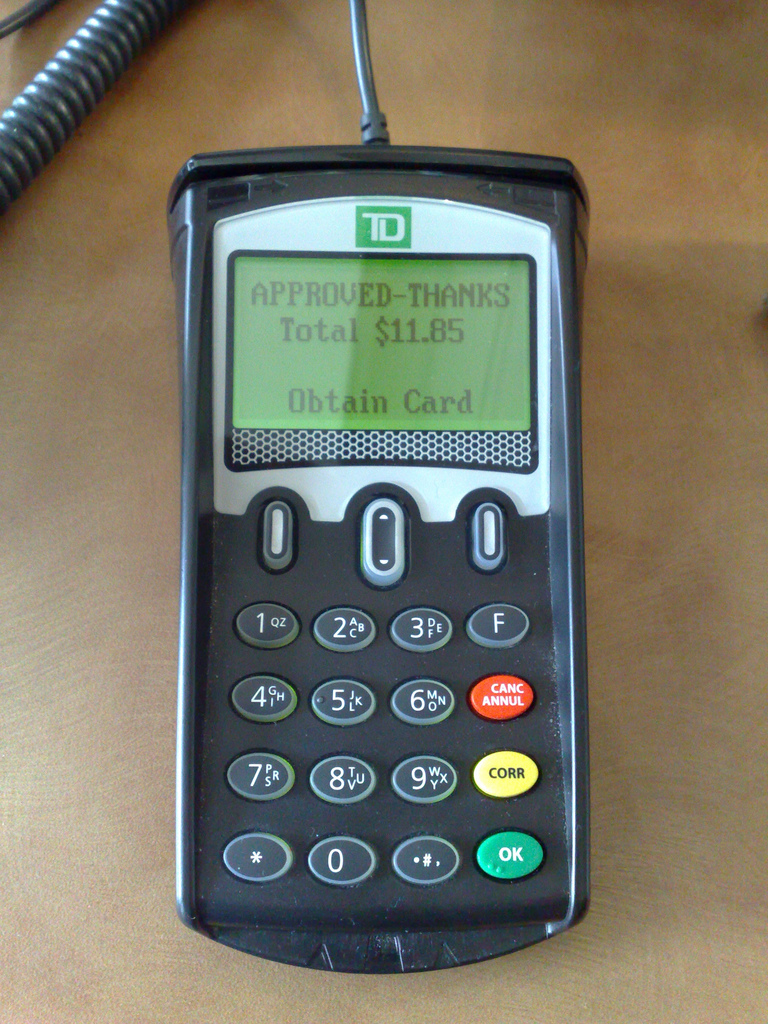
Starting last year many restaurants that use this sort of PIN pad have opted to enable a feature that allows customers to add a tip to the bill by selecting one of three options: nothing, a percentage of the total bill, or a dollar amount. These options are presented on the display as $0, % and $ and you need to press one of the three top buttons to select your choice.
The percentage option is my favourite and so I’m left to press the middle button. But for the longest time, no matter what restaurant I was at, I couldn’t get the middle button to work; I thought the button was broken, but it seemed odd that it would be broken at all restaurants.
It turns out that although the three buttons look the same, they work differently: the right and left buttons are “push in”-style whereas the middle button is a “toggle up or down” button. And if you try to “push in” the middle button, it doesn’t work, and seems like it’s broken.
There’s a subtle indication of this difference in the design of the buttons: the right and left buttons have a white background and the middle button has small “up” and “down” arrows on it. But the indication is so subtle that, especially in a busy restaurant with a line at the cash where you’re not able to study the PIN pad in detail, it’s not enough to signal the difference.
And, indeed, there shouldn’t be a difference: the three buttons to select three equally viable options should operate in the same fashion.
Even though I know about this UI quirk, I still get caught by it most of the time.
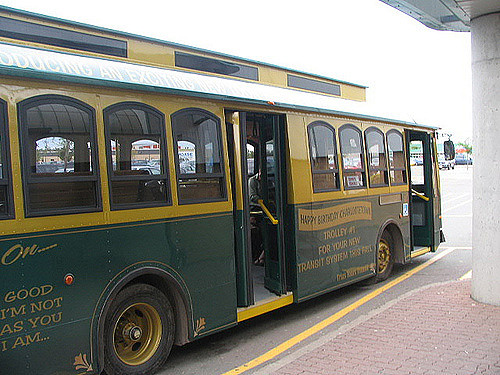 Good news: starting this Saturday, April 4, 2009 there will be regular bus service to the Charlottetown Farmers’ Market. Kudos to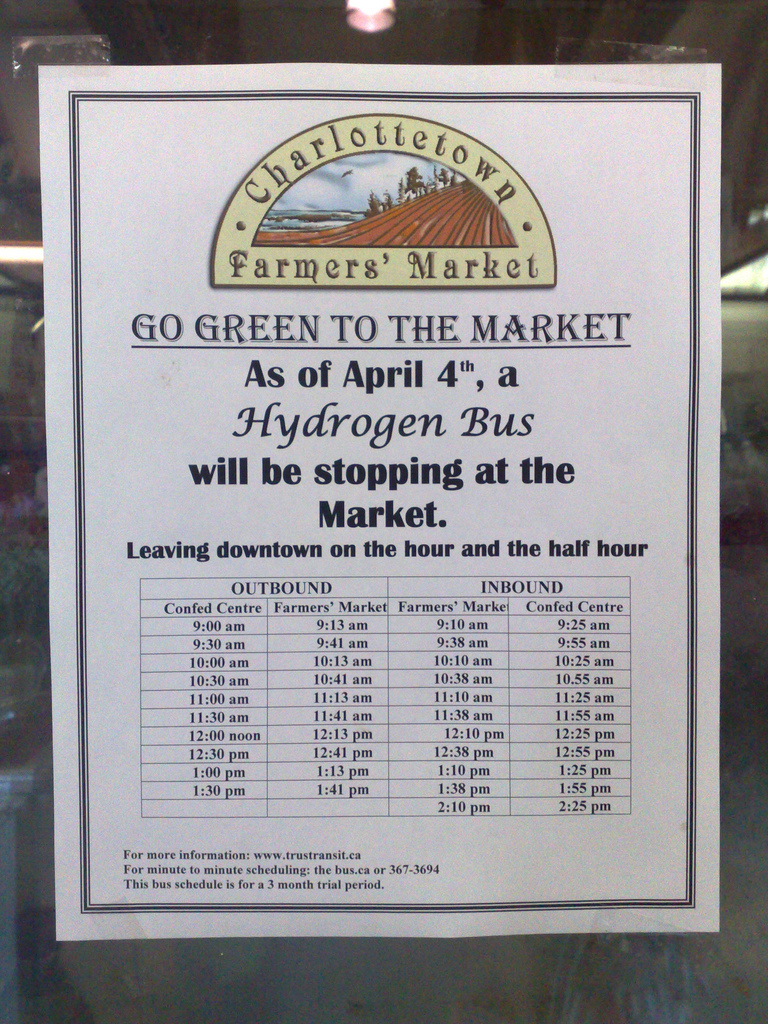


 I am
I am  You can subscribe to an