As I type I am sitting at a table deep in the bowels of the Robertson Library at the University of PEI. It is snowing outside. I have just finished a toasted bagel with vegetable cream cheese, and beside me sits a piping hot cup of green tea with lemon. In another era this would induce paroxysms of protest from any librarians in the vicinity. But today’s library is different: the library’s Food and Drink/Noise Policy has been updated to allow food and drink — at least food and drink that’s not “smelly or messy” — in most places in the library. Including at this very table.

This is all an outgrowth of the replacement of the Reference Desk with a coffee shop this month. And while said coffee shop serves only much the same generic goo that the other campus food outlets serve, somehow the opportunity to purchase Glosette Raisins to be consumed while reading The Book of Kells seems, if not quite revolutionary, at least a step in the right direction.

As far as I know the Robertson Library’s ban on “prolonged conversations” remains in place, and I skirted up against this rule when my friend John Cousins stopped by my table a minute ago and our conversation came very close to being prolonged. Fortunately I was able to nip things in the bud and John went on his way right on the extended-prolonged conversational border.

🗓️

At the Fitness Centre this morning the television in front of my exercise bike was running The Today Show with closed captioning turned on and I spotted the followed mistyped transcription:

Administration forces GM CEO Rick Wagoner to design.

Oh it were true.

🗓️
Design  •  Musing  •  Television

Well that was fun: this morning was my time to switch sides of the lectern and deliver my Privacy and The Obligation to Explain lecture to my Philosophy 105 class. You can grab a PDF of the slides I used if you’re interested.

Thanks to Alan and Chris for helpful comments on my original blog post: I ended up using a snippet of Alan’s comment in my talk.

By far the most interesting part of the proceedings was the 20 minutes of discussion that followed: my fellow students had a lot of good insights. The general consensus: this is all very well and good, but we’re going to have to get rid of capitalism and nationalism first, and everyone is going to have to be pure of heart; in other words there are aspects of my proposition that have a slightly Utopian quality.

I come away with a newfound respect for the life of the academic lecturer: it’s a lot of work, not only in preparation, but also in keeping all the freaky balls in the air.

Wednesday I’ll go back to my seat at the back of the room.

🗓️

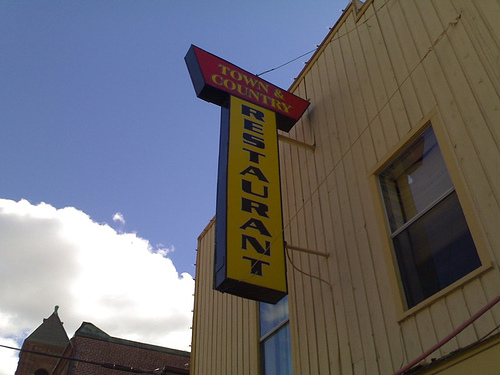
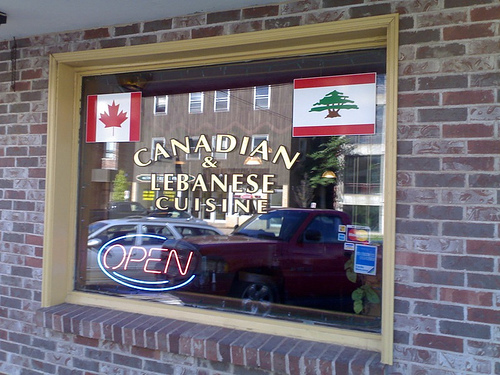
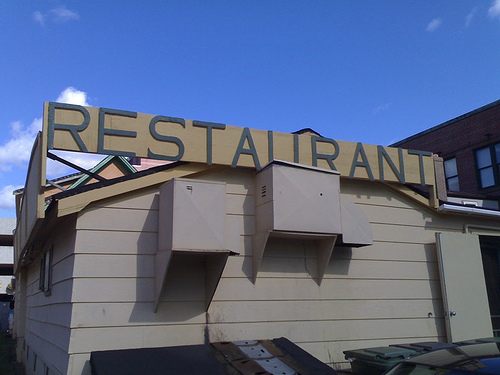
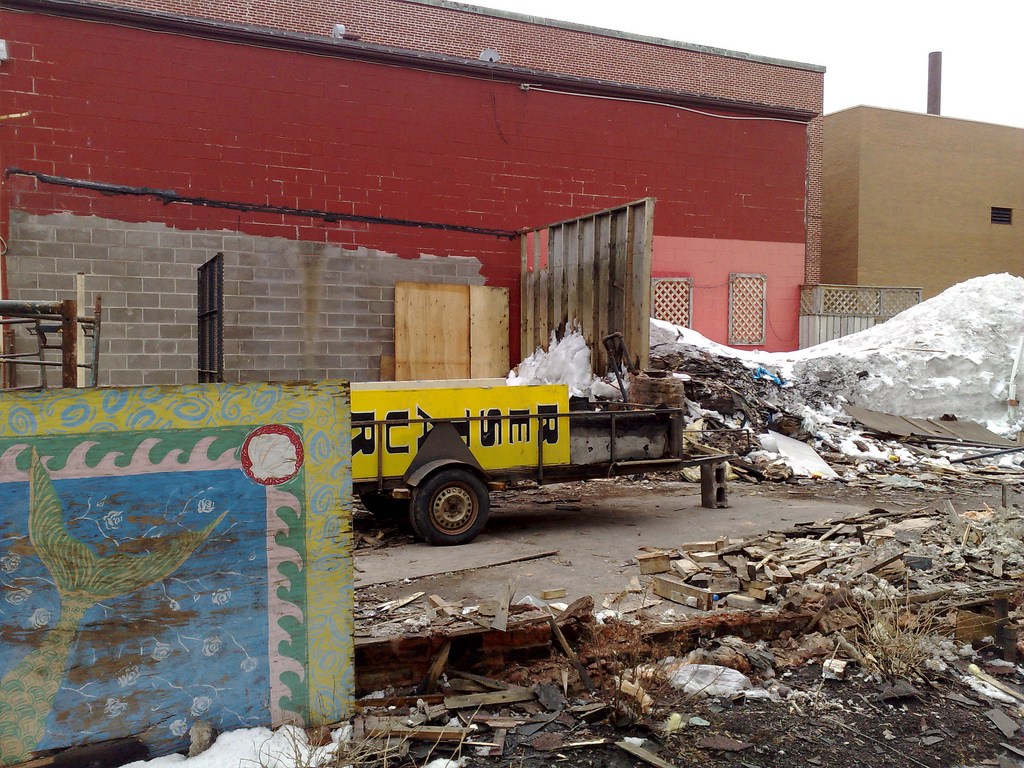
Regular readers may recall our last meal at the venerable Town and Country Restaurant back in 2006. In the intervening years the building housed an “asian fusion” restaurant for a time but more often than not has been standing vacant, waiting for someone new to breath life into it.

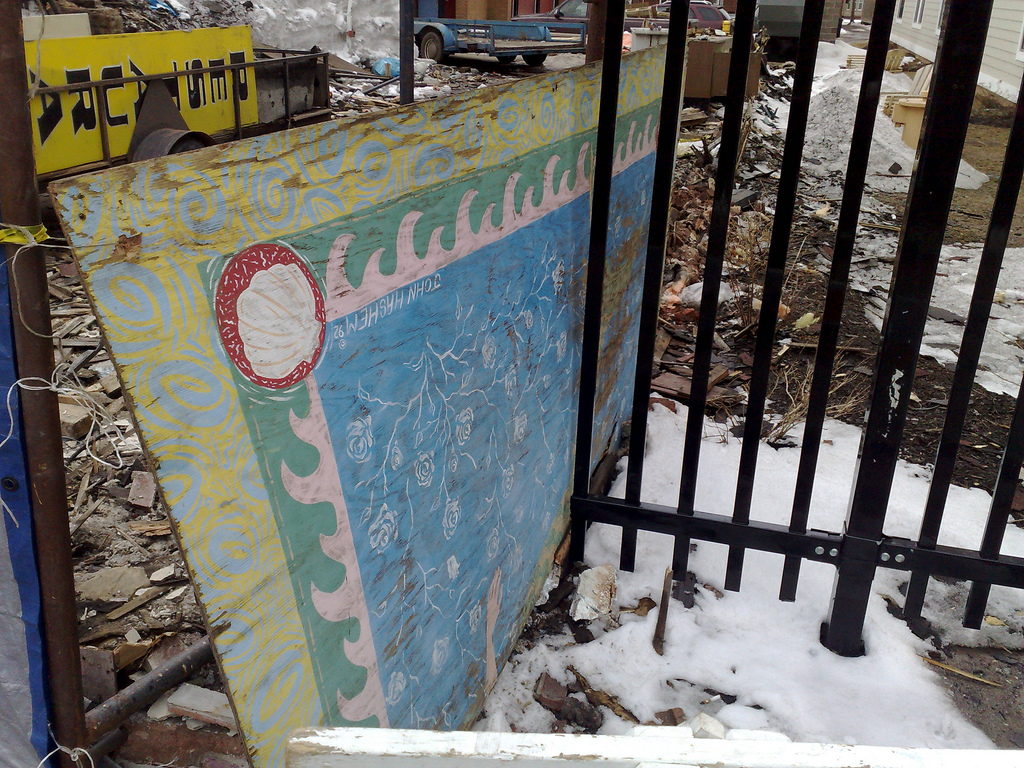
Unfortunately this never happened, and whoever owned the building decided it was better as an empty lot than a building waiting to be filled, so it fell to the wrecker’s ball over the last several weeks:

Town and Country Restaurant

Town and Country Restaurant

Town and Country Sign

Town and Country Patio

Town and Country Mural

🗓️
The Town & Country  •  Restaurants  •  History  •  Charlottetown

I’ve been experimenting with IIPImage and its companion IIPMooViewer as a way of serving higher resolution images in a web browser — think “Google Maps slippy map, but for images.” (the cool Java kids would use djatoka for this, but Java makes my head hurt).

I grabbed this 1958 aerial photo from the government collection of photos of Charlottetown and turned it into a Tiled Pyramidal TIFF with ImageMagick:

convert 16113-44.jpg \
  -define tiff:tile-geometry=256x256 \
  -compress jpeg 'ptif:charlottetown.tif'

And then set it up to be served from IIPMooViewer here. The result is imperfect: the image viewer appears to “stall” after loading an initial collection of tiles (it completes eventually). It would have been nice to have access to higher-resolution scans of the aerial photos to be able to dig deeper, but it’s still an interesting window into Charlottetown in the late 1950s.

🗓️
Charlottetown  •  History  •  Photographs

As one of the final acts of my undercover mission inside the University of Prince Edward Island, I’ll be giving a guest lecture for the Philosophy 105 course that I’m tentatively titling Privacy and The Obligation to Explain.

I’m going to take a different tack on privacy, suggesting that the default setting for privacy should be “off,” that we should all share everything always. And to support this proposition I’ll use examples from my own dabbling in digital exhibitionism as well as practical examples from the open source movement.

Although there’s no officially sanctioned way for members of the public to attend the lecture, given that I’m not officially sanctioned myself it would seem appropriate for anyone who’s interested to just show up to Main Building, Room 120 on Monday, March 30 at 10:30 a.m. and act like you belong there. Wear a UPEI sweatshirt and/or carry a backpack if you want to blend in and, if anyone challenges you, just say “I missed the first 27 classes, but I’m here to catch up.” Casual mentions of of episteme and techne — “man, that is so totally techne” — will also help.

🗓️
Design  •  Philosophy 105  •  Technology  •  University of PEI

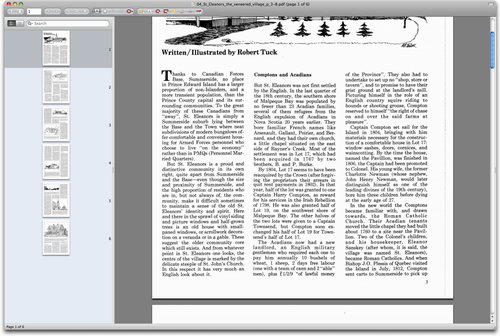
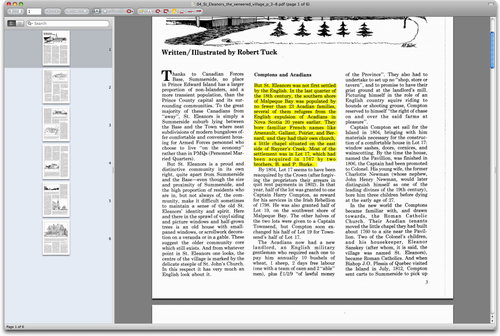
A solution to a constant source of frustration for me: I have a PDFlike this one — that has text formatted in multiple columns:

PDF with text in columns

I want to copy some text from the PDF, but when I do this by simply clicking and dragging the mouse, all of the columns of text get selected:

PDF with text in columns, text selected across columns

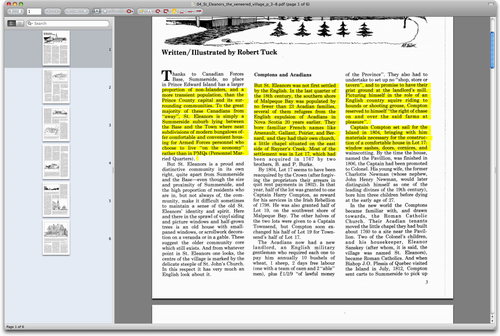
The secret: use Option + Drag to select the text. Hold down the Option key, in other words, while you drag a box around the text you want to select:

PDF with text in columns, text selected from one column

The result is just the text I want, from the single column I want it from:

But St. Eleanors was not first settled by the English. In the last quarter of the 18th century, the southern shore of Malpeque Bay was populated by no fewer than 23 Acadian families, several of them refugees from the English expulsion of Acadians in Nova Scotia 20 years earlier. They bore familiar French names like Arsenault, Gallant, Poirier, and Bernard, and they had their own church, a little chapel situated on the east side of Rayner’s Creek. Most of the settlement was in Lot 17, which had been acquired in 1767 by two brothers, B. and P. Burke.
🗓️
Mac OS X  •  PDF

Annie Copps, who’s both a cook and and public health veteran, writes about how long you can leave butter and eggs out of the fridge. I’m a fridge paranoid — I think that mayonnaise left out of the fridge for more than 2 minutes will kill me — so this is comforting information.

🗓️

At the Access 2009 planning meetings I’ve noticed that the browsers that the librarians use have a “Zotero” icon in the lower-right corner. At lunch with Don Moses yesterday he made a passing reference to Zotero, and in my ignorance I asked him to explain what Zotero is.

And what Zotero is is this: an add-on for Firefox that allows academics to do the same sort of things that we civilians do with tools like Delicious.

But what we call a “social bookmarking service” academics call a tool to “collect, manage, and cite your research sources.” And because academics are all about the bibliographic, Zotero is heavy on the Chicago Manual of Style-type of feature set, and somewhat light on the “hey, Olle, check out this cool site” feature set.

Otherwise, there’s a lot of overlap between the two approaches and, indeed, there’s something to be learned from the academics and their bibliographic obsessions. For example, OpenURL COinS: A Convention to Embed Bibliographic Metadata in HTML. Which, in webgeek-speak, means “a microformat for describing web pages.”

As a way of dipping my toe into this world, I’ve embedded COinS metadata in this very weblog. So here’s how it works in practice: let’s say you’re writing an academic paper on Jimmy Fallon and you come across my review of his new late night television show. If you’re using a browser with the Zotero add-in, you’ll see a special Zotero icon in the address bar of the browser:

Zotero in the Address Bar

If you click on the Zotero icon a reference to this post will automatically be added to your Zotero references, and if you open up the Zotero add-on in the browser you can see the reference, complete with the metadata that’s embedded in via COinS:
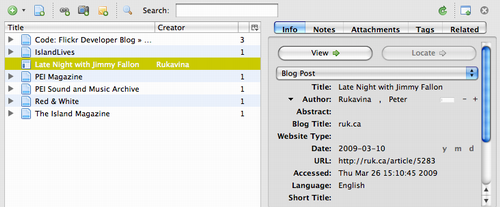
Zotero Add-on browsing a reference

Furthermore, because I’ve set up my Zotero to sync automatically with the Zotero.org website, the same reference also can be found there, either available only to me, or to the public if I’ve set my account that way:
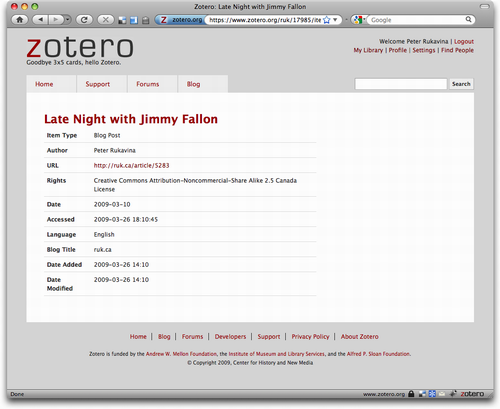
Zotero.org website browsing a reference

Now so far that’s really just a less-elegant, less-capable Delicious, but where Zotero really comes into its own is with features that cater to the kinds of things that academics like to do, like bibliographic citations in journal articles. So if I right-click on the reference in Zotero, I can select to Create Bibliography from Selected Item:
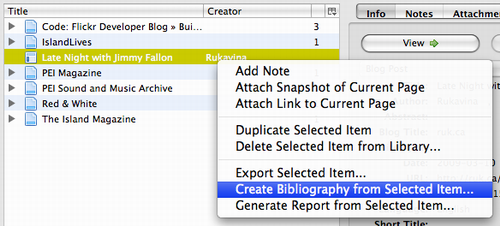
Zotero.org Create Bibliography from Selected Item

Then select a citation style:

Zotero.org Select Citation Style

And what I end up with is a snippet of text that I can paste right into my article:
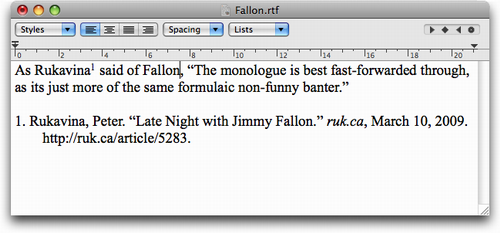
Zotero Citation

The client-side features of Zotero are quite evolved, and it can parse references from sources like Amazon.com and many online library catalogues, including our very own Provincial Library here on PEI (and, if you use the slimmed-down version, the University of PEI catalogue too).

The “social” side of Zotero is in its infancy and is less developed; take a look at my Zotero profile and my Zotero Library to get a sense of what it offers.

🗓️
Delicious  •  Libraries  •  Technology  •  Zotero

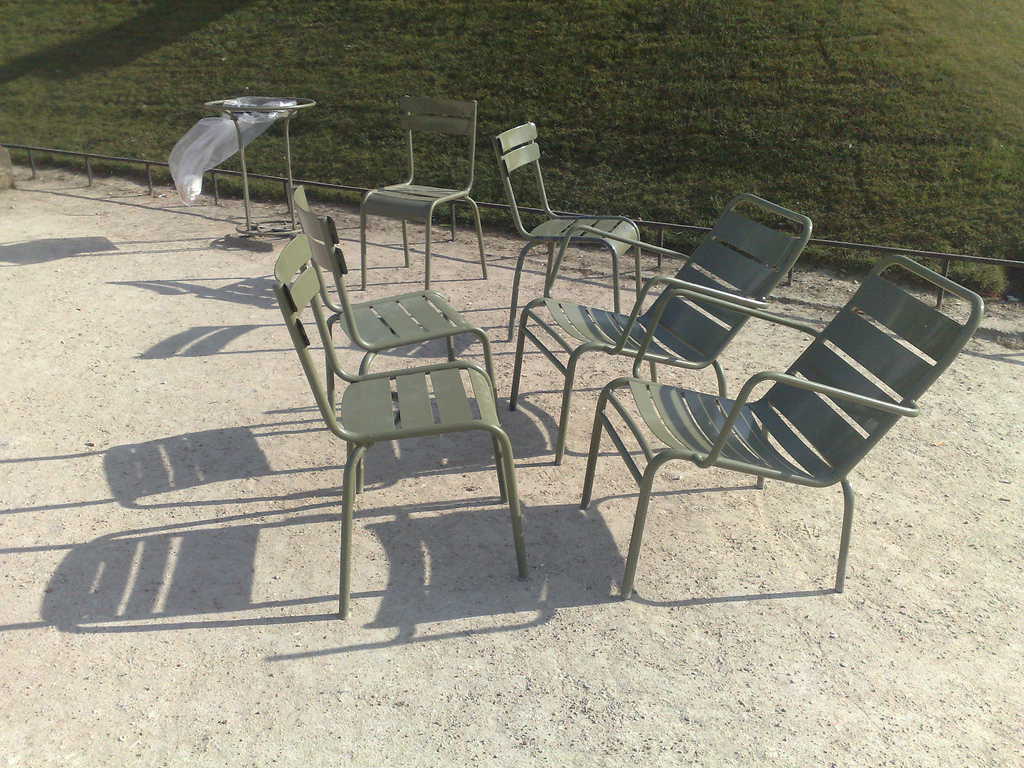
I’ve uploaded the photos of our trip to Europe to Flickr. My favourite is this one:

Chairs at Jardin du Luxembourg

We had a spare hour to spend between our visit to the Eiffel Tower and catching the Eurostar to London so we took a taxi to Jardin du Luxembourg — the Luxembourg Gardens — and walked around in the warm spring sunshine. We watched old men on the Pétanque courts while we sipped hot chocolate purchased from a woman with a dog named Tango, considered the idea of riding the carousel (ultimately rejected by Oliver because of the perceived difficulty mastering the brass ring retrieving task on offer), and then made our way back to the metro station.

One of the nicest features of Luxembourg Gardens is that it’s filled with chairs: solid metal chairs in several forms are scattered throughout for use by all, and I snapped a photo of this group of six chairs arranged for comfort.

🗓️
Austria  •  Europe  •  France  •  Germany  •  London  •  Photographs  •  Slovakia

About This Blog

Photo of Peter RukavinaI am . I am a writer, letterpress printer, and a curious person.

To learn more about me, read my /now, look at my bio, listen to audio I’ve posted, read presentations and speeches I’ve written, see things I’ve favourited elsewhere, or get in touch (peter@rukavina.net is the quickest way).

I have been writing here since May 1999: you can explore the 25+ years of blog posts in the archive.

You can subscribe to an RSS feed of posts, an RSS feed of comments, an RSS feed of favourites elsewhere, or a podcast RSS feed that just contains audio posts. You can also receive a daily digests of posts by email. I also publish an OPML blogroll.

InstagramYouTubeVimeoORCIDOpenStreetMapInternet ArchivePEI.artDrupalGithub.