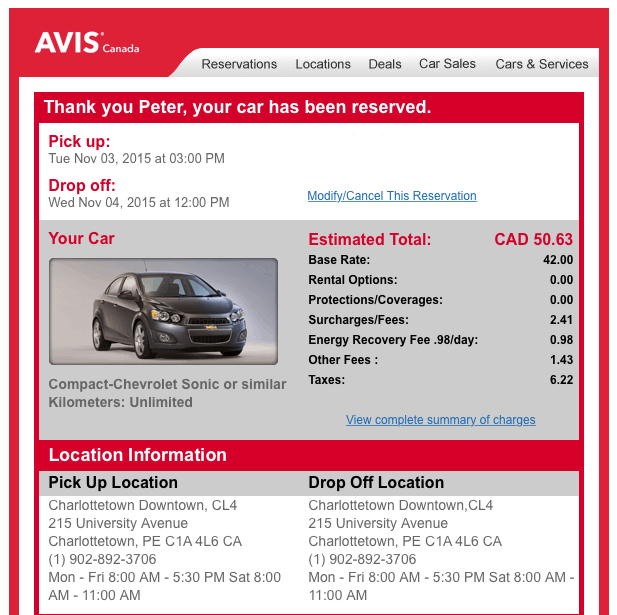
As our 2000 VW Jetta enters its later years, it’s become our habit, when driving off the Island, to rent a car. In the off-season this is always surprisingly inexpensive, a certainly much less expensive than, say, the cost of picking up the engine that’s unexpectedly fallen out of the Jetta in the Cobequid Pass.

Renting a car in downtown Charlottetown has always been easy because the Avis-Budget location is just a few blocks away from both my home and my office, so it’s been easy to walk to pick up the car (once I left the office at 4:50, reserved a car from my mobile phone while walking to pick it up, and arrived just a minute before their office closed for the day).

I was dismayed, then, to see the downtown Charlottetown Avis-Budget location at the corner of Grafton and University close down; I was afraid I’d have to resort to taking a cab out to the airport to pick up a car (or at least to walking out the Avenue to Enterprise).

It turns out, though, that Avis and Budget haven’t moved out of downtown Charlottetown, they just moved offices: their new location is at 6 Prince Street, inside Founders’ Hall, a location that happens to be even closer to our house.

So we’re back in action. Now we just need somewhere to go.

Avis Rental

🗓️

For yesterday’s session of Philosophy 105 – the third of four I’m facilitating this winter – I wanted to bring my longtime friend and colleague Ton Zijlstra into the classroom to broaden our discussion of open data.

I’d introduced the topic last week with an exploration of a local wind energy data project I’d undertaken; Ton has thought longer and harder about the fundamentals of open data, and has worked broadly in Europe with politicians and bureaucrats on the topic, and I knew it would be valuable for the students to hear from him (and I was curious to check in too!).

One of the frustrating realities of the architecture of University of Prince Edward Island classrooms – and, I imagine, most university classrooms anywhere – is that they were built with a particular “professor at the front, talking behind a podium or in front of the whiteboard” model of education in mind. While there’s been a lot of work in recent years to extend this into the digital realm – all classrooms, it seems, have a screen projector and a PC and perhaps some sort of audio-visual system – the classrooms don’t have cameras, for example, making it hard to include others in the conversation by Skype. To say nothing of being difficult to use when students aren’t sitting down and the professor isn’t speaking at them. They are not, in other words, laboratories for collaboration.

I set out to solve that issue, in an ad hoc fashion, for Monday’s session, to enable Ton to drop into the classroom.

To start, I purchased a Logitech C930E wide-angle webcam (discussed in more detail here): the camera has a 90 degree field of view (in other words, its “eye” can take in 90 degrees of space in front of it), making it well-suited to capturing a wide swath of the classroom.

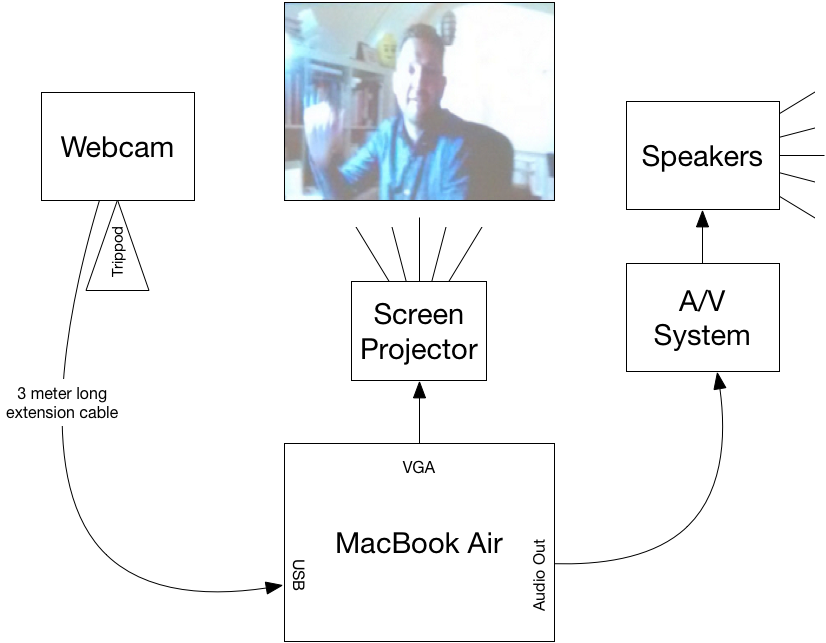
Here’s how I wired everything together:

Skype Classroom Setup at UPEI

The webcam connected to my MacBook Air by USB. It worked both as a camera, mounted on a tripod, pointing back at the classroom, but also as a microphone, picking up both my voice and the students’ (it appeared to work very well for this, and there were no problems with Ton hearing us). I used a 3 m extension cord to extend the range of the webcam, but turned out not to need it because I ended up positioning the camera on an angle to avoid having the light from the bright screen projector interfere with it.

For audio out in the classroom I connected the male 3.5 mm audio cable that emerged from the classroom’s A/V cabinet into the audio out port of my Mac and then adjusted the volume on the podium controls (it was turned down all the way when I started, which made me think it wasn’t working, but it was). The speaker system in the classroom was excellent, and everyone could hear well.

To project my MacBook Air’s screen – and Ton – onto the screen in the classroom, I connected the male VGA cable in the podium to a Thunderbolt-to-VGA adapter plugged into my computer. The Dell screen projector in the classroom automatically detected the signal and there was, unusually for such situations, no need to fiddle around with this: it just worked.

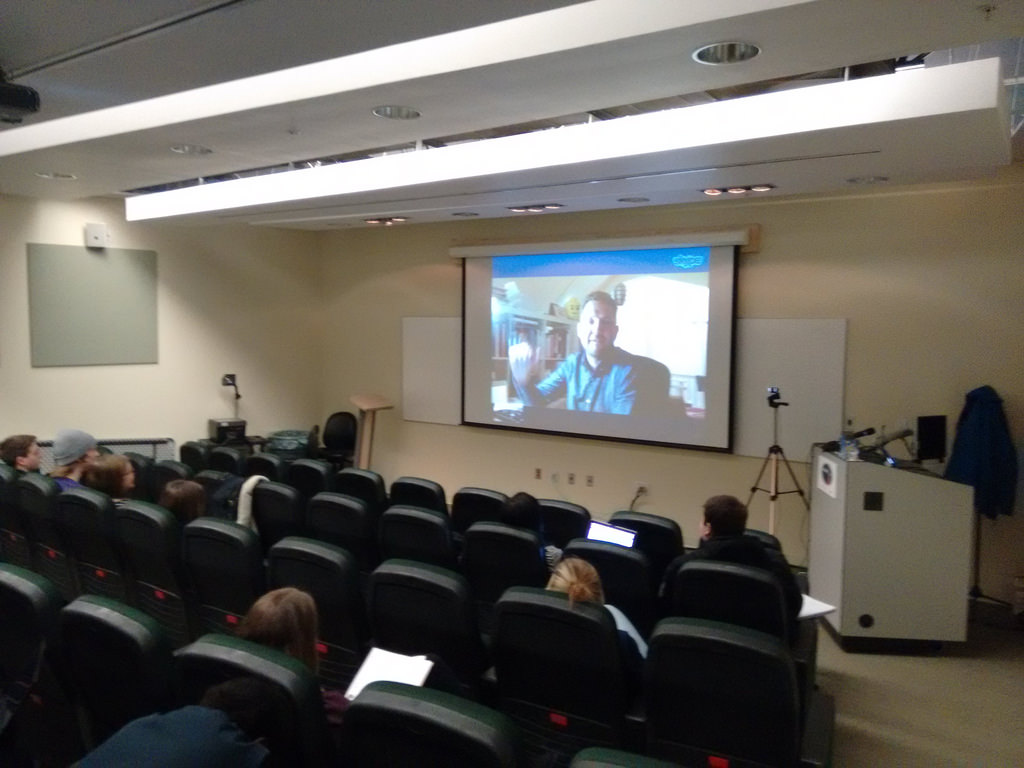
When it was all set up and running, it looked like this:

Ton Zijlstra via Skype in my Philosophy 105 Classroom

You can see the podium on the right, with the webcam on the tripod in front of it. The webcam was about 1.5 m in front of the front row of the seating and it took in everyone you can see in the photo in its view, meaning that Ton could see me (in the front row) and all the students.

Skype worked well, relatively speaking. Over 45 minutes of talking with Ton there were 3 or 4 times when audio and/or video dropped out, generally only for 10 to 15 seconds. We never lost the connection completely; it always recovered on its own. Otherwise it was like Ton was right next door: we could see and hear him, he could see and hear us, and we could forget about the technology and just have a chat.

🗓️
University of PEI  •  Skype  •  Webcam  •  Philosophy 105

On the way to work this morning I called into CBC Island Morning’s post-show-on-Tuesday community call-in to encourage PEI Home and School Federation member associations to use their March meetings to discuss provincial policy resolutions. When I arrived at the office an hour later, after a meeting, there was an email from personable Island Morning host Matt Rainnie asking me if I’d be able to come into the studio to tape a full-on interview about the topic. I quickly agreed, as I’m always eager to talk about home and school, and I’ve a deep belief in the power of our policy resolutions process.

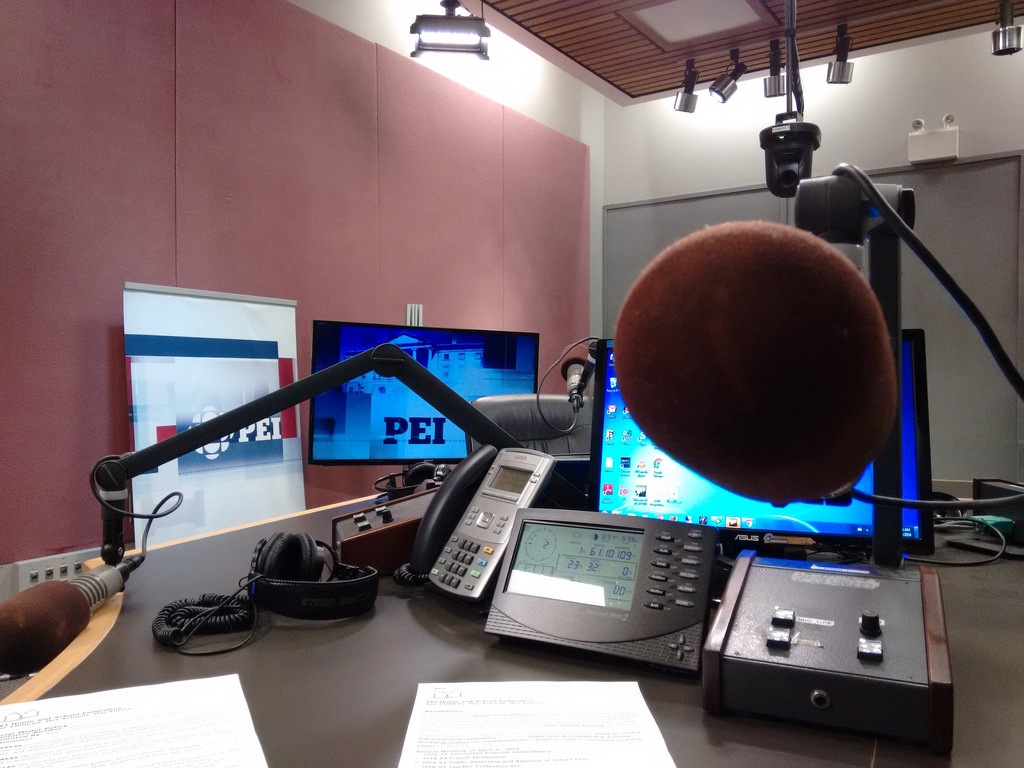
Time was of the essence, so an hour later I was on the bus to the nearby CBC Prince Edward Island studios, and 15 minutes later I was sitting in the radio studio in front of a microphone:

On the Mic at Island Morning

Usually at this point in the being-interviewed-on-the-radio process I’m terrified enough of what’s to come – what if I lose my mind? what if I forget how to speak? what if I call the Premier an idiot by mistake? – that I’ve little time for anything other than worry.

But in this case I was well-versed in the material, and I had a few spare minutes to gather myself as Matt stepped out to grab me a glass of water and to fetch Richie Bolger to run the board. So I had a chance to snap a couple of “behind the mic” pictures. 

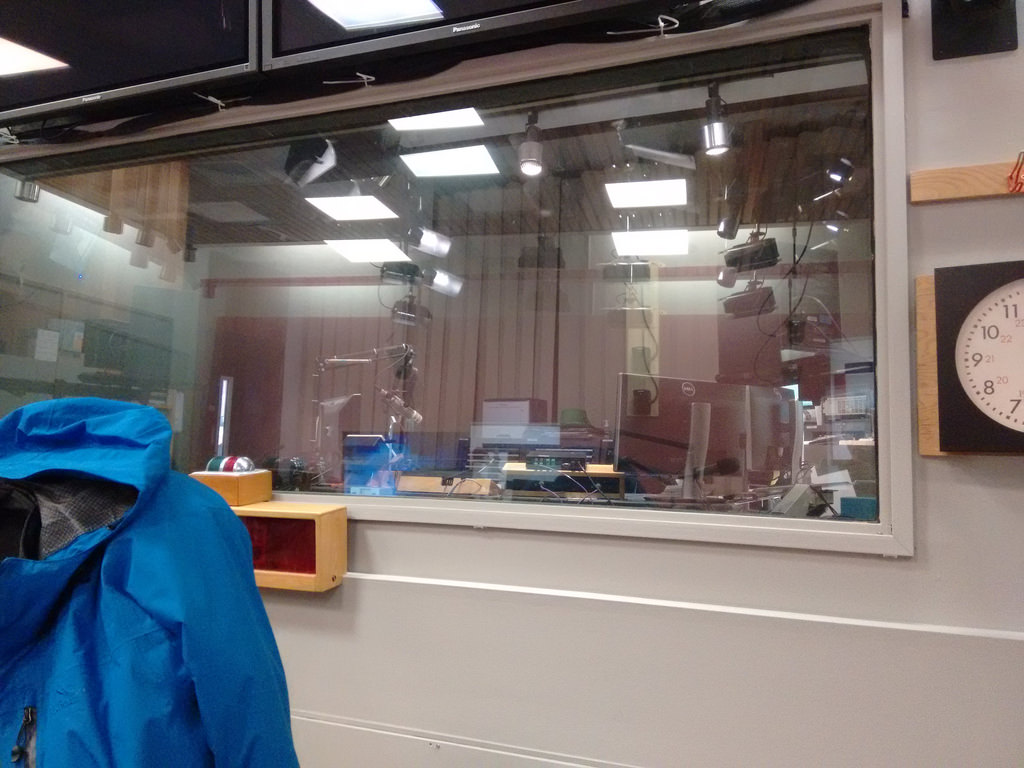
Here, for example, is what Matt and Mitch see when they’re looking at Richie (except that Richie would be there, behind the glass):

The CBC Radio One Booth

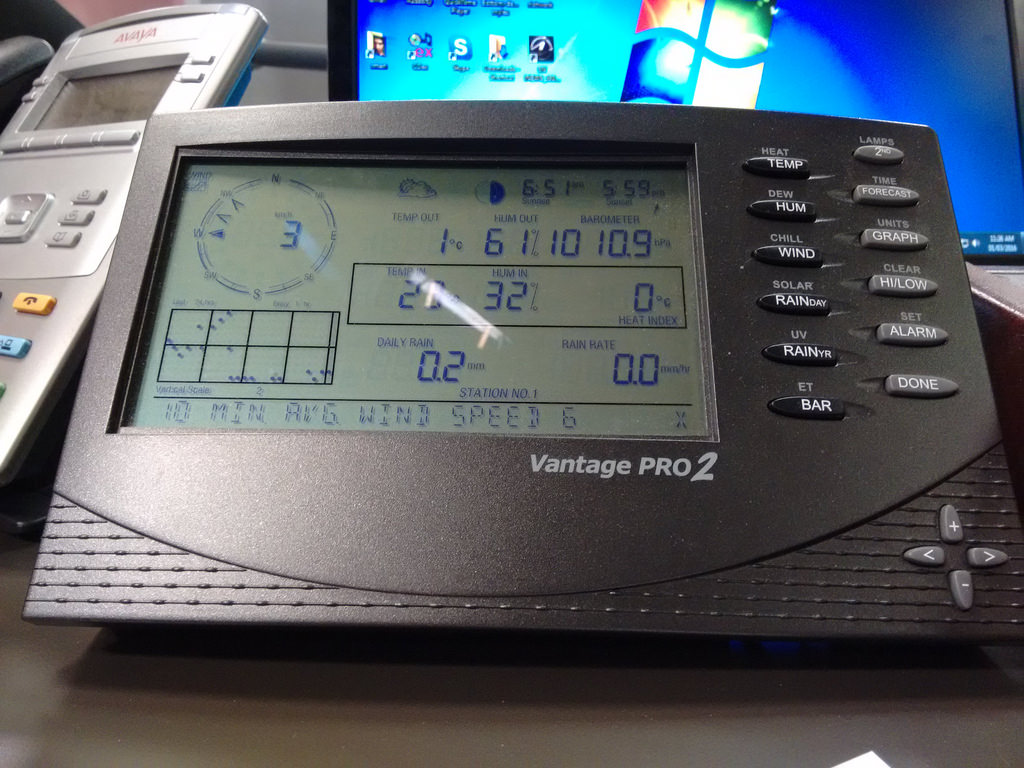
Here’s the display that Mitch and Matt consult when they want to give up to the minute weather conditions from their Vantage Pro 2 weather station:

Island Morning Weather Station

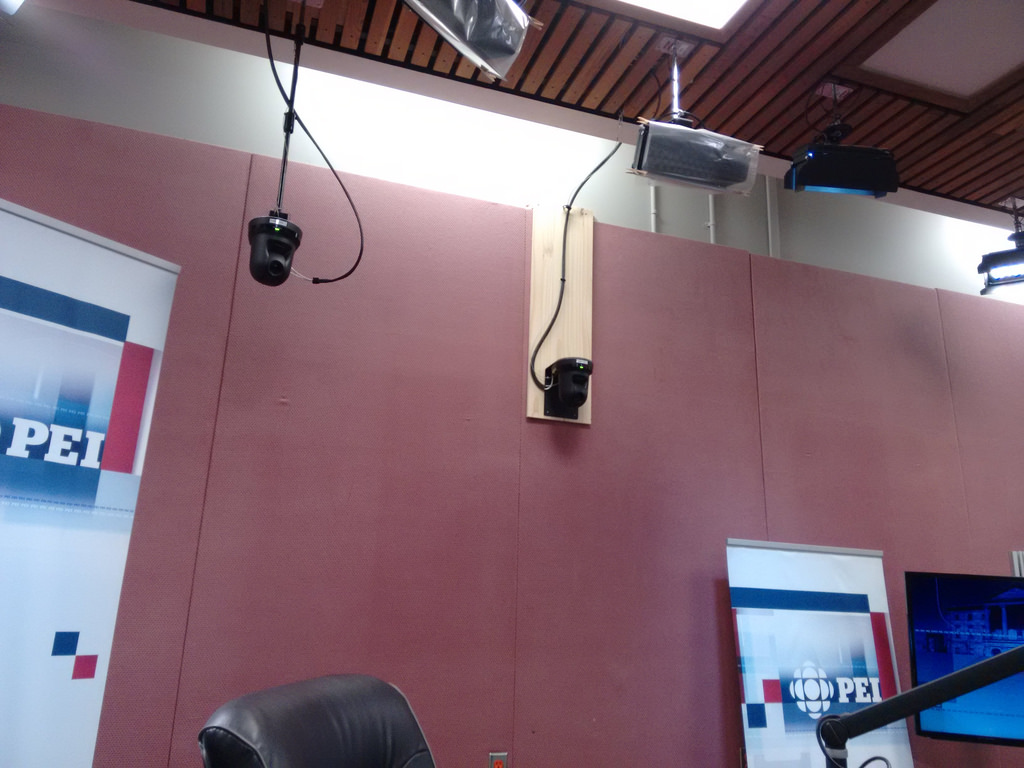
And here’s just a couple of the multiple cameras that facilitate the live broadcast of the show on CBC Television:

Island Morning on TV: Cameras

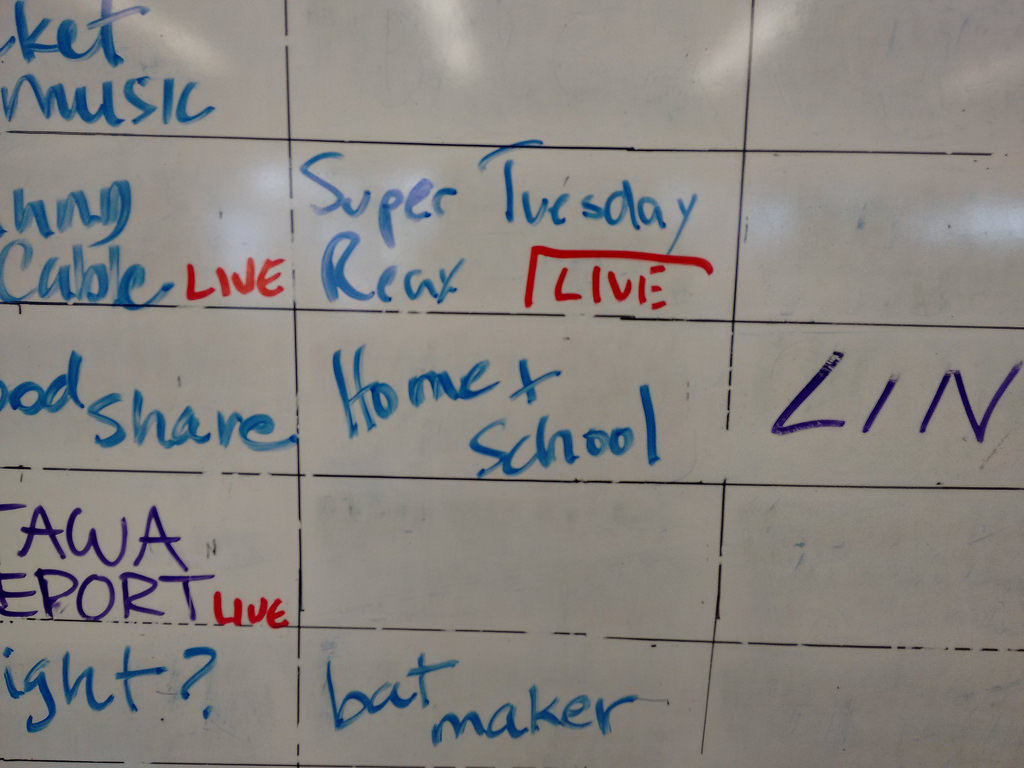
The interview went well, I think – I didn’t lose my mind, forget how to speak, or mistakenly call the Premier an idiot – and on my way out the door I snapped a photo of the rundown whiteboard in the bullpen where the segment was tentatively  slotted for tomorrow morning after 7:00 a.m., right after “Super Tuesday Reax” and before “Bat Maker”:

Home & School Slot on the Island Morning Rundown

Do tune in, why don’t you!

🗓️

To help me help them, the folks at T3 Transit generously gave me a monthly pass for March. So I’m living the transit high life for the month.

Among other things, it’s an opportunity for me study a la carte vs. all you can eat transit: I’ll be interested to see how not having to worry about coming up with $2.25 (or a ticket) changes the way I ride the bus.

🗓️

My friends Noosh and Gina, owners of Casa Mia Café, having been planning a nighttime dessert offering for more than a year now, slowly and deliberately.

They’ve worked hard to come up with an array of house-made desserts, have held several taste-testing dry runs (causing me to temporarily suspend my sugar-free lifestyle) and now they’re ready to launch.

So this Friday and Saturday you can go to Casa Mia after dark and have what I promise you will be a excellent dessert – between Oliver and I, we’ve tasted almost all of them! – and a coffee, tea or hot chocolate.

Tell them I sent you.

🗓️

I came across an ad in The New Yorker for a book called spark joy, an extended rumination on tidying. In the introduction the author summarizes her philosophy:

If you are confident that something brings you joy, keep it, regardless of what anyone else might say. Even if it isn’t perfect, no matter how mundane it might be, when you use it with care and respect, you transform it into something priceless. As you repeat this selection process, you increase your sensitivity to joy.

I thought of this today when looking for something in my filing cabinet: I came across a file folder labeled “Eatons Account” containing statements for an Eatons store credit card I had during the chain’s brief resurrection, under Sears’ ownership, in 2000.

The credit card stopped working when Sears shut down Eatons in 2002, and so the file folder contains 14 year old statements that I haven’t consulted since then.

Not only does the file folder not “spark joy” in me now, it didn’t back then (although that epic aubergine commercial the relaunched Eatons aired admittedly did).

I suspect that 95% of the stuff in my office and home falls into a similar category: kept around by its own inertia or by a vague promise of eventual usefulness (what if I want to find out how much that coat cost me at Eatons!?).

Given that it’s essentially spring outside, it might be time for some serious spring tidying.

🗓️

Thursday is shaping up to be an interesting weather day.

A low of temperature of -11°C and a high temperature of 11°C (it doesn’t get much better than that if you like things like that).

And every single weather condition in my weather app (the excellent Forecaster for Android): rain, snow, cloudy, partly cloudy and clear.

🗓️

I bought myself a Logitech C930E USB webcam yesterday at Best Buy; my friend and colleague Ton Zijlstra is joining my Philosophy 105 class tomorrow via Skype, and I needed a way for him to be able to see the classroom and its students that was better than the built-in webcam on my MacBook Air, which has a field of view of only 38 degrees.

The C930E has a field of view of 90 degrees, and, because it’s an external camera, I can move it into the best position, mount it on a tripod (it has a built-in tripod mount) and hook it up to my Mac with a long USB extension cable.

I’ve been testing the camera for the last 24 hours to get used to it, and this has resulted in some interesting still photos (taken using the Photo Booth app that comes with every Mac).

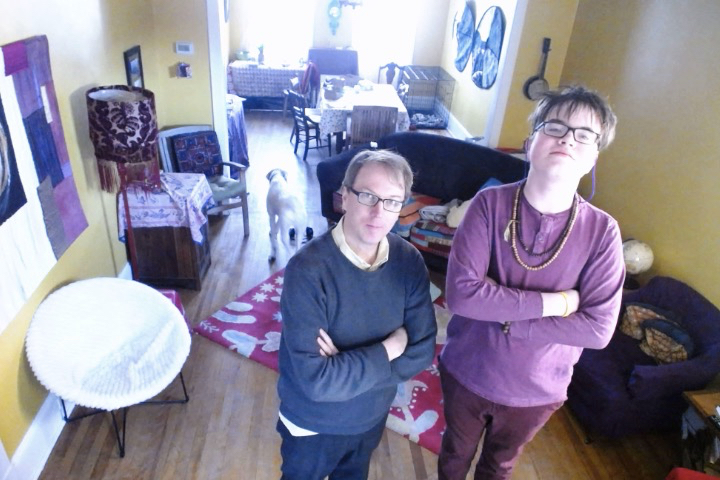
First, this photo of Oliver and I taken yesterday afternoon in our living room.

I hung the webcam from the top of the curtains at the front of the room. Oliver’s standing on a footstool, which is why he seems so much taller than I am. You can see Ethan in the background skulking away before he’s called to appear in the photo. And, most importantly, you can see almost our entire living room and dining room. The photo weirds me out every time I look at it because it’s a view I never see otherwise (both because it’s from an unusual perspective, and also because when Oliver and I are in photos together it’s either because Catherine has taken them, or they are close-range selfies).

Living Room with new Webcam

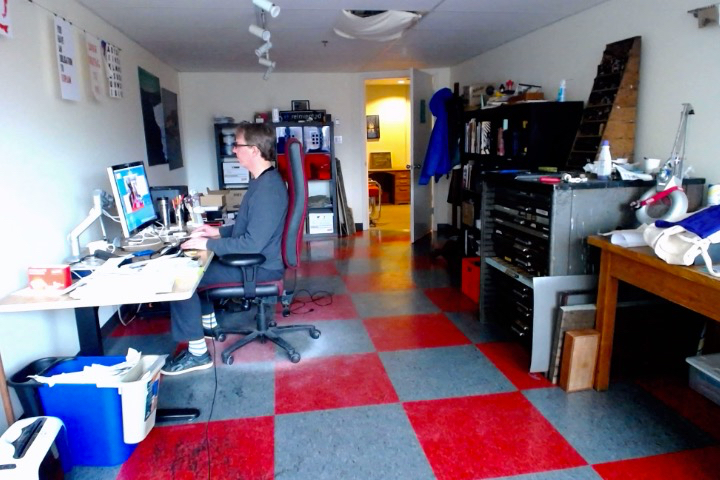
Here in the office, this afternoon, I moved the camera, on a tripod, as far from my desk as possible, in front of the window looking back, and took a photo of myself in front of my workstation (a MacBook Air connected to an Apple Cinema Display on a Humanscale M8 monitor arm. You get a good sense from this photo of the digital (left) and analog (right) sides of the Reinventorium. Computers on the left; metal type on the right. 

The Office

I sent someone an email about ergonomics this week and in it I wrote, in part:

I highly recommend seeking outside support, especially regarding more general workstation-setup issues, as it’s almost impossible to diagnose and solve these yourself, mostly because you can’t see yourself working.

It turns out that, with an external webcam like this, that isn’t entirely true.

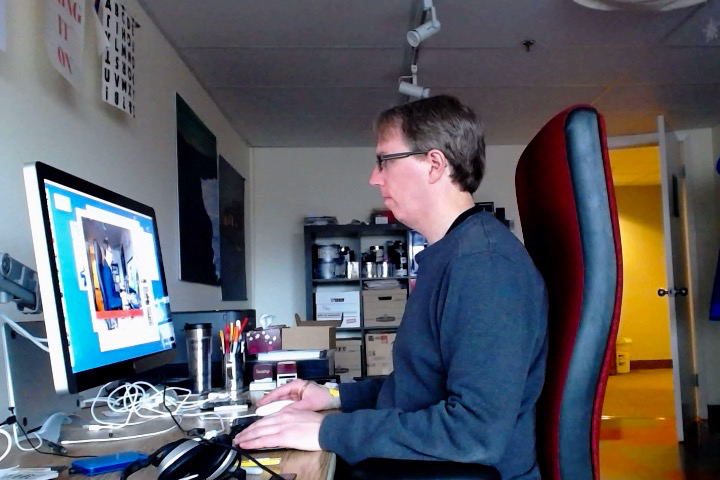
For example, here’s two photos a snapped with the camera a little closer to my workstation.

In the first one I realized (because I’d overcome the problem of not being able to see myself working) that I’m craning my neck a couple of inches forward when I’m working in my “natural” position:

Hunched Peter

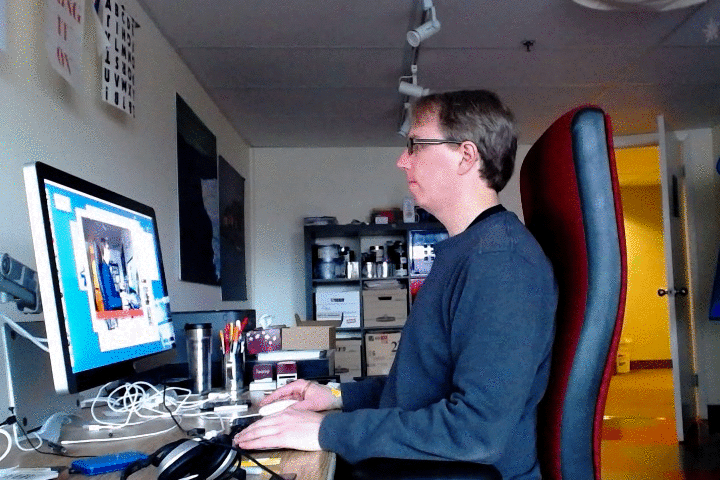
If I adjust my posture slightly, and stack my head on top of my spine, I immediately notice a relief of pressure in my typing hands (because I’m not subtlety leaning on them), and a decrease of tension in my neck and shoulders:

Upright Peter

This revelation causes me to wonder whether I should have a live view of my workstation beamed to my screen so that I’m always more conscious of my ergonomics. If I beamed it to the web, in fact, I could ask my ergonomics person to pop in every now and then for a spot check.

I’ll report back tomorrow afternoon after class as to how the webcam works in a classroom environment.

🗓️
Webcam  •  Musing

🗓️

As the terrain we covered in Monday’s Philosophy 105 class was teaching, learning, and the “university as a technology,” I started today’s class by showing the students the 1967 National Film Board film Summerhill, a DVD copy of which, by happy chance, arrived in my mailbox yesterday after I ordered it last week, not particularly thinking of this as the venue.

The film is a brief overview of the British school of the same name, a school where student-run democracy is at the core, and living trumps formal learning. 

I showed the film to emphasize the point that the way we teach and the way we learn are — or can be — under our control: if the university is a technology, it is a technology over which we have some dominion, even if we don’t realize it. Watching Summerhill was among the very few parts of my year at university that I remember in any detail: the film had a profound effect on me, and changed the way that I viewed my role as a student.

I can’t tell you much about the way the students felt about this film, because when it was over I ran head-on into one of my weaknesses as a teacher: I am no good at Socratic dialogue.

I’m not entirely sure why this is the case. It might be simply a general conversational-skills deficit. It might be an inability to feign interest. It might be that I’m not quick enough on my feet, and too uncomfortable with pregnant pauses. It may be a misunderstanding of the power relationship of Socrates to his students. It may be that Socratic dialogue isn’t all it’s cracked up to be anyway.

But it’s not my strong suit, and my post-film execution of it felt sort of like a bad date: other than a weakly ejected “how does the education at Summerhill compare the education you experienced,” the downbeat fell flat.

So we forged on, leaving the students to reflect on the film in their own quiet moments, unfettered by my Socractic fumbling. At least I didn’t prolong the agony.

For the second act, I presented, in relatively straight-out-of-the-boardroom Powerpointy fashion, a brief rumination on open data, my research interest du jour.

I led the students through a cut-down version of the “Cook’s Tour of Open Data” presentation I’ve made to everyone from Chief Electoral Officers to the Open Data Book Club, focusing on the story of PEI wind energy data and its possible uses.

I wanted to give them both a bird’s eye view of open data, and also an understanding of the importance of three of its core tenets: no copyright (I can do what I want with the data), no control (you can’t decide to give me the data or not based on what I propose to do with it) and no cost (the data must be freely available to all).
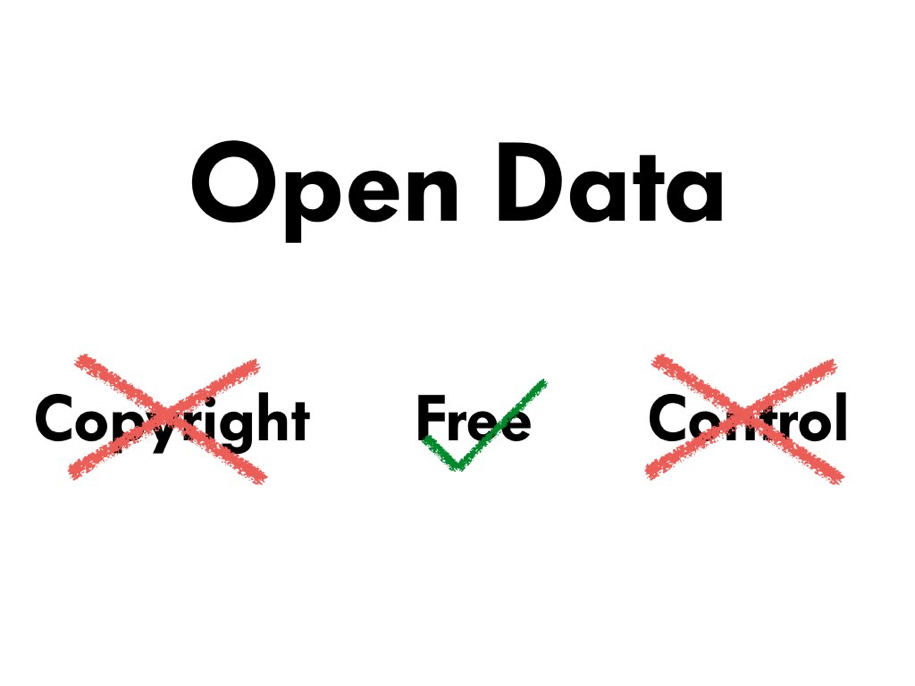
Open Data

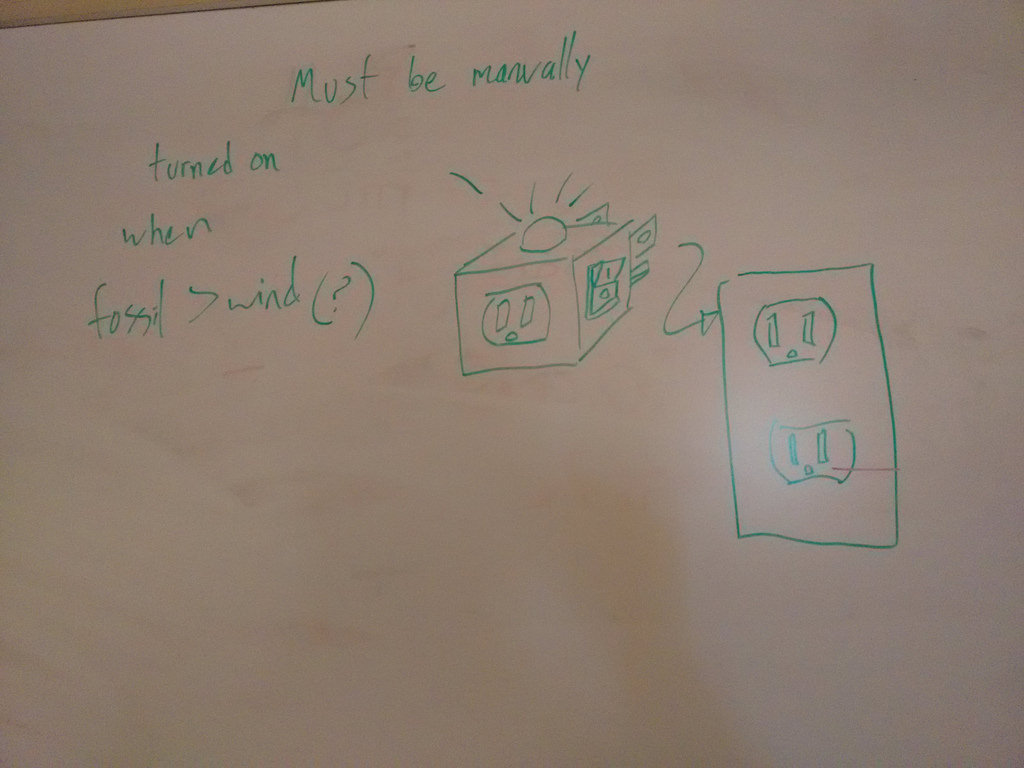
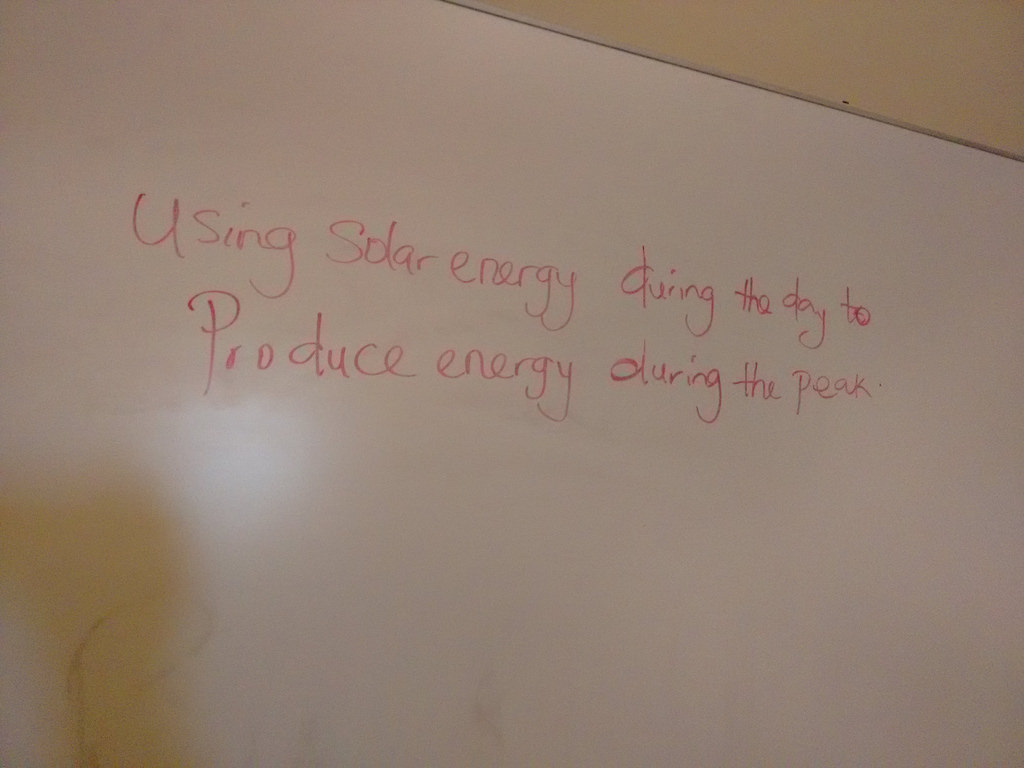
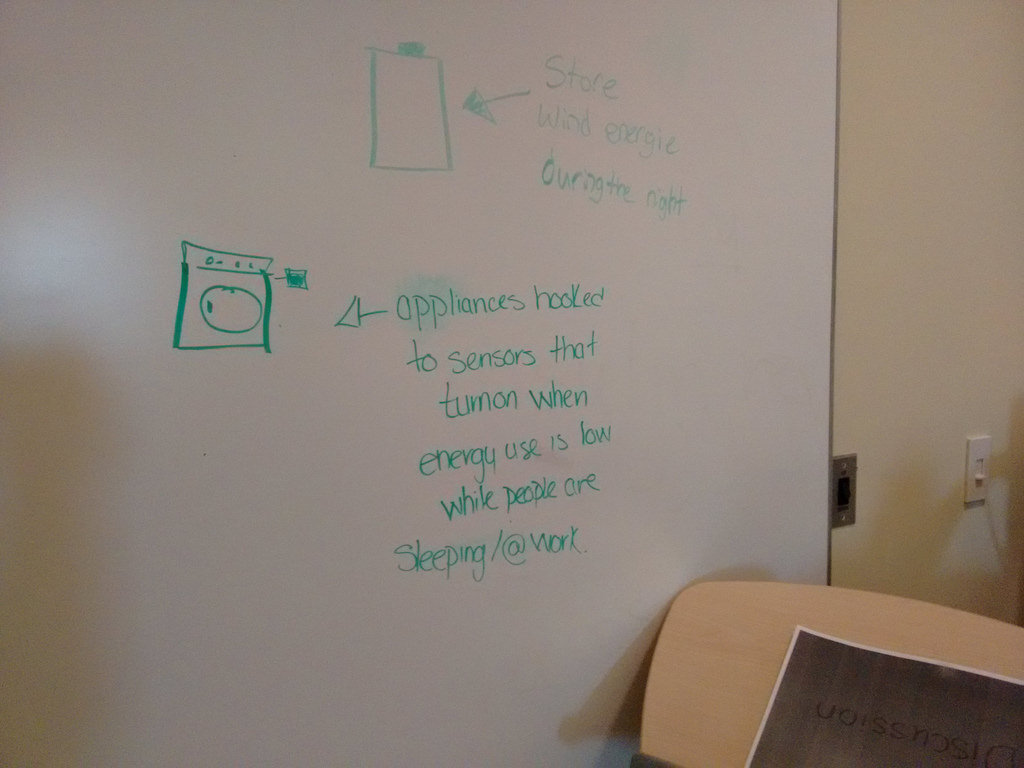
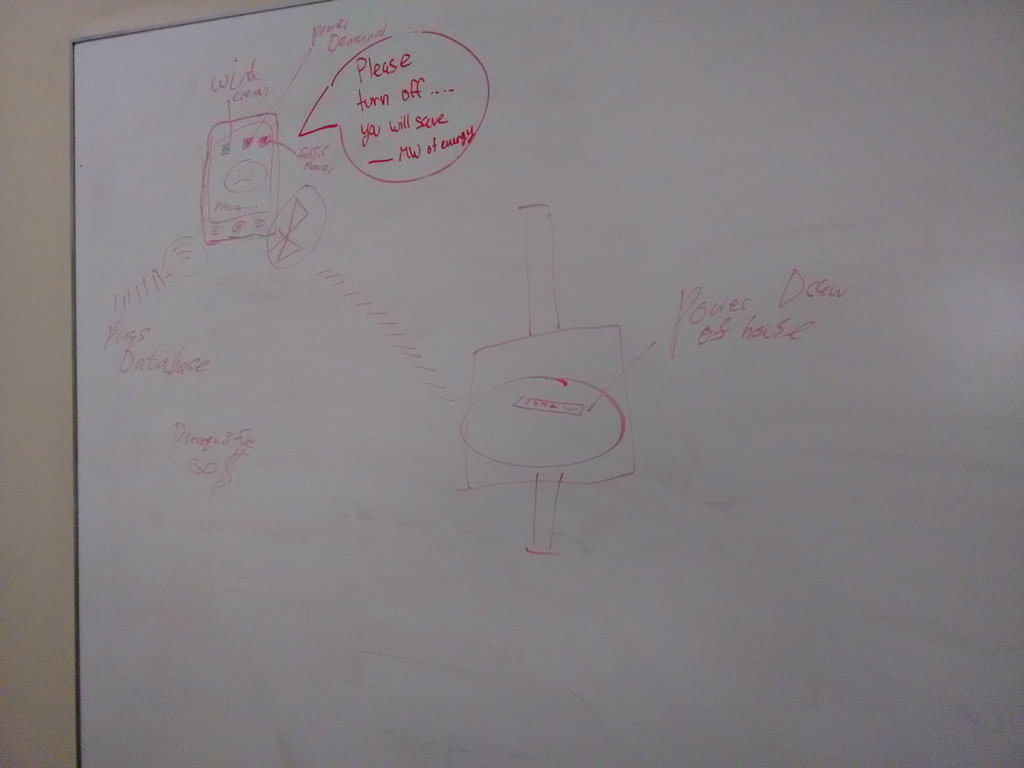
With about 30 minutes left after this introduction, I split the class into three groups — using the representations they made of their own university experiences that they drew on Monday as both a guide to likely-good colleagues and markers for them to coalesce around — and tasked them with working together to come up with a way of taking an open data set of PEI electricity data (provincial load, % from wind energy, % from local fossil fuel) and representing it to the general public in a way that would positively modify consumer behaviour (lower consumption and shift it to times when the electricity was “greener”).

After 10 minutes of discussion amongst themselves, I asked them to represent their inventions on the whiteboard, and here’s what they came up with:
IMG_20160224_144947

IMG_20160224_144932

IMG_20160224_144920

IMG_20160224_144909

Each was novel, and an impressive feat given that they developed them collaboratively in such a short time.

I finished up with a reminder that none of their inventions would be practical if they couldn’t be backstopped by open data, something that, I hope, drove home the benefits of the open data approach.

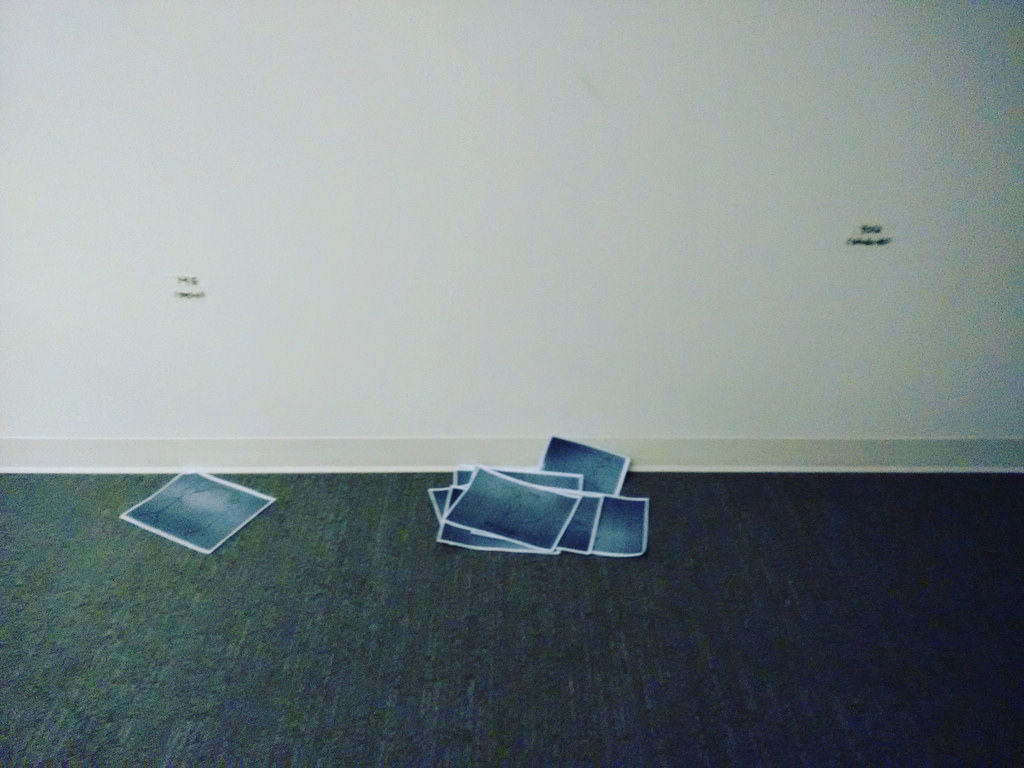
As a final exercise, on their way out the door, I asked them to take a piece of paper and drop it in one of three piles to guide me in my approach to the next two lectures: on the left was a vote for “more of Peter,” on the right was “more of Us” and in the middle was “the balance so far is pretty good.” I told them the voting was anonymous, and I did, indeed, avert my gaze while they were filing out. All but one student left their sheet in the middle “the balance so far is pretty good” pile, which I will, indeed, use to calibrate my final two classes next week.
IMG_20160224_150457

🗓️

About This Blog

Photo of Peter RukavinaI am . I am a writer, letterpress printer, and a curious person.

To learn more about me, read my /now, look at my bio, listen to audio I’ve posted, read presentations and speeches I’ve written, see things I’ve favourited elsewhere, or get in touch (peter@rukavina.net is the quickest way).

I have been writing here since May 1999: you can explore the 25+ years of blog posts in the archive.

You can subscribe to an RSS feed of posts, an RSS feed of comments, an RSS feed of favourites elsewhere, or a podcast RSS feed that just contains audio posts. You can also receive a daily digests of posts by email. I also publish an OPML blogroll.

Instagram • YouTube • Vimeo • ORCID • OpenStreetMap • Internet Archive • PEI.art • Drupal • Github.