At this writing, Aeroplan.com, the website of Air Canada’s frequent flyer program, has been down for more than 24 hours, with the message:

Sorry — Due to a technical issue, our web site is currently unavailable. Please accept our apologies for any inconvenience this may cause you. Be sure to come back later and try again. Thank you for your patience.

Ellen Roseman from the Toronto Star has some of the details on the outage.

If you call Aeroplan at 800-361-5373 you get a recorded message telling you that the website and the cell centre are both down, so at this point you can’t make Aeroplan bookings at all.
🗓️

I’ve prepared a PresenceRouter Screencast that provides a brief overview about what it actually does:

🗓️

There may, or may not, have been a bug affecting Safari v3 that caused the sidebar list of new posts and new comments to not properly update. This may or may not now be fixed. Please let me know if you notice anything weird.

🗓️

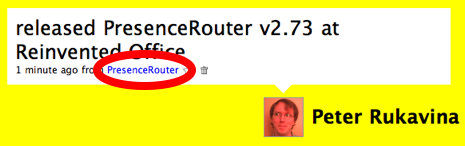
PresenceRouter, my Mac OS X presence-flinging application, has supported Twitter since the very beginning. Now Twitter tells you so:

Twitter screen shot showing PresenceRouter source

I added this feature in PresenceRouter v2.73, which I just released. Thanks to Alex at Twitter for quick turnaround on setting up the “source” parameter for me.

🗓️
Plazes  •  PresenceRouter  •  Twitter

Oliver and I were listening to the CBeebies Best Bits podcast this morning and they mentioned a six-legged spotted beetle called a “ladybird.” It seems that in Britain, as well as South Africa and Australia, this is what they call what we call a “ladybug.” Who knew.

🗓️

During the day you can’t see inside the new Ceridian Building on Queen Street because of its Las Vegas-style reflective windows. Last night, however, they left the lights on, and the effect was somewhat “magic X-ray specs” like:

Ceridian Building at Night
🗓️
Architecture  •  Charlottetown  •  Design

The Old Farmer’s Almanac has, for many years, been a support of the American Farmland Trust. The organization is one I’ve also had a personal interest in because of my work with the L.M. Montgomery Land Trust — we’re essentially in the same business, albeit at a vastly different scale.

Today I got an email from a staffer at the Farmland Trust in reaction to a post about an interactive foliage map I made last August; in the post I described how we’d taken the best of DIY MapServer maps and the Google Maps API to make a cool slippy map with some custom data layers.

At the Farmland Trust they have oodles of data about farmland loss in the USA. Data that, while useful, is locked up inside tiny JPEG images and PDF files. In other words, they’ve got data that would make a lot of sense to apply some MapServer/Google Maps mojo to. So my man at the Farmland Trust asked around. And someone sent him to my blog and the post.

Ironically, he knew neither that Yankee was the sister publication to The Old Farmer’s Almanac, nor of my involvement with the Land Trust. But in that funny way that sometimes connects exactly the right problems to the right solutions, we got connected.

🗓️

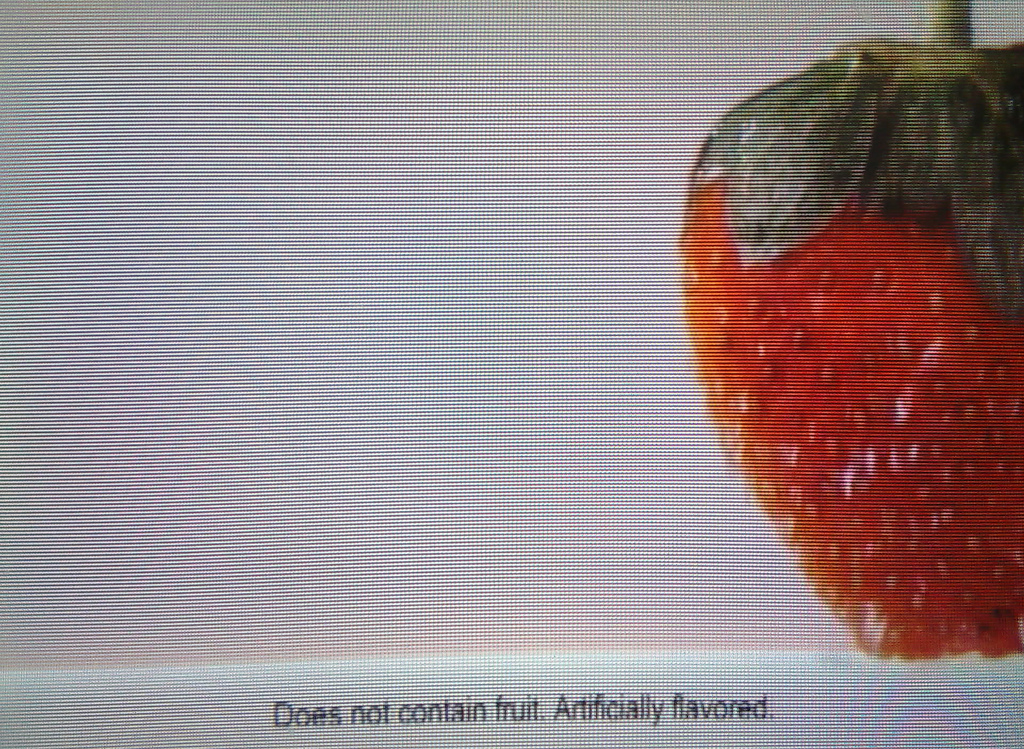
A still from a television ad currently running for Metamucil:

Truth in Advertising

The bulk of the ad shows pieces of luscious fruit raining down the screen. However the actual product contains no fruit. Truth in advertising?

🗓️

Moscow Drug Club (MP3) by the late BB Gabor. Where the reds play the blues. From WFMU.

🗓️
BB Gabor  •  Music

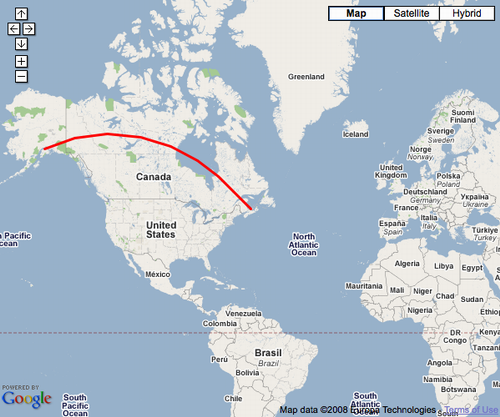
Someone came up to me in a coffee shop yesterday and told me they had a web application in which they wanted to connect two locations on a Google Map with a line. Not a regular straight line, but rather a curved “great circle” line. I mumbled about various possible approaches to this — setting up a custom tile-server and generating lines on the back end, etc. — only to find that this functionality is already build into the Google Maps API:

var polyOptions = {geodesic:true};
var polyline = new GPolyline([
  new GLatLng(61.1699849, -149.944496),
  new GLatLng(46.2361, -63.13)
  ], "#ff0000", 3, 1, polyOptions);
map.addOverlay(polyline);

Add an overlay like this — the key is the geodesic:true — and you go from straight line to curvy one. This is well-documented in the Google Maps API documentation.

Great Circle Line in Google Maps Screen Shot
🗓️
GIS  •  Google Maps

About This Blog

Photo of Peter RukavinaI am . I am a writer, letterpress printer, and a curious person.

To learn more about me, read my /now, look at my bio, listen to audio I’ve posted, read presentations and speeches I’ve written, see things I’ve favourited elsewhere, or get in touch (peter@rukavina.net is the quickest way).

I have been writing here since May 1999: you can explore the 25+ years of blog posts in the archive.

You can subscribe to an RSS feed of posts, an RSS feed of comments, an RSS feed of favourites elsewhere, or a podcast RSS feed that just contains audio posts. You can also receive a daily digests of posts by email. I also publish an OPML blogroll.

Instagram • YouTube • Vimeo • ORCID • OpenStreetMap • Internet Archive • PEI.art • Drupal • Github.