
The Love & Sex section of The Guardian is an endless source of fascinations, none more so than the “How we stay together” column. Here’s a good example.
In July, Oliver and I inaugurated “Saturday Movie Night” at 100 Prince Street. We alternate movie picks each week. Except that choosing is Oliver’s Kryptonite, so on his choosing-week he provides me with guidelines and I do the actual choosing. I’m also subject to guidelines during my week, although the adherence is allowed to be slightly less rigorous.
Up until October there was an overarching requirement that I pick a movie made during Oliver’s teenage years on his week, and a movie made during my teenage tears for mine.
More recently the guidelines have been more thematic: “Hawaii” (From Here to Eternity), U.S. politics (Bulworth). The best thing about living under this regime is that as long as I meet the guidelines, it’s free reign (admittedly The Goodbye Girl is not strictly, or really at all, a Hanukkah movie, but Richard Dreyfus was raised Jewish, and I just love that film).
Along the way we’ve watched some important movies in the Warren Beatty canon, some classic movies, and some remarkably racist movies made in my teenage years.
I’m particularly proud of myself for finding matches for the weeks when the themes were “Google’s Anniversary” and “The Mexican Revolution.”
Oliver has scheduled a Movie Marathon for us for the holidays; I will put my training to good use.
Here are the 20 Saturday picks we’ve watched so far:
- 2020-07-18: Yesterday
- 2020-08-01: Raiders of the Lost Ark
- 2020-08-08: The In-Laws
- 2020-08-15: Carrie Pilby
- 2020-08-22: Volunteers
- 2020-08-29: The Best Offer
- 2020-09-05: Peggy Sue Got Married
- 2020-09-12: A Star is Born (2018)
- 2020-09-19: Heaven Can Wait
- 2020-09-26: The Intern
- 2020-10-03: The Constant Gardener
- 2020-10-10: The Big Chill
- 2020-10-17: Okja
- 2020-10-24: Charlie & The Chocolate Factory
- 2020-10-31: Bulworth
- 2020-11-07: The Wipers Times
- 2020-11-14: Starting Pancho Villa as Himself
- 2020-11-21: Dan in Real Life
- 2020-11-29: From Here to Eternity
- 2020-12-12: The Goodbye Girl
Although I’m a spendthrift in almost all regards, I have allowed us the luxury of renting movies digitally once a week: we’re very close to being able to find any movie ever made these days, online, between Disney+, Apple TV, YouTube and Netflix.
🗓️
Potato pancakes are the only recipe passed through the patrilineal line in our family, from my father’s father to my father to me.
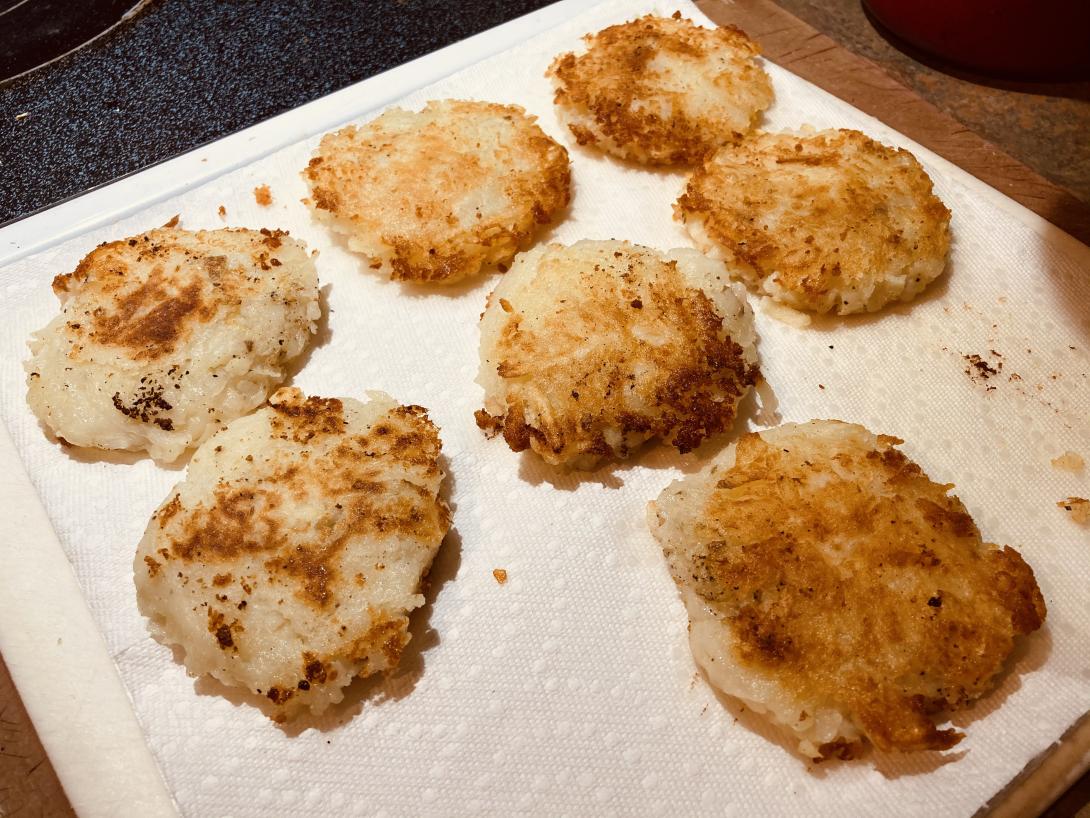
The general shape of the Rukavina latke tradition involves a meat grinder (later a blender) to grind up raw potatoes, to which egg, flour and salt are added, and the resulting soupy mixture fried in oil.
Today I decided to turn my back on a century of family culinary tradition and use this renegade latke recipe from the Times as a guide.
I took shortcuts: I parbaked the potatoes in the microwave for 7 minutes, and I reduced the “resting” phase in the fridge down to 20 minutes. Otherwise I followed along, and the result was at least partially satisfying, more a fishless cousin to fishcakes than anything resembling the latkes of my youth. But they were crispy on the outside and moist on the inside, as promised in the Times article that describes them. Good enough that I’m inclined to try following the recipe chapter and verse next time.
Happy Hanukkah!
🗓️
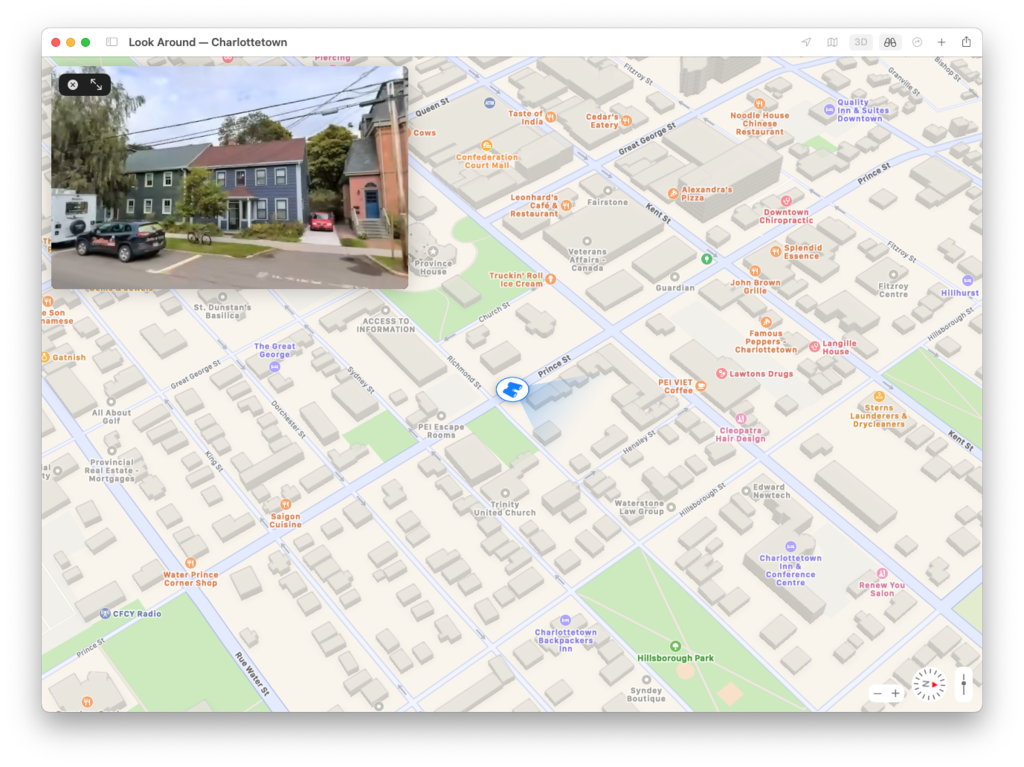
Apple released a substantial update to its Maps for Canada in earlier in the month, and there are big changes in Charlottetown as part of this:
- Apple’s “street view” (they call it “look around”) is here now, although, from the look of our VW Jetta in our driveway at 100 Prince Street, the photos are more than a year old.
- Buildings are rendered in 3D if you toggle that mode on, though the accuracy is spotty (Province House is remarkably detailed, down to the exoskeleton currently in place around it, for example, but the Grand Homburg Hotel skyscraper doesn’t appear at all).
We’re still missing cycling directions, alas:
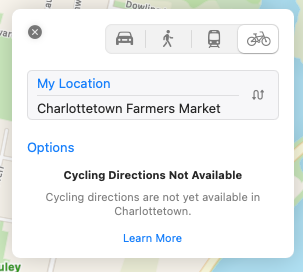
Walking directions are available, though, and a routing from my house to the Farmers’ Market shows the Confederation Trail as an option.
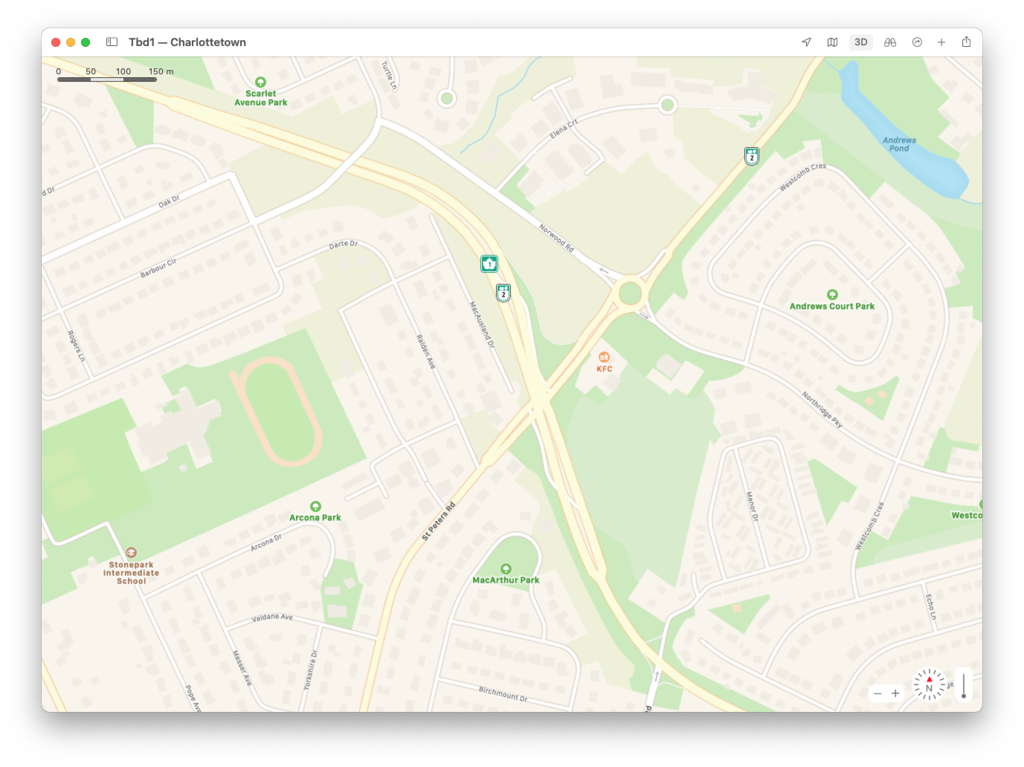
While the “look here” photos are old, the street map appears very up to date, with the displaced left turn system at St. Peters and Riverside, which opened very recently, already updated (at this writing Bing Maps is missing this, Google Maps has one half of the displaced left system only and only Here Maps is as up to date as Apple):
🗓️
With 15 cm of snow in the forecast for tomorrow, I realized today might be my last opportunity to ride the new Riverside Drive active transportation path extension from Park Street to Grafton Street, recently paved as part of the Hillsborough Bridge Path project. So I took my bicycle back out of the basement and prepared for a late-autumn ride1.
The paving has only just completed–I imagine the asphalt was some of the last to flow from the asphalt plant before it closed for winter–and the path is rough and ready enough to not be entirely considered “open” yet (in part because there are no pedestrian/cycle signals installed yet at neither the Grafton St. nor Park St. intersections). But it’s certainly possible to cycle, so that’s what I did, en route to Riverview Country Market for a late-Saturday grocery run.
To get to the path itself from and back to downtown took some gymnastics: on the way there I rode along Richmond Street to Cumberland, through the Cumberland jug-handle, across the carwash parking lot to the gravel trail that goes around the perimeter of the event grounds to the corner of Riverside and Grafton, and then up the path to Riverview Country Market. On the way back I took an alternate route, around the other side of the event grounds, then along Water Street to Prince and home.
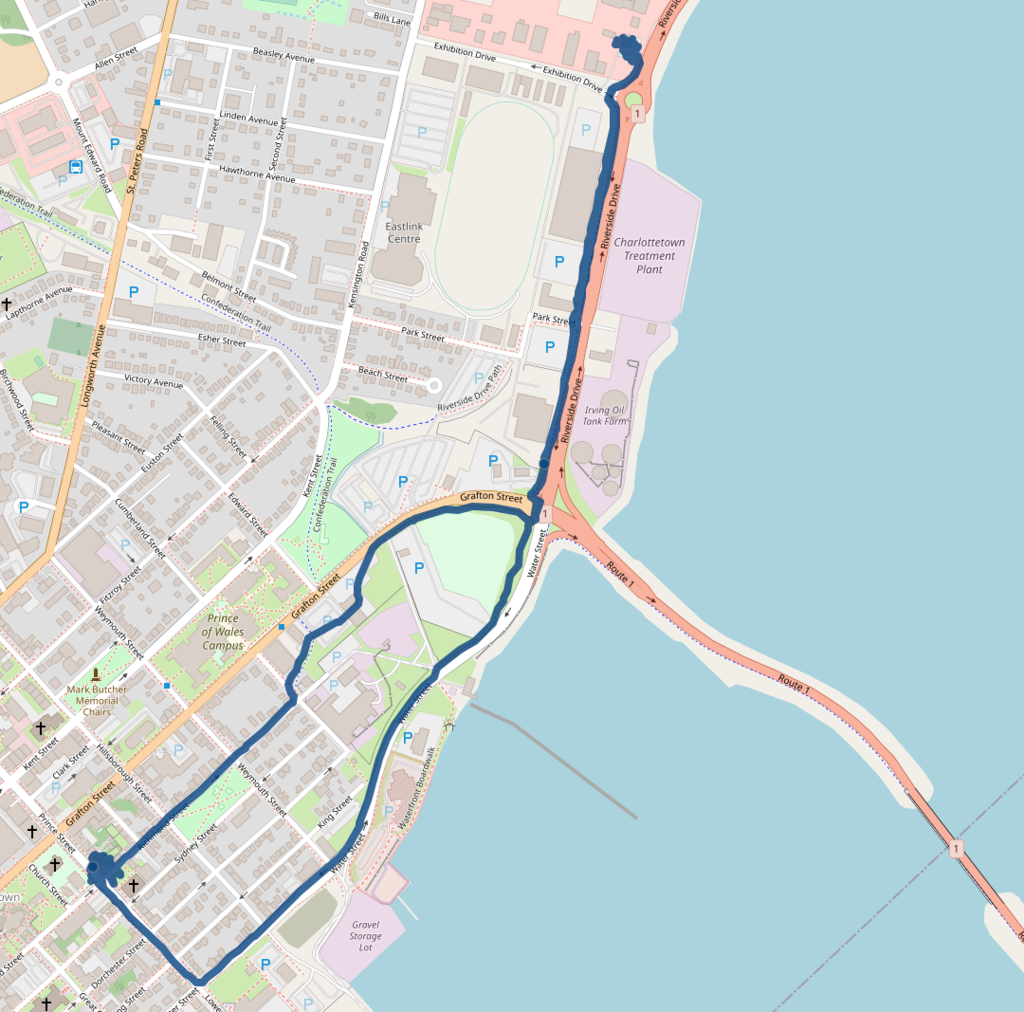
One of the foundational tenets of Bike Friendly Charlottetown has been that by joining existing routes in the city together, we can achieve a safe, interconnected cycling network without needing to build from scratch: this path is one example of that. Once it’s formally wired up to the Hillsborough Bridge Path, and the intersections are signalled, it will become an important new link; when the path from the Queen Elizabeth Hospital to Mount Edward Road is finished next year, it will become even more valuable.
Bravx to the provincial government for having the foresight to build this extension into the Hillsborough Bridge project.
1. In taking my bicycle back out of storage today, I extended cycling season by 10 days over last year, making for a total cycling season, starting April 18, 2020, of 238 days, or 65% of the year.
🗓️
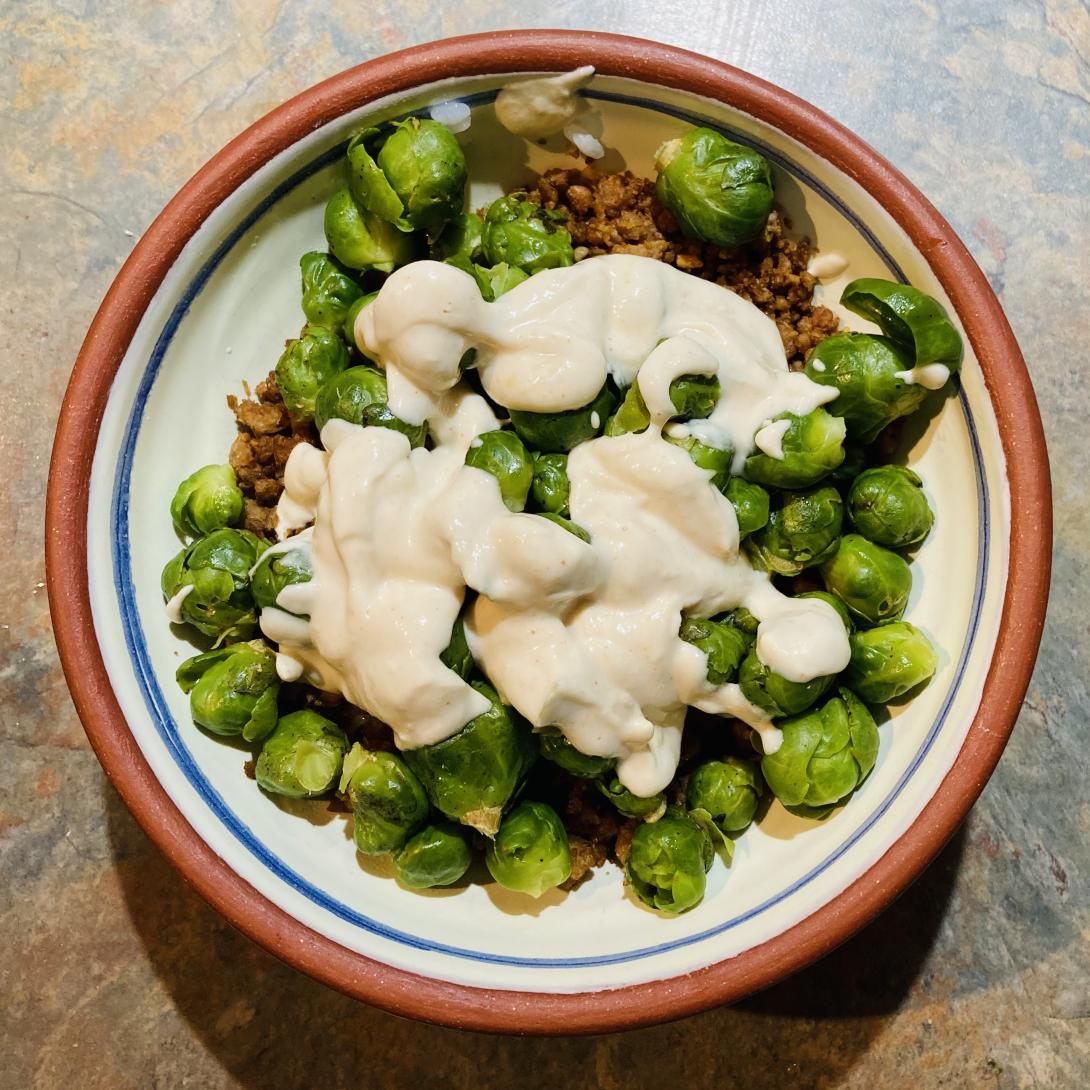
Elderflower Farm Brussels sprouts and and veggie ground over sushi rice with a yoghurt-tahini-lemon sauce.
🗓️
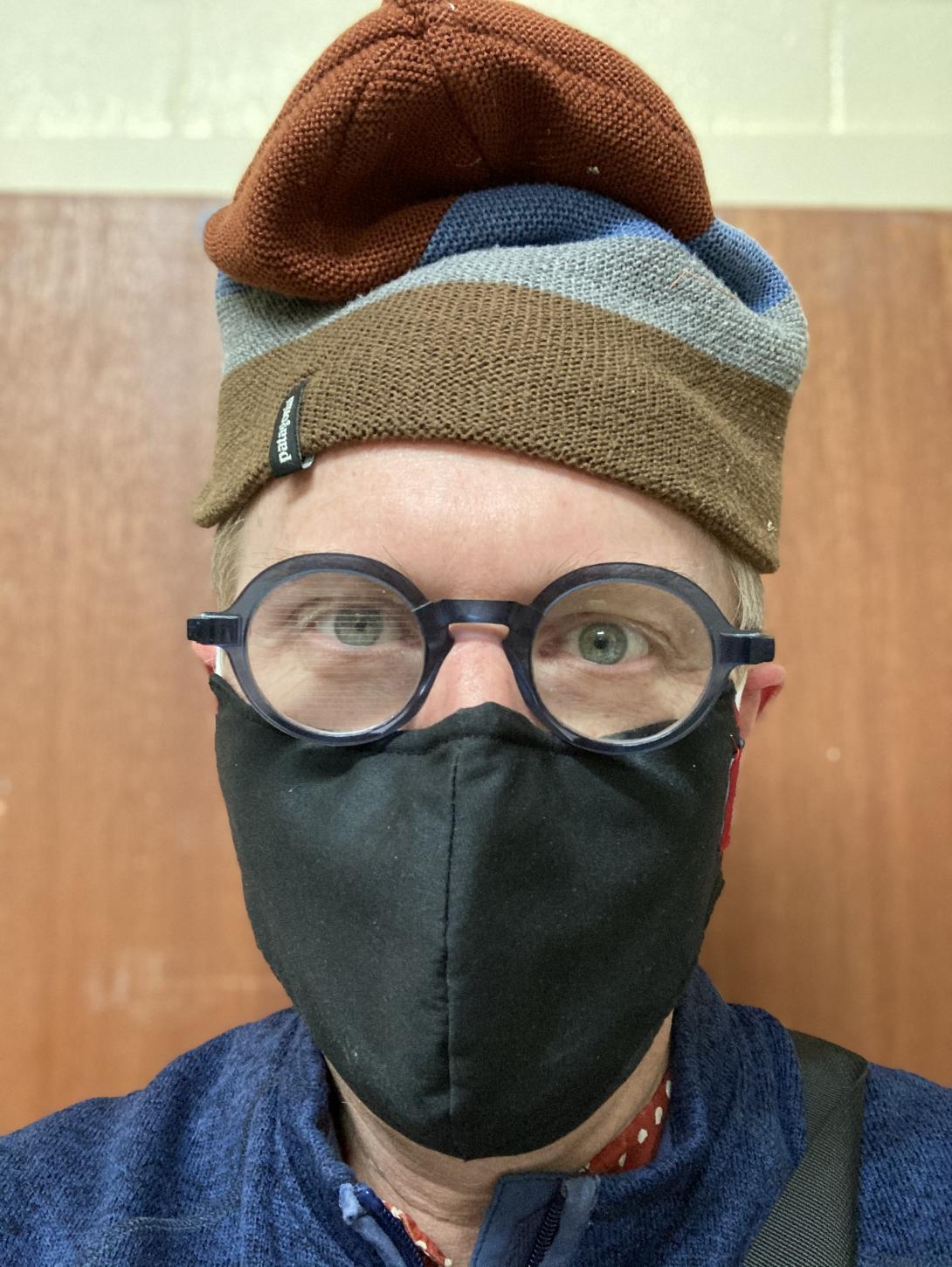
For the historical record, evidence of the new “pop your hat up to let you put your mask on” move that winter weather now requires.
🗓️
Guardian reporter Jim Day interviewed me over the telephone this morning about Using Her Marbles, an interview that had extra depth to it because it was in a front-page interview by Jim for The Guardian in 2016 that Catherine “went public” with her cancer.
Jim started at the paper the same year we moved to Charlottetown, in 1993, and it’s been more than once over those years that his journalistic gaze has overlapped with our household’s interests: I have always found him to be a reporter unusually invested in his subjects, an asker of meaty questions, and a skilled writer.
Jim and I spent almost an hour on the phone this morning, and beyond the journalistic purpose of our chat, I found the interview extremely therapeutic. “Who was Catherine?”, Jim asked me, for example; nobody had ever asked me that before, and the process of answering that question took me places I hadn’t yet been.
Jim’s story will run in the paper in the coming days, I imagine.
Jim himself retires after 27 years of service to the paper and to the Island, at the end of this month; you wouldn’t be out of line if you sent him an email thanking him for being someone who has skillfully reflected the Island and its people and, on occasion, allowed us to look deeper inside ourselves.
🗓️
From the evy’s garden manifesto:
Sleep with airplane mode on. Resist the urge to check my phone when I wake up. If I see a stressful message in the vulnerable moments after waking up, it can affect my mood for hours. It’s also easier to get out of bed if I’m not browsing the internet. Don’t just get out of bed, brush my teeth and complete at least one task before turning airplane mode off.
Sage advice that I rarely follow. My phone is the first thing I look at in the morning, and I’ve developed the habit of ticking off a series of digital boxes before I even get out of bed: CBC, The Guardian, CNN, New York Times, weather, electricity demand, Hacker News, etc.
Thinking of those engine-warning minutes as vulnerable is helpful, and leads me to realize the outsized effect my success or failure at completing the New York Times mini-crossword in under a minute has on my mood for the day.
(via Paul Capewell)
🗓️
They moved the peanut butter at Sobeys on Allen Street a few weeks ago. It was just a couple of shelves up, but that I found it as temporarily debilitating as I did reinforced how well-worn the Sobeys aisles have become to me, and what a hair-trigger debilitation threshold I have.
My mother made a casual comment this summer about stirring peanut butter being a good thing; I’d never done this despite the clear call to action on the lid (which I had always dismissed as an ignorable on the plane of “coffee may be hot” and “contents may have settled during shipment”).
But my mother is wise, so I gave it a tentative try, sticking a big spoon deep into a freshly uncorked jar and mucking about. It helped, especially when the dregs, a few weeks later, were less dreggy.
So last week I kicked things up: I emptied the peanut butter from its jar into our immersion blender cup and went to town. The immersion blender was clearly at the edge of its operational limits, but it didn’t conk out, and when I decanted the peanut butter back into a glass jar it was wonderfully smooth. And has continued to be spreadable and luscious in the days since.
Score one for mother-wisdom (and, sometimes, reading labels).

🗓️
About This Blog
 I am Peter Rukavina and this is my blog. I am a writer, letterpress printer, and a curious person.
To learn more about me, read my /now, look at my bio, listen to audio I’ve posted, read presentations and speeches I’ve written, see things I’ve favourited elsewhere, or get in touch (peter@rukavina.net is the quickest way).
I have been writing here since May 1999: you can explore the 25+ years of blog posts in the archive.
 You can subscribe to an RSS feed of posts, an RSS feed of comments, an RSS feed of favourites elsewhere, or a podcast RSS feed that just contains audio posts. You can also receive a daily digests of posts by email. I also publish an OPML blogroll.
Instagram • YouTube • Vimeo • ORCID • OpenStreetMap • Internet Archive • PEI.art • Drupal • Github.