
With VNsea on my iPod Touch I can share the screen of my MacBook running Leopard (which is a built-in VNC server):
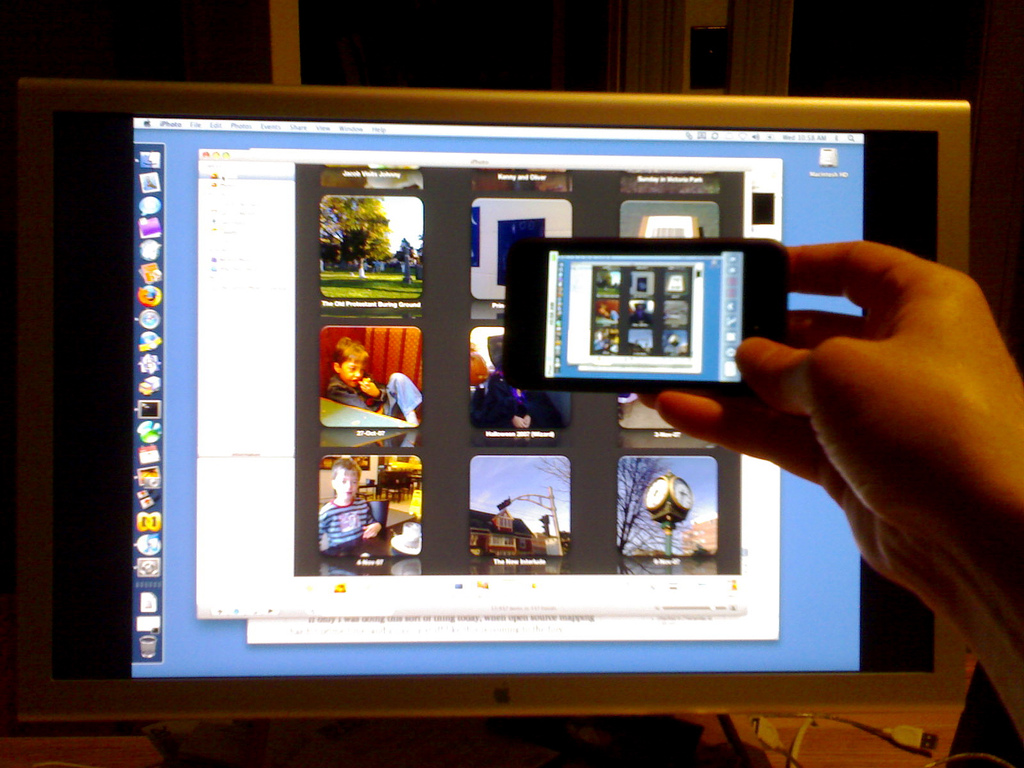
- Needed to turn on “Screen Sharing” on my Mac (System Preferences \| Sharing).
- Also needed to open the firewall for Screen Sharing (System Preferences \| Security \| Firewall).
- Only worked with “pixel depth” in VNsea set to 16.
- Wouldn’t work with my Cinema Display set to 1920x1200 — had to set it to 1600x1200.
- Wouldn’t work without a password set on both ends.
- Not zippy.

Comments
Thanks Peter! Your 1600x1200 resolution was the piece of the puzzle I was missing to get this to work on my iPhone! I was getting some sort of weird screen refresh problem until you pointed me in the right direction…works perfectly now albeit a tad slowly.
you need a jailbroken ipod/iphone for this don’t you? a bit too good to be true if it were legal…
Umm. Jailbreaking isn’t illegal. And this is awesome
In apples eyes, jailbreaking is illegal, but fortunately the law thinks otherwise :)