Earlier this spring, along with my colleagues from the PEI Home and School Federation and with the PEI Teachers Federation, I had the pleasure of meeting with Premier Robert Ghiz to express our concerns about cuts to the budget for education technology (the capital budget was cut from $500,000 to $0 for 2012-2013).

While clearly a supporter of the idea of technology in education, the clear message we received from the Premier was “there’s no money.”

He told us this backwards and forwards and as the plot to a variety of stories. 

We came back at him in a number of ways, from the tactical to the emotional.

“There’s no money.”

With no money for capital spending on technology, he told us, the education system must innovate through thrift and creativity.

Given that I have built an entire career around the practise of thrift and creativity, this was a something of an irresistable challenge.

And, indeed, a useful tool that I knew we could use to accelerate innovation at a pace that would have otherwise been bureaucratically impossible: “The Premier says we have to innovate through thrift and creativity” is a pretty good calling card to use when trying to sell people out of the box. 

The first project under this call to action went live a week ago: a home-and-school owned, funded and operated wireless Internet network for Prince Street Elementary School. We call it TeacherNet.

You can read the political, logistical and technical details here, but the short version of the story is this: wireless Internet in the classroom is coming, indeed in newly-constructed schools it’s already there. But with cuts to technology funding and an already-over-taxed technology division in government, it’s likely not coming to existing schools for several years.

Which is about a decade after it came to the local coffee shop.

As parents, we wanted to get wifi into Prince Street school sooner than that to allow our children’s educators to start experimenting with ways of using a wireless network in the classroom (keep in mind that these are educators who are used to using a slow, locked-down network on underpowered equipment, so in many ways “wireless Internet” for them means “Internet that actually works.”)

We were fortunate to have several important things happen to make this pilot project happen: the principal and staff at the school were early and enthusiastic supporters of the project; Bell Aliant came on board early with a 6-month donation of 20 Mbps Fibre Op to supply bandwidth to our network; we received an exception to the policy that would have otherwise prohibited third-parties from installing wireless into a government building; and Ken Williams, a home and school volunteer from Tyne Valley offered his services, and the loan of some gear, to get the technical side of the network up and running.

Here’s what the first week of traffic on the network looked like: 6 users transferred almost 1 GB of data. In the days and weeks to come, as additional educators start experimenting we expect usage to increase. 

We’ve committed to our peers in the home and school movement, and to partners in the education system, that we’ll document the project, both technically and from a user perspective. You can follow along the process as we update the documentation.

This has been a fun project to be involved with. I’ve had a lot of interesting conversations, got a chance to poke around the nooks and crannies of Prince Street School with wire cutters in-hand, the opportunity to learn a lot about inexpensive Open-Mesh wireless routers, and, most importantly, got to use some of my day-to-day work skills to support educators at Oliver’s school.

I encourage others to heed the Premier’s call to action (I hope he meant it as a call to action…) and seize the opportunity to innovate in your own schools. If our experience is any guide, you will find willing co-conspirators in principals, teachers and staff, a bureacracy willing to adapt as long as you are patient and forthright, and no end of interesting projects waiting to be carried out.
🗓️

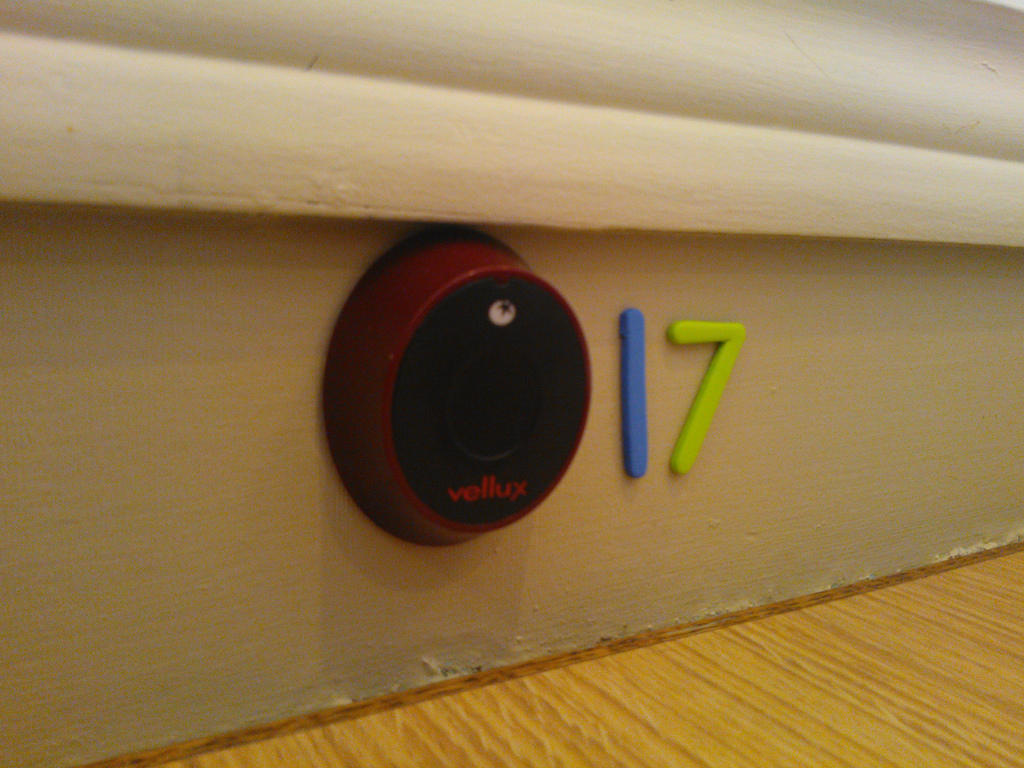
One of the novel things to show up in Charlottetown restaurants in the last few years, courtesy of the sudden influx of places operated by Korean newcomers, is the table-side call button. Here’s what they look like at the newly-opened Mr. Sushi on University Avenue:

17

You’ll find similar call buttons in Ta-ke Sushi on Queen Street and in Sushi Jeju on Grafton Street.

By all appearances Islanders have absolutely no idea what to do with them: I’ve very seldom seen anyone use them, and I know from my own family’s reaction — “we don’t want to disturb them,” etc. — there’s some hesitation to.

Once you crack through the hesitation, though, they are a great innovation: no more need to wave your arms to attract your server — just press the button. Missing a menu? Or a fork. Want to order some dessert? Or need the check. Just press the button!

For someone like me, for whom vagueness about the social cues and customs is a source of some anxiety, it’s a great help. I encourage you to join in and start pressing.

(The Mr. Sushi button system comes from a company called Vellux Wireless Calling Solutions that makes call buttons for everything from casinos to retirement homes).

🗓️
Food  •  Restaurants  •  Charlottetown

I shot this short video a few weeks ago in Montreal. It’s a detail from Peter Flemming’s Instrumentation installation, which was part of the International Digital Arts Biennial. I usually find the auto-focus “feature” of my Nokia Lumia 800 is more annoying than helpful, but in this instance the auto-focus, for some reason, pulsed in sync with the art itself, which was kind of cool.

🗓️
Art  •  Montreal  •  Video

Video from the musical swings in Montreal. Music was broken the day we visited, so we had to be content simply with the swings. But it was still pretty neat. I can’t watch this without getting dizzy.

🗓️
Music  •  Montreal  •  Art

The tympan — the top layer of oiled paper on top of which paper to be printed is laid on the letterpress — is a sort of archaeological record of the printing process. Here’s the tympan for the Richmond Street poster:

Tympan

🗓️

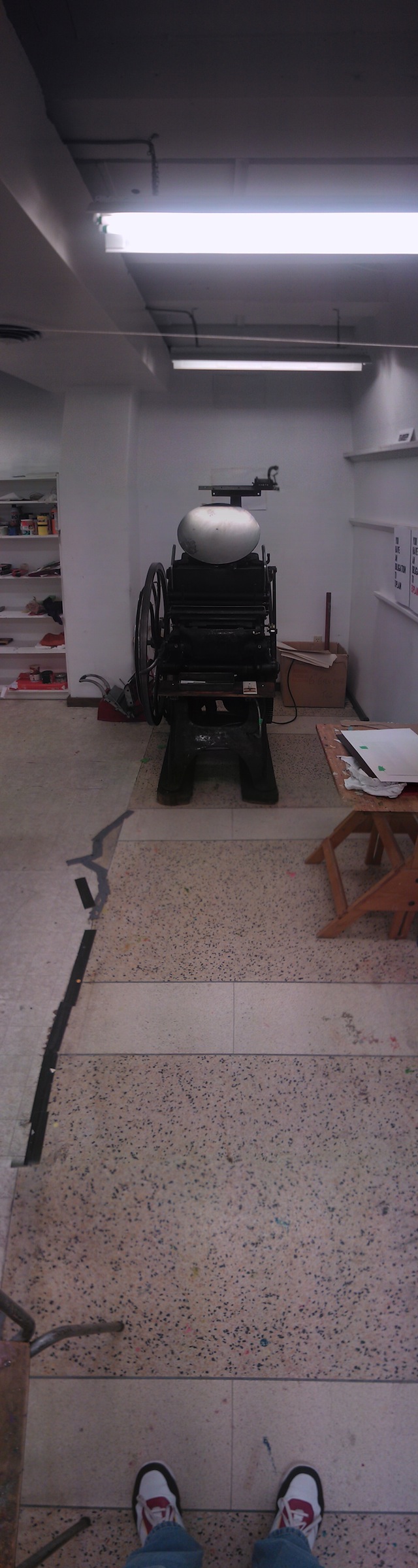
The Creative Studio app from Nokia for Windows Phone has an elegant panorama-taking function that I’ve been experimenting with. One of the problems with panoramas on the web is that they’re hard to display with any justice because they’re much wider than they are high. So why not, I figure, turn the camera 90 degees and shoot a vertical pano! Here’s the result:

🗓️
Photos  •  Panorama  •  Golding Jobber

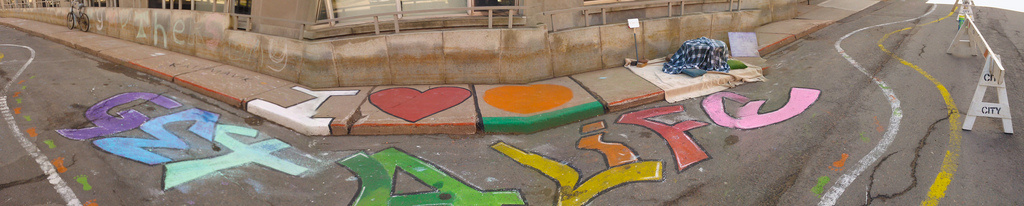
Can something be considered “sustainable” if only weirdos are involved? As a weirdo myself, this is a topic I spend a lot of time thinking about, and the Richmond Street Transformation project that my office overlooks has caused me to consider the issue again.

So far the project appears to be very much of the “Birkenstocks and apple cider” school — chalk painting, conceptual art, Katimavik demonstrations, talking circles, etc. — to the point, I think, the end effect might actually end up being anti-sustainable: for regular everyday people walking and driving by the message isn’t going to be “wow, we really should have more bicycle lanes in Charlottetown!” it’s going to be more “they closed the street for this!?”.

Get a Life

The transformation project has another week of action to convince me otherwise, but so far it hasn’t lived up to its promise.

🗓️
Photos  •  Ecology

Despite my difficulties learning how to spell it, I’m experimenting with using the third-party commenting platform Disqus to manage comments here. 

Although commenting might appear to be a technically simple aspect of maintaining a blog — name, email, text, blamo — it’s the defense against the ever-widening torrent of blog spam that’s the complicated part. I’ve experimented with everything here — reCAPTCHA, Mollom, Akismet, Defensio — and although they do variously capable jobs at filtering out the spam, they also make the user experience of commenting suffer because of the delays involved in the spam-catching-and-filtering.

So I’m going to experiment with letting someone else have a go for a while.

Please let me know (in the comments, of course) whether this works better for you in the readership; if it looks like Disqus is a good replacement for Drupal’s built-in commenting, I’ll work at migrating the 20,000+ comments that have flowed in over the years into the Disqus archive.

🗓️

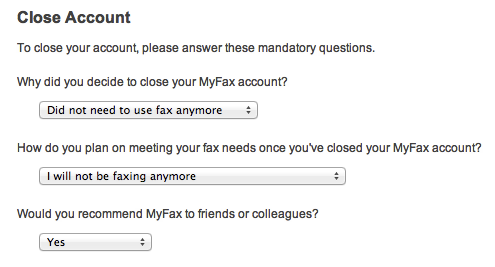
I’ve had a MyFax.com account for as long as I can remember: I hardly every need to send faxes, but once or twice a year the need has arisen. But not for a long while now, and hardly at a volume that would warrant the monthly cost. So I’ve closed my account, and you can no longer send me faxes nor expect to receive them from me. The end of an era that started many years ago with WinFax Pro (note how the email address on that old Usenet post is caprukav@atlas.cs.upei.ca).

🗓️
Fax  •  MyFax

Oliver and I spent the afternoon inside the projection room at Brackley Drive-in yesterday with Bob Boyle and his son Ben helping them prepare files for their new digital projection system.

Bob has made a huge investment in projection technology this year, shifting entirely from film to digital, and one of the content gaps that needed filling in were the various interstitial bits of film like “The Show Starts in 10 Minutes.” Bob put together animations, using Animoto for all of these; I simply helped him get them from the M4V format that Animoto allows you to save animation in through to the DCP format required by his digital projection system (I have some notes here if you’re doing this yourself). We finally got it all mostly working after about 3 hours of experimenting, most of which was spent waiting for video files to convert from one format to another. If you’re at the drive-in this season, watch for the result.

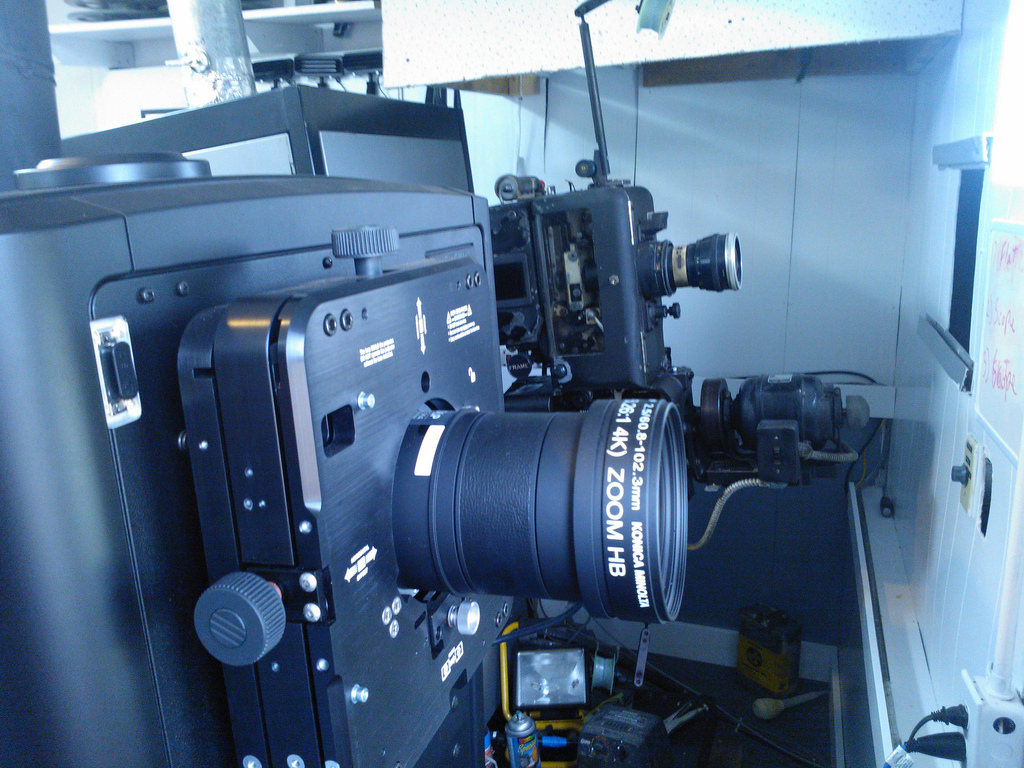
Here’s what the new projection system looks like (on the left) beside the old system (on the right; as a backup for now):

New Projector vs. Old Projector

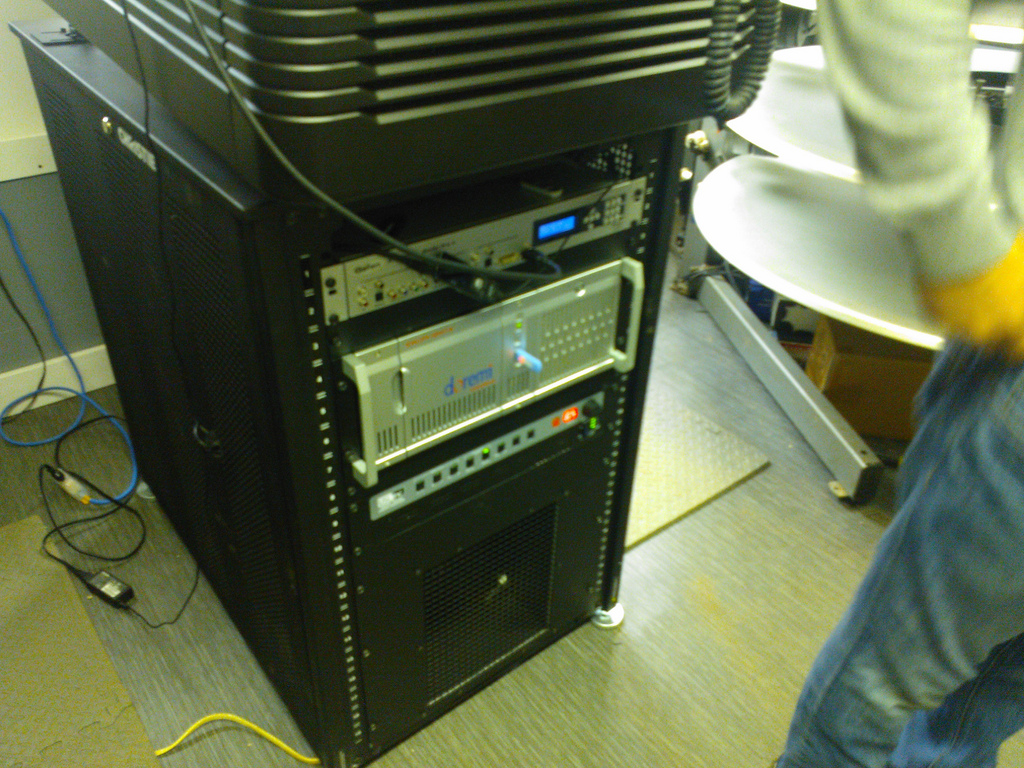
From the other side it looks more like a data centre rack:

Brackley Drive-in Digital Projector

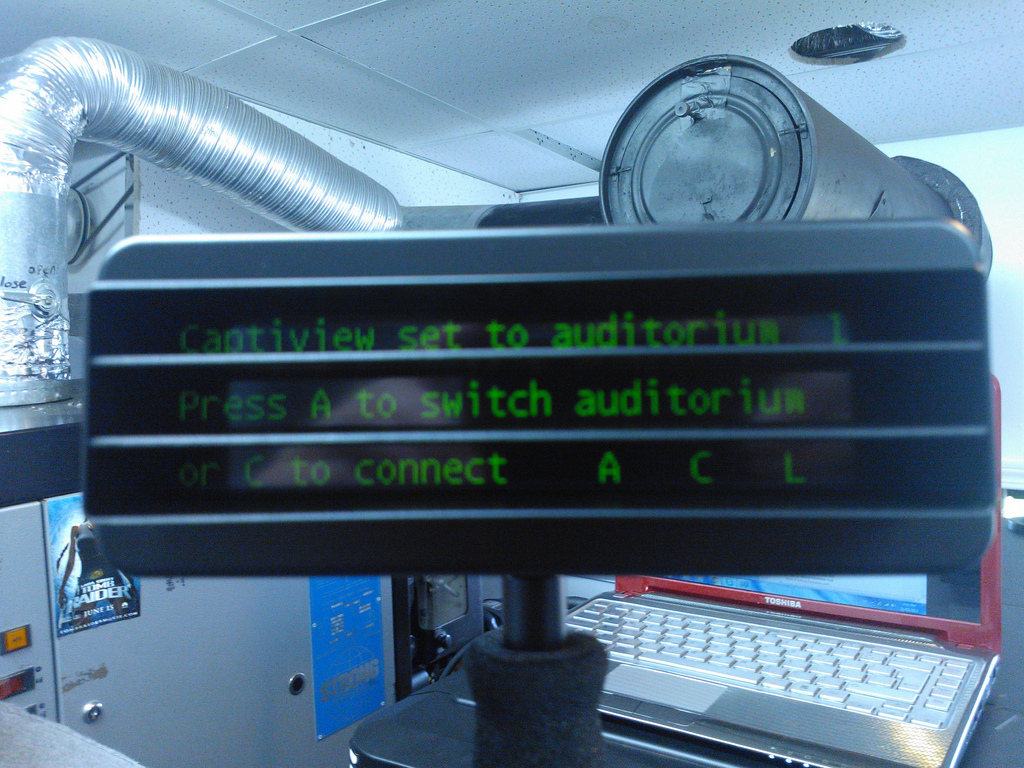
The top unit in that rack is the driver for the new closed captioning system that Bob will roll out shortly, an innovation that would have been impossible in a pre-digital era. Those requiring captions are loaned an in-car caption display that looks like this:

NOKIA Lumia 800_000964

The captions are displayed on that unit exactly as they would be if you turned on closed captioning on your television. 

The captioning system isn’t the only drive toward accessibility that Bob’s taken this year: he’s finishing off construction of accessible washrooms along with a paved area of the lot close to the canteen that will allow easier navigation for wheelchairs. 

The Brackley Drive-in is open weekends now; 7 days a week come summer. Check out what’s coming soon.

🗓️

About This Blog

Photo of Peter RukavinaI am . I am a writer, letterpress printer, and a curious person.

To learn more about me, read my /now, look at my bio, listen to audio I’ve posted, read presentations and speeches I’ve written, see things I’ve favourited elsewhere, or get in touch (peter@rukavina.net is the quickest way).

I have been writing here since May 1999: you can explore the 25+ years of blog posts in the archive.

You can subscribe to an RSS feed of posts, an RSS feed of comments, an RSS feed of favourites elsewhere, or a podcast RSS feed that just contains audio posts. You can also receive a daily digests of posts by email. I also publish an OPML blogroll.

Instagram • YouTube • Vimeo • ORCID • OpenStreetMap • Internet Archive • PEI.art • Drupal • Github.