You might think, pressing “play” on this video of conservator Lucy Angus, speaking at the Confederation Centre of the Arts on July 6, 2015, that you’ve missed a bit at the beginning.

But you haven’t: she just dove right in, without any of the “I had an uncle who grew up in Tryon” pleasantries that an Island speaker would spend the first 15 minutes of their talk on.

It was a pleasant change from the everyday.

Angus has a compelling enthusiasm about her project – the restoration of Samuel Holland’s 1765 map of Prince Edward Island for The National Archives, United Kingdom. Perhaps no person since 1765 has been on such an intimate basis with the map over an extended period. The result is a stunning restoration, involving the removal of years worth of grunge, some simply related to time, some the result of bad restorations-past.

I encourage you to watch the video through, and then to visit the map itself, on display in the Confederation Centre Art Gallery until January 2016.

🗓️

These days the go-to solution for a Canadian traveling to the USA and needing a short-term prepaid SIM card for their mobile phone is Roam Mobility. They’re a Canadian company in the business of providing SIM cards to Canadians traveling in the US and Mexico. They’re flexible, cheap (compared the the high cost of roaming on your Canadian mobile account) and, in my experience, everything just works as it should.

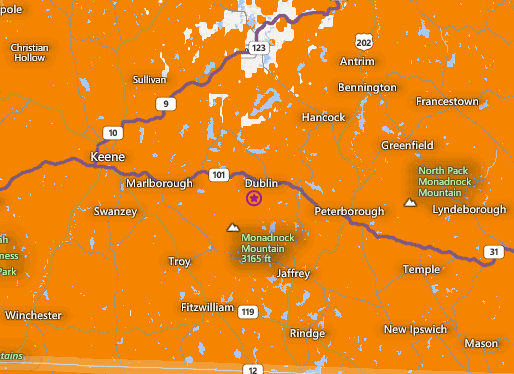
Except if your travel to the US happens to be to southern New Hampshire and, specifically, to a Roam Mobility dead zone between Milford and Marlborough along Route 101, a dead zone that my client, Yankee Publishing, happens to be exactly in the middle of:
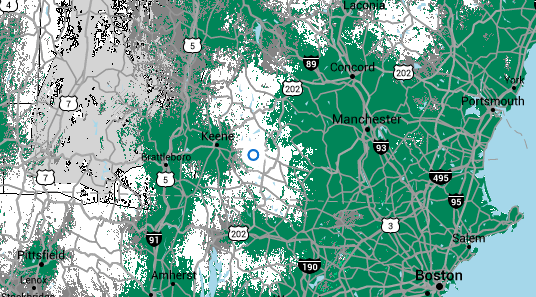
Roam Mobility Dead Zone in New Hampshire

Roam Mobility doesn’t actually operate its own mobile network in the US, they resell service from T-Mobile, so it’s really a T-Mobile dead zone that they’re inheriting. But, regardless, it means that Roam Mobility is useless to me if I want to have mobile coverage while visiting Yankee.

Plan B, in my case, is based on a scheme well-documented by Dan James back in 2011 involving an AT&T GoPhone SIM.

AT&T’s coverage of southern New Hampshire is, in theory, much more complete and dead-zone-free than T-Mobile’s:
AT&T Coverage Map of Southern New Hampshire

Armed with this knowledge, I stopped in at the Burlington Mall AT&T store (note that there are two in the mall and the upstairs one, by the food court, is smaller and less well-known so you might get quicker service there). I explained my situation to the helpful clerk there, and once she’d established that I knew exactly what I was looking for, she happily dispensed with any attempt to up-sell me to a lifetime mobile contract and a new phone. She went into the back room and emerged with a SIM, activated it while standing in front of me using a tablet, and I was up and ready to go. Before I left, she made sure I had service; we shook hands, and I was off.

I purchased $20 of credit on the SIM, and the SIM itself was free.  I signed up for the “$2/day” plan, which debits $2 on any day in which I make a phone call or send a text (and debits nothing on days that I don’t). There’s a handy $1/day data package add-on that provides 100MB of data; it’s a little clunky because you have to sign up for it every day but that sign-up process is something that can be done on the phone itself, before signing up for the package; and the “day” lasts until midnight on the next day, so it’s effectively a 48 hour window (compared that to Virgin Mobile’s $20/100 MB US Travel Data Pass – 20 times the price for the same data).

I was in the US for 7 days, and when I left I still had $9 of my original $20 in credit. I consumed the $11 as:

  • 5 days worth of $1/day data package for a total of $5.
  • 3 days worth of $2/day voice/text for a total of $6.

I ran out of data once, somewhat inconveniently while using Waze to navigate in Massachusetts on Saturday, but I was able to pull over and top-up without issue.

The coverage in southern New Hampshire wasn’t quite as rosy as AT&T’s coverage map makes it out to be: I had no signal at all from the Jack Daniels Motor Inn in Peterborough, which was inconvenient as that’s one of the places I wanted to be able to receive calls and texts. And the coverage up the hill at Yankee was spotty: there was signal in some parts of the building and not others.

Otherwise, though, I had coverage throughout my trip, from Burlington across southern New Hampshire to Brattleboro, Vermont, down to Chicopee, Massachusetts, over to Hillsdale, New York and back through to Boston. I navigated using Waze and Google Maps. I used Google Now to control my phone in the car hands-free, a checked in on Foursquare, I updated Twitter and Instagram, I used Google Hangouts to talk to home. And I sent and received a couple of text messages.

Dan pointed out a few downsides of the AT&T GoPhone system in his original post:

  • Topping up the account for Canadians was difficult: AT&T now points to prepaid.com directly from its own site as the solution to this. I didn’t need to use this, as I never extinguished my credit. I also found that AT&T top-up cards were for sale in almost every gas station and convenience store I stopped at while I was traveling.
  • The SIM expires: depending on how much credit you purchase, the SIM will expire anywhere between 30 days (< $25 credit) to a year ($100+ credit). Once it expires, your telephone number expires with it. So in my case, unless I top the SIM up in the next 20 days, it will expire in late August and the next time I visit the USA I’ll need to go through the same SIM purchase process as though it was a new day.

The really good coverage in southern New Hampshire, my colleagues tell me, is from Verizon; unfortunately Verizon uses the older CDMA network which doesn’t work with my Canadian GSM phone, so I can’t take advantage of that.

All that being said, AT&T GoPhone proved an inexpensive, mostly-working way of staying online and in touch on this trip, and I’m likely to use the same solution again when I return in the autumn.

🗓️

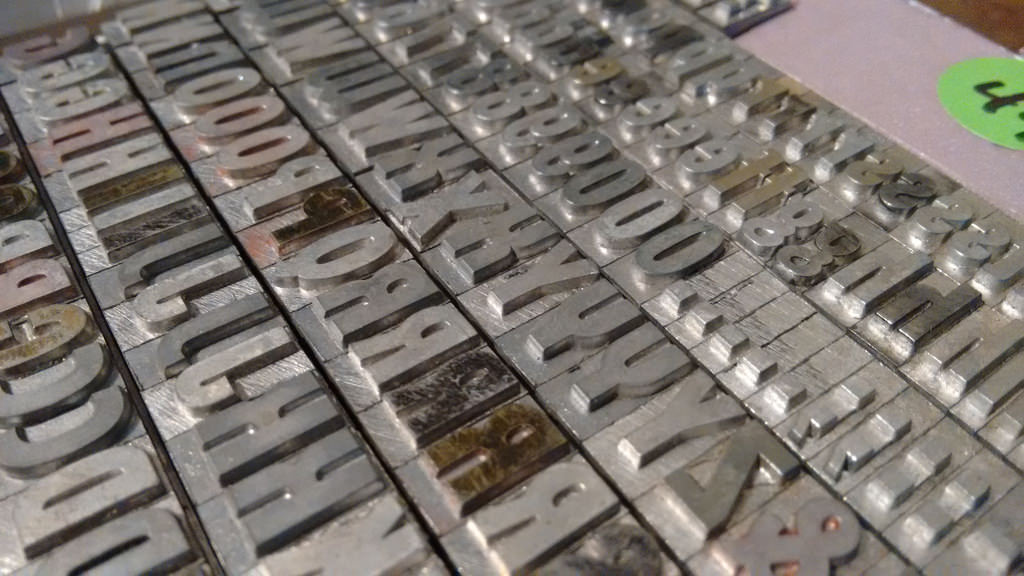
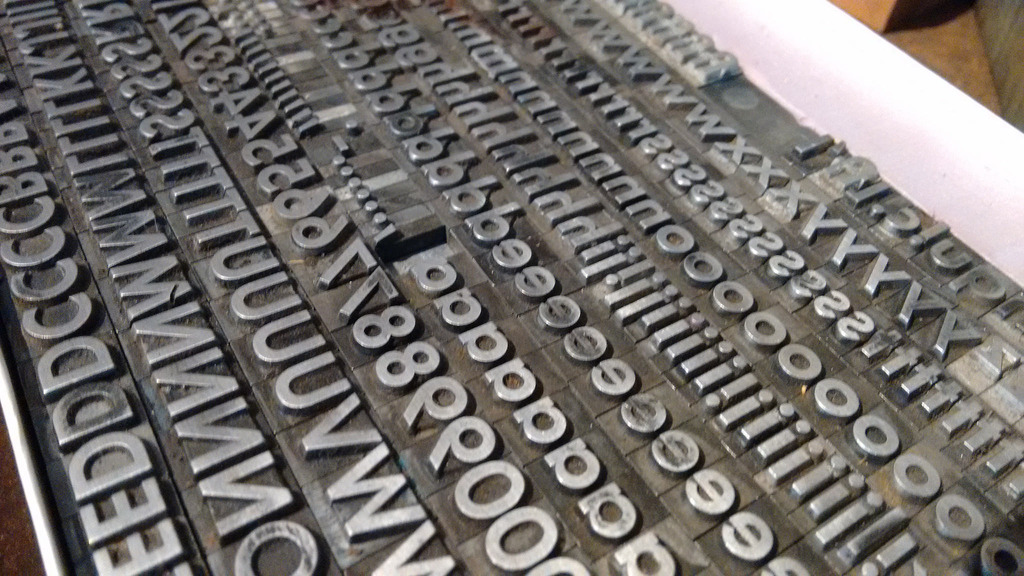
I acquired two new fonts of type from Letterpress Things on Saturday.

Tourist Gothic 36 pt.

IMG_20150726_201320840

Futura Bold 30 pt.

New Font from Letterpress Things

🗓️
Letterpress  •  Letterpress Things  •  Type

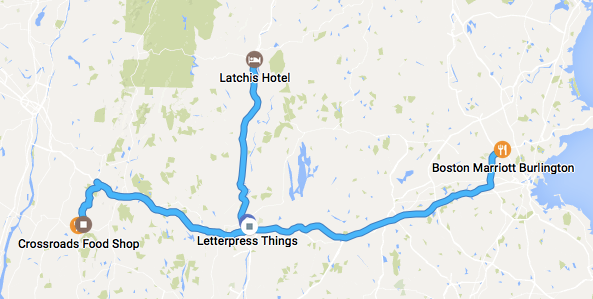
Last night, having concluded my business with my comrades at Yankee Publishing in Dublin, NH, I headed west to Brattleboro, Vermont for the evening.

My Timeline via Google

Brattleboro is one of my favourite towns: it’s so palpably Vermont, and yet so New Hampshire-proximal – you need merely look east to see New Hampshire rising up across the river. The Brattleboro Food Co-op is a model for how groceries should be sourced, arranged, managed and sold (and is an excellent place to grab a quick meal to boot). Mocha Joe’s makes a very good cup of coffee. The Latchis Theatre is a gem of a cinema. And the Latchis Hotel, which sits astride the theatre, turns out to be a well-run, scrupulously clean, gem of an art deco hotel. I could live there, easily.

After enjoying the fruits of all of the above – supper at the Co-op, Inside Out at the movies, a night in the hotel and a morning coffee at Mocha Joe’s – I hopped back in my Fiat 500 and turned onto Interstate 91 south toward Chicopee, Massachusetts, home of Letterpress Things, one of the few stops on the North American letterpress printing trail I’d yet to visit.  I pulled into Chicopee around 10:00 a.m. and emerged, 2 hours later, equipped with two new fonts of type and various other bits of printing ephemera, happier and wiser for having spent time with John Barrett, personable owner. John has created a wonderful showcase of all things letterpress, a showcase targeted directly at the hobby printer demographic that I fall in the middle of.  He’s kind and patient and in it for the joy more than the money. Stock is carefully and helpfully arranged, and John is ready with advice and counsel. I’m so happy I arranged to stay an extra day to be able to make the trip.

Shortly after Noon I loaded up the Fiat with my purchases and headed even farther west, arriving in the hamlet of Hillsdale, New York at 2:00 p.m. where I found my way to the home of Tessa Blake and Ian Williams, friends I see all-too-seldomly (the last time was at Zap Your PRAM in 2008). Ian and Tessa and I caught up over lunch at CrossRoads Food Shop and then, back at their house, I got to finally meet their long-rumoured daughter and a coterie of other Williams and associated acolytes, young and old. Many interesting conversations were shared over cups of tea, and then, as darkness fell and still others started to arrive for supper around their impossibly large table, I bid all adieu and headed back the way I came, toward Boston.

Through darkness and rain I drove for just under 3 hours, finally arriving here in Burlington, Massachusetts around 10:30 p.m., exhausted after a longer day of driving than I’ve had in years.

Three states in twelve hours. Much ground covered. A good way to segue out of New England and back to Prince Edward Island, where I’ll land tomorrow afternoon by way of Halifax. Flying, fortunately, not driving.

The Fiat 500 I rented, by the way, was a replacement for the Prius I originally reserved: the Prius I was offered ended up being a tired, old, dirty, smelly one with many miles on the odometer; when I spied a 500 on the lot I saw my way out, and, happily, one was available. It was a perfect little car for a week of solo motoring: peppy, nimble, and very fun to drive. I’d rent one again in a heartbeat.

I navigated my way around using my Moto G Android phone, using a combination of Waze (helpful, but alas prone to crashing) and Google Maps (less helpful, but rock solid), getting data via a AT&T GoPhone SIM I purchased at the Burlington Mall on the way up to Dublin on Tuesday, using Dan James’s helpful 2011 instructions as a guide. It cost me $2/day on days I made one or more phone calls or sent one or more texts and $1/day on days I only used data (100MB/day, which served me just fine). Coverage was excellent everywhere except in the many dead zones in and around Peterborough and Dublin, NH.

IMG_20150720_175050138

🗓️

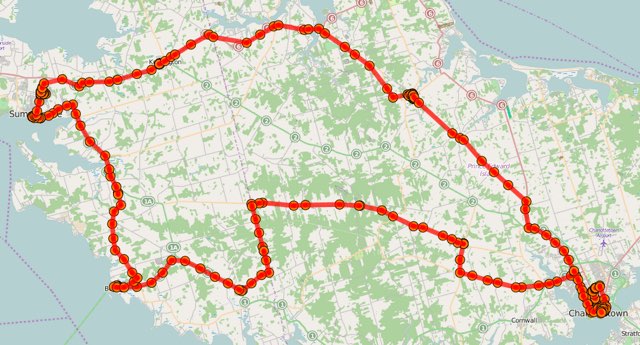
Here’s where life took Oliver and I yesterday, a roughtly-walrus-shaped track from Charlottetown up the spine of the Island, down to Borden, across to Summerside, back to New Glasgow and then home:

Here’s what we did along the way:

  1. We had breakfast at the Charlottetown Farmer’s Market, as we usually do.
  2. We headed out the Kinkora Road and then took a jog down to Lady Fane, ending up at Gateway Village in Borden-Carleton where we had an excellent, fresh lunch at Scapes (pulled-pork sandwich and potato salad for Oliver; fish cakes and green salad for me).
  3. We took Rte. 10 toward the Bedeques, ending up at Bishop’s Machine Shop in Summerside, recommended to us by Olle and Luisa, who visited last year. It’s a perfectly preserved “like the day he left” machine shop just east of downtown; we had a tour from a sprightly young lad who knew his stuff.
  4. Coffee and cake at Samuel’s Coffee House downtown.
  5. Watched the film Ant Man at the Cineplex in uptown Summerside.
  6. Across to Kensington for supper at the Frosty Treat.
  7. Along (very) scenic Rte. 6 from Kensington to Stanley Bridge and then down Rte. 224 to New Glasgow for iced tea at the PEI Preserve Company and a walk through the Gardens of Hope.

About 12 hours from start to finish: a good father and son day.

🗓️

I’m off to New England tomorrow afternoon for the first time since January.

I’ll be spending Monday night through Friday in southern New Hampshire, working with my colleagues at Yankee Publishing on Almanac.com and YankeeMagazine.com.

On Friday night I’m spending the night in downtown Brattleboro, Vermont – one of my favourite towns – staying at the Latchis Hotel for the first time. It’s part of a complex that includes a movie theatre, so what’s not to like?

Early Saturday morning I’ll head down I-91 to Chicopee, Massachusetts to visit Letterpress Things for the first time – “unique store for type and tools, supplies and materials, presses and other items for the letterpress printer.”

And then I’ll head west to Hillsdale, New York to visit our friends Ian and Tessa who I haven’t seen since the last Zap Your PRAM 7 years ago (!).

Saturday night I’m whizzling back to the Boston area, staying overnight in Burlington, and Sunday morning I fly back to the Island.

Perhaps our paths will cross?

🗓️

Canada’s Chief Electoral Officers – the federal, provincial and territorial officials responsible for the conduct of elections in their jurisductions – held their annual meeting here in Charlottetown on Monday, July 20, and I was asked to speak to them on open data in the same spirit I spoke to the Queen’s Printers Association of Canada last month: open data from a user’s perspective.

I honed the presentation for the elections-focused audience, and I winnowed down my “open data principles” to 5 (from 7), both for time and focus, leaving me with:

  1. You have no idea (at all) what open data might be used for.
  2. PDFs are where data goes to die.
  3. Sometimes “open” can simply mean following rules of design.
  4. Open data is a conversation.
  5. Sometimes your users will create open data for you.

I used my work to liberate the recently-released White Paper on Democratic Renewal here on Prince Edward Island as an example of a project that touches on each of those principles.

Although the slides I used for the presentation are less meaningful with out me to walk through them, I’m providing them in a variety of formats, under a Creative Commons license, with hopes that others might build upon them.

  • Keynote 6 (47 MB)
  • PDF (18 MB; does not include audio clips)
  • HTML (exported from Keynote as a “playable” presentation)
  • JPEG (26 MB; 87 images, one per slide, in a ZIP file)
  • Speaker Deck (web-embeddable)

Logistics for the meeting were expertly handled by the Canadian Intergovernmental Conference Secretariat: the screen projector and audio setup was painless, and my presentation was simulataneously translated into French (leaving me to wonder how idioms like “and once the horses were out of the barn…” were translated).

🗓️

I went a little wild this afternoon taking the White Paper on Democratic Renewal, released in the Legislative Assembly today, and liberating it from its PDF prison into a variety of more open formats (like ePub, HTML and plain text). 

Once the text was out there in the open, I kept right on going, pasting the plain text into TextEdit in my Mac and using the OS X “Add to iTunes as Spoken Track” to convert the text into speech.  I then brought the resulting MP3 into GarageBand and added a techo backing track, and then uploaded the result to SoundCloud.

While the text-to-speech is clunky and awkward by times, it’s still remarkably good, and I’m surprised by how much more listenable it becomes with its techo backing.

🗓️
Music  •  SoundCloud  •  Politics  •  Prince Edward Island

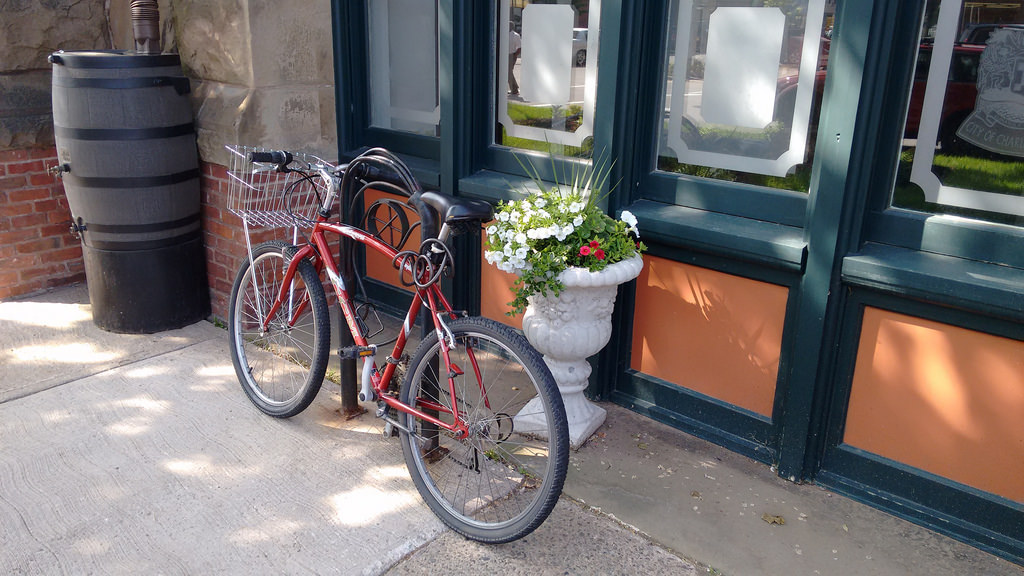
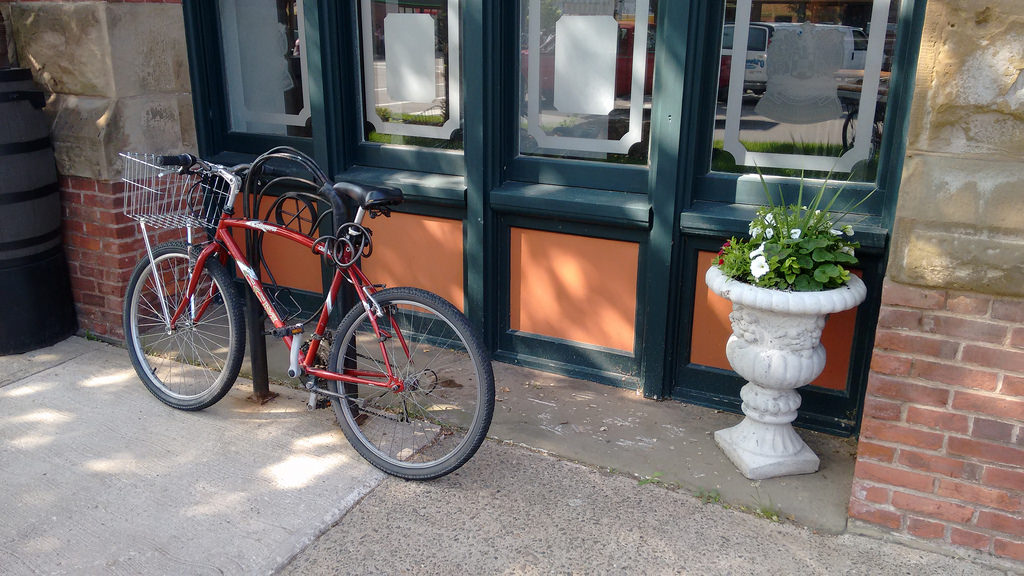
I arrived at Charlottetown City Hall this morning on my bicycle only to find that the single bicycle rack in front of the building already had a bicycle attached to it, with the space for a second bicycle blocked by a concrete flower planter:

IMG_20150709_094524638

I thought of various ways I could deal with this – angry letters to the Mayor, snarky tweets about “does the city really care about sustainability,” and so on.

Instead of any of those, I simply moved the concrete planter:

City Hall Bicycle Rack Not Blocked by Planter

🗓️
Bicycle  •  City Hall  •  Charlottetown  •  Climate Change

As one of the households in my Social Consumption Project project moved out of town, I was left with a spare Ledbetter board and Raspberry Pi to deploy elsewhere. So I turned to the City of Charlottetown’s Sustainability Coordinator with the suggestion that I install this in City Hall. And she readily agreed. And today was install day.

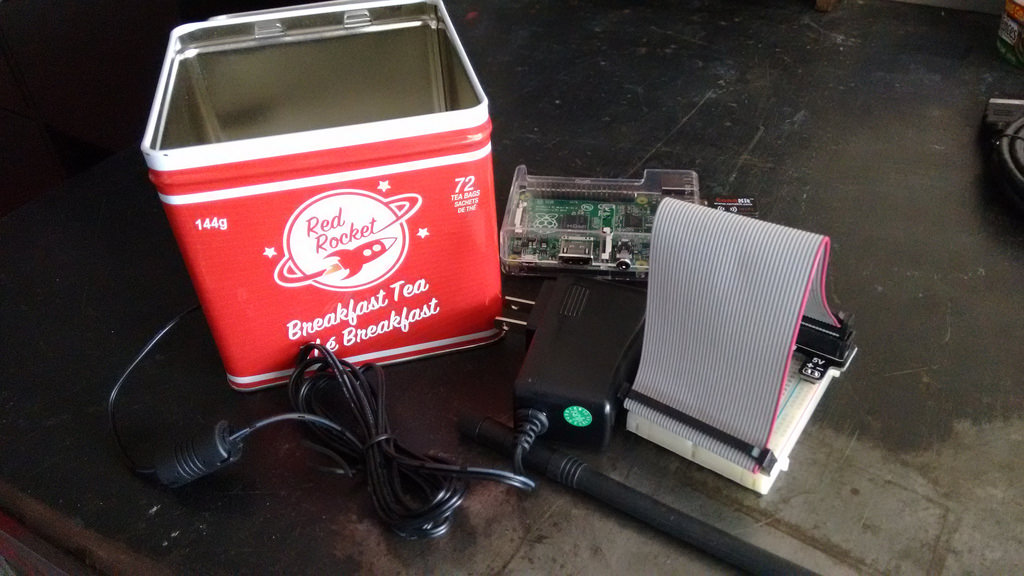
In preparation, I enclosed the Pi and the breakout board in a new enclosure (as detailed here):

Red Rocket Pi

I tested the updated setup here in my office in The Guild for a week; here’s the daily water consumption in litres over that week (yesterday there were three shows in the theatre, so lots of washroom use, hence the uptick in water consumption):

Water Consumption in The Guild for a week

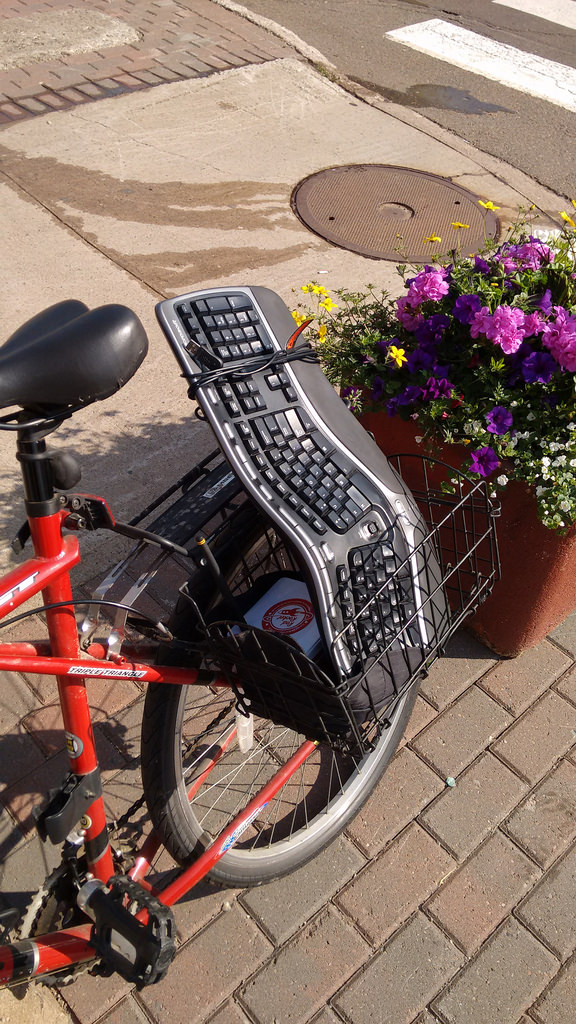
This proved robust (the tin container interfered with neither the USB wifi dongle nor the Ledbetter board’s abilities) and so I was ready to install in City Hall. I loaded up my bicycle and headed that way:

Bicycle Loaded up for City Hall

The first task at City Hall was to locate the water meter and obtain its serial number. With some guidance from Public Works, we headed to the basement and found it on the Queen Street side in the utility room:

City Hall Water Meter

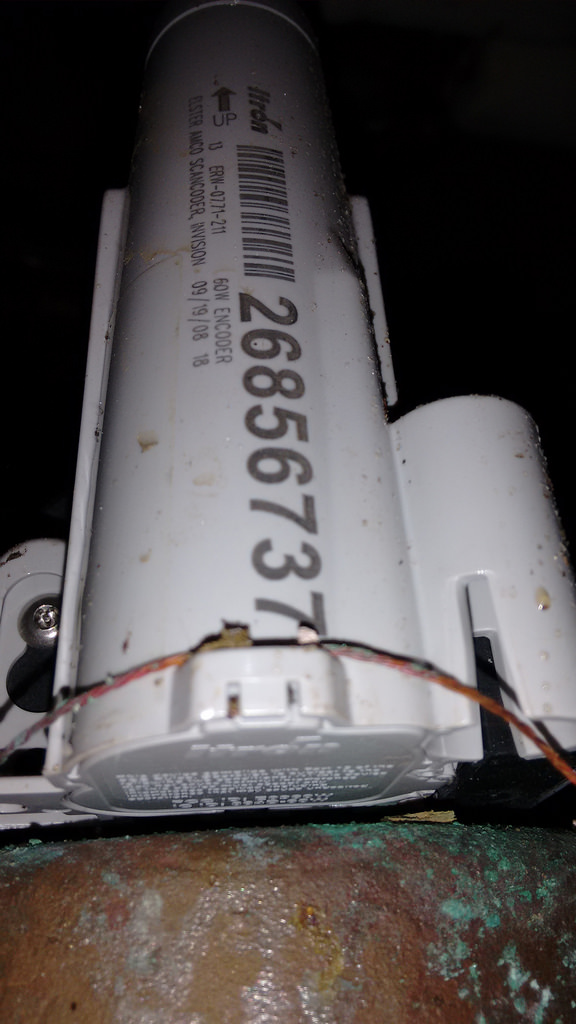
On the wall-wide was the Itron radio meter reader, with its serial number facing the wall, so I had to stand on a chair and use my mobile phone’s camera to take a photo of it, which took a few tried, but ultimately worked:

City Hall Water Meter Reader

The meter’s serial number is the big number – 26856737.

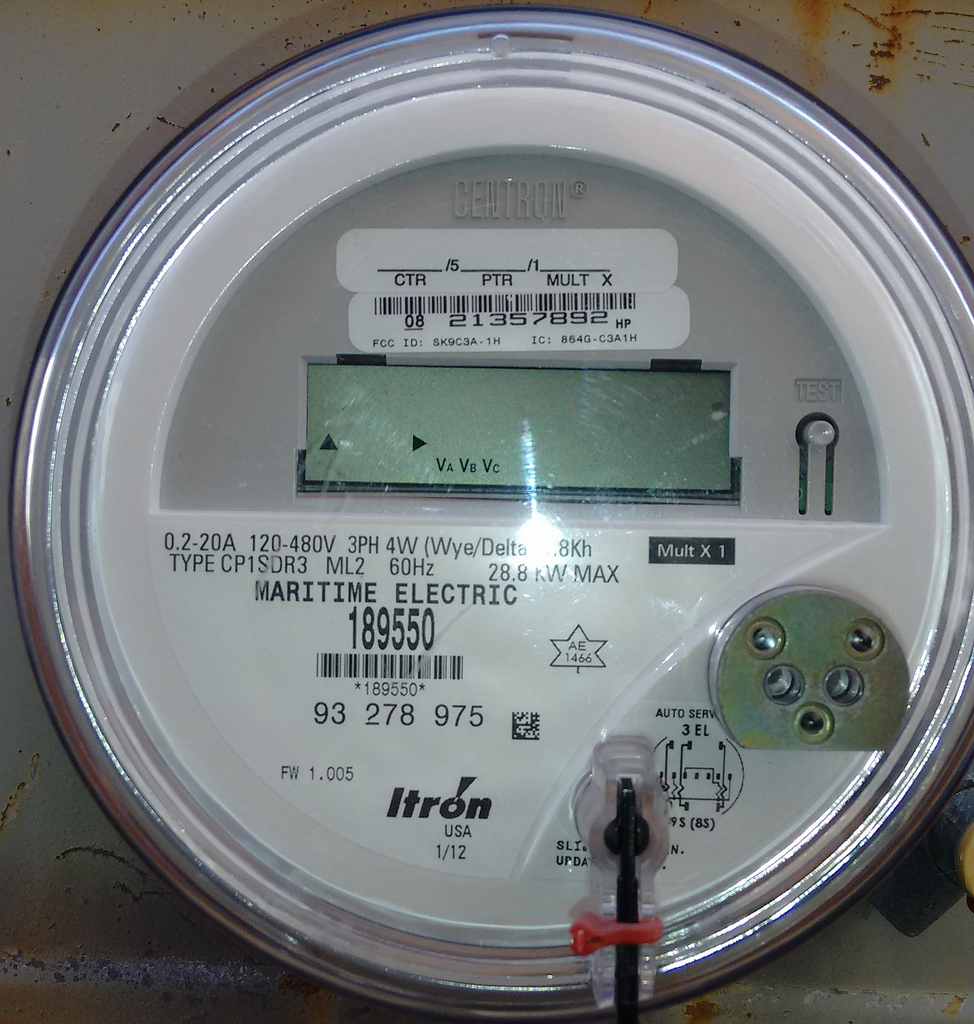
Next, we found the City Hall electricity meter outide the building in the alley off Kent Street:

City Hall Electricity Meter

I knew enough from experimenting here at The Guild that this is a 3 phase meter (the 3PH and the meter type of 8 next to the bar code are the giveaways), and that, as a result, the Ledbetter board wouldn’t be able to read it because it’s specifically programmed to skip over the frequency range of that meter type, so we set electricity meter reading aside and concentated on water meter reading.

Up on the second floor of City Hall I got connected to the guest wireless network. This is a closed network, so I needed a wifi password to connect to it, which meant that I had to connect the Raspberry Pi to a keyboard (which I brought) and a monitor (which I borrowed, via a HDMI-to-VGA adapter I brought along just in case). Connecting to the wifi was no problem, but I soon discovered a couple of limitations of the City Hall network setup:

  1. Devices connected to the network cannot see each other, even if they’re on the same subnet. This isn’t unusual for a guest wifi network, as its primarily intended for visitor use, and visitors would have no need to have their devices see other devices on the network; for my purposes, though, it meant that I couldn’t connect to Node-RED running on the Pi from my MacBook Air on the same network, which made it hard to see if things were working properly.
  2. Devices connected to the network cannot connect to the Internet on port 22, which prevented me from SSHing, or tunnelling over SSH, to my external database server to see if data was flowing from Node-RED to the database.

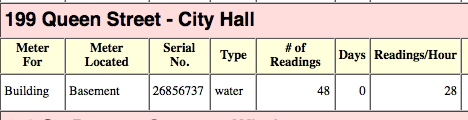
I was able to work around these issues by connecting my MacBook Air to a wifi hotspot on my Moto G mobile phone, which allowed me to SSH to my external database server and to confirm that data was, indeed, flowing from the water meter with serial number 26856737 that we’d found in the basement; I could then add the serial number to my list of recognized meters, and the data started to appear on my internal dashboard:

Meter Reader Dashboard

With everything working as it should, I unplugged everything, set the “Red Rocket Pi” in an out-of-the-way corner, and left it to continue to log data.

The city’s sustainability committee now has to meet to decide whether the data on City Hall’s water consumption can be made public; that should happen in the next few weeks.

🗓️

About This Blog

Photo of Peter RukavinaI am . I am a writer, letterpress printer, and a curious person.

To learn more about me, read my /now, look at my bio, listen to audio I’ve posted, read presentations and speeches I’ve written, see things I’ve favourited elsewhere, or get in touch (peter@rukavina.net is the quickest way).

I have been writing here since May 1999: you can explore the 25+ years of blog posts in the archive.

You can subscribe to an RSS feed of posts, an RSS feed of comments, an RSS feed of favourites elsewhere, or a podcast RSS feed that just contains audio posts. You can also receive a daily digests of posts by email. I also publish an OPML blogroll.

Instagram • YouTube • Vimeo • ORCID • OpenStreetMap • Internet Archive • PEI.art • Drupal • Github.