
I’m forever looking for ways to make finding library books easier, and recently I found something that I use almost every day, a “shortcut” for iOS and macOS that let’s me easily search the PEI Public Library Service catalogue.
If you have a Mac or an iPhone, and some basic familiarity with “Shortcuts,” you can download the shortcut here.
In operation on the Mac, it looks like this:
I’m simply clicking “Search Library” in the dock, getting prompted for a book title, and the library catalogue opens in Safari with a search for that book.
In the Shortcuts app it looks like this:
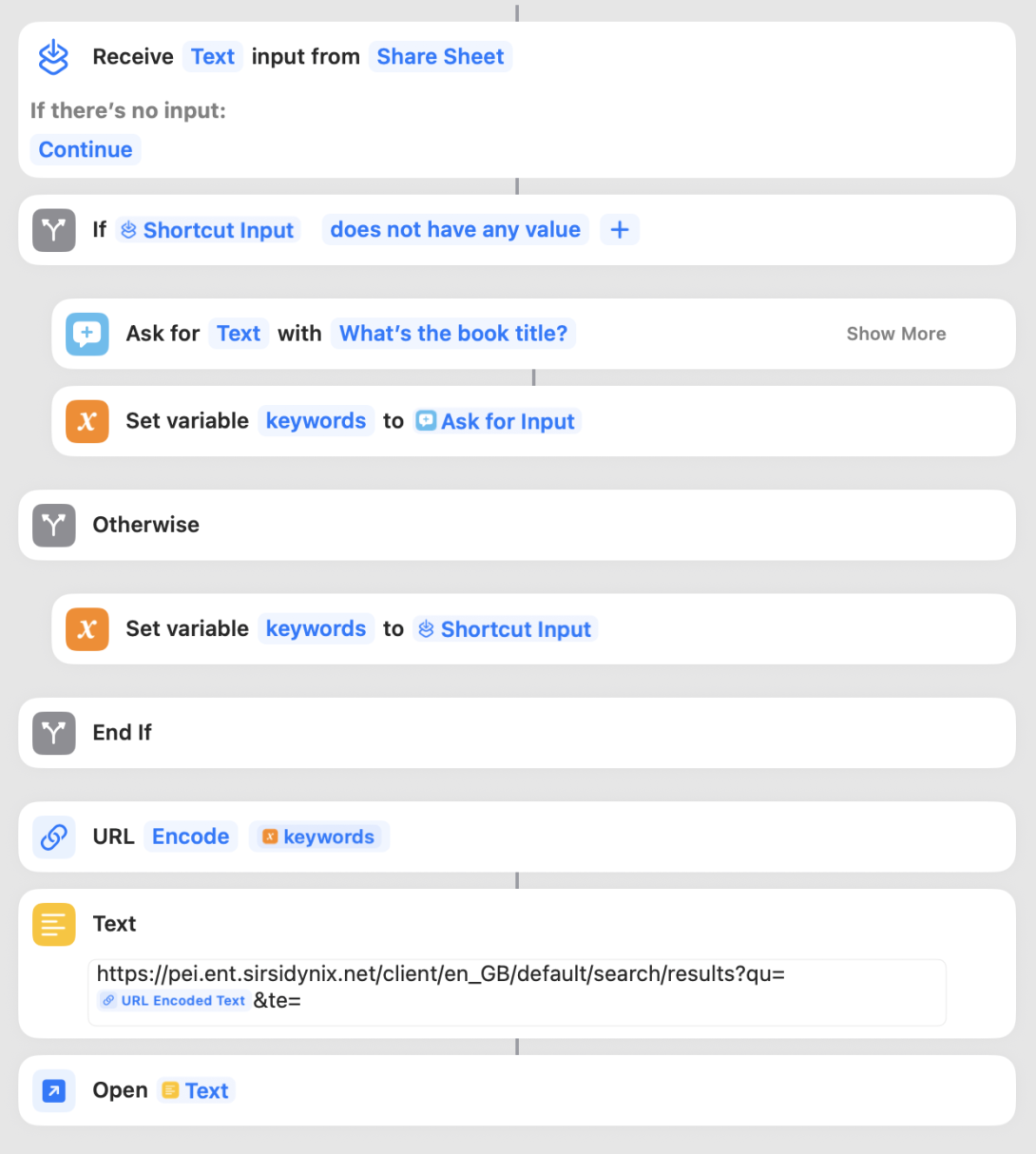
Some cool things about this, part of the magic that Shortcuts brings:
- It works equally well on my iPhone as on my MacBook Air.
- It works with Siri: I can say “Hey Siri, Search Library” and I’ll get prompted for a book title, which I can speak, and the search will open in my browser.
- One my iPhone, it also works as a “Share Sheet” item meaning that I can highlight a book title, click “Share” and select “Search Library” and the library catalogue search will open, like this:
Shortcuts isn’t quite “HyperCard for the 2020s,” but it’s a pretty amazing piece of kit to have built into all the Apple things.
Comments
I was pleasantly surprised to find this blog post while searching for the link to the PEI library catalogue. Installed the shortcut on my phone easily and it has significantly improved my quality of life. Didn’t know how much I needed this! Thank you so much Peter!!
 I am
I am  You can subscribe to an