
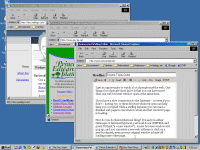
 I get an opportunity to watch a lot of people surf the web. One thing a lot of people don’t know is that you can have more than one web browser window open at the same time.
If you have a slow connection to the Internet — or even if you don’t — having two or three browser windows open can help keep you occupied while surfing because you can read a finished web page in one window while another window’s page is loading.
How do you do this mysterious thing? It’s easy: in either Netscape or Internet Explorer, just hold down CONTROL and press N (think “n = new window”). A new browser window will pop up, and you can enter a new web address or click on a new bookmark, even as your original window is busy off loading some other page.
 I am
I am  You can subscribe to an