
One of the problems with knowing a little about a lot of things is that you end up missing out on the subtle details of a lot of things.
And so it was with adjacent sibling selectors.
While I have received expert-level flack for my indentation of paragraphs here on the blog — I believe the criticism was along the lines of “that’s so print” — I simply cannot reconcile myself to using vertical space to separate paragraphs.
This style is not without its challenges. For the longest time I opened every blog post with:
<p class="noindent">
just so the first paragraph wouldn’t include the standard 2em indent. Eventually I eliminated the need for this with better CSS:
.onepost < p:first-child {
    text-indent: 0;
}
That automagically removes the indenting from the first paragraph of a post. But I was still left with the issue of not wanting to indent the first paragraph following an image:
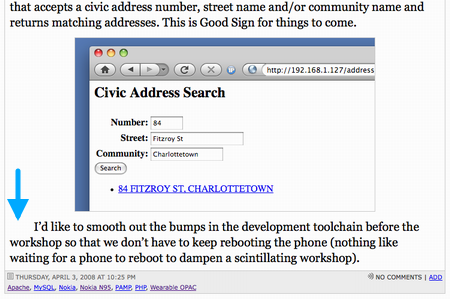
It turns out there was a really, really easy way to achieve this that I had absolutely no knowledge of: using an adjacent sibling selector:
img + p {
    text-indent: 0;
}
In other words, “if a paragraph follows an image, then don’t indent it.” Neato. I’ve added similar logic for paragraphs following code blocks (like this paragraph), blockquotes, and lists.
Comments
You’re probably aware, but this doesn’t work in Internet Explorer 6.
Yeah, but Netscape 3 doesn’t still have over 30% of the market: http://www.w3schools.com/brows…
Thank goodness I can ignore the market, and design for the cool people who know better ;-)
To make matters worse, this comment box breaks on Safari 3.1. Actually, that wouldn’t make matters worse. Safari only accounts for a whopping 2% of the market. Ah the joys of web development!
 I am
I am  You can subscribe to an